
HyperFrames on GitHub: Install Guide and How It Compares with Remotion
HyperFrames is HeyGen's open-source HTML-to-video framework. Get the GitHub repo, install the CLI or agent skills, render your first MP4, and see when to pick it over Remotion.

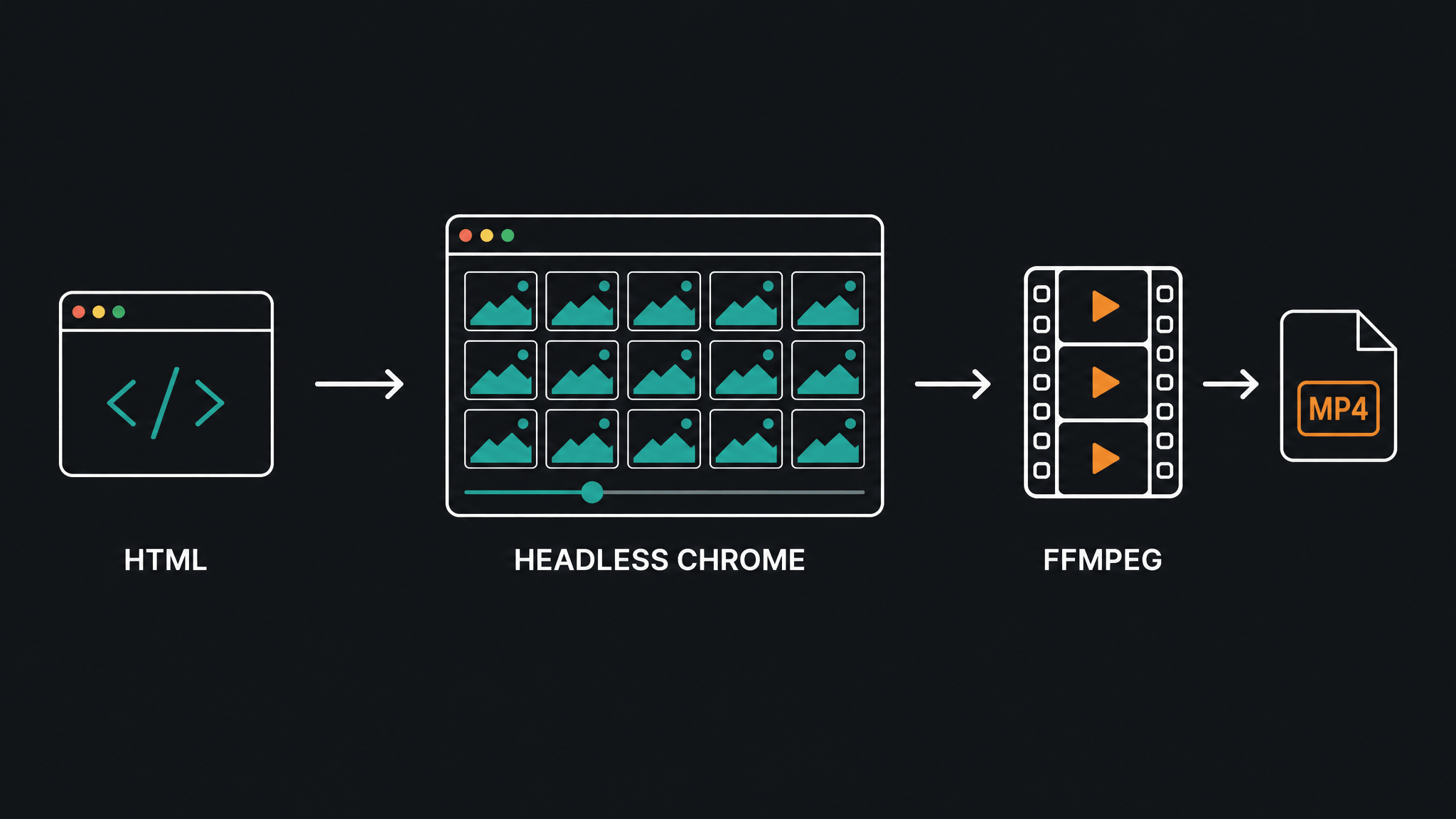
HyperFrames is HeyGen's open-source, HTML-to-video framework: you describe timing with plain HTML data attributes, and a headless-Chrome renderer seeks every frame and encodes it into a deterministic MP4 with FFmpeg. The repo you're looking for is github.com/heygen-com/hyperframes — TypeScript, Apache-2.0 licensed, around 78,000 stars since it was created in March 2026, and under active development as of this writing.
Its tagline, "Write HTML. Render video. Built for agents," sums up the bet: AI coding agents already write HTML fluently, so HTML — not React components, not a proprietary timeline format — is the fastest authoring format for agent-made video.
This guide covers the practical path: what to install, what a project looks like on disk, what a real render produced on my machine, and an honest comparison with Remotion so you can pick between them before you invest a weekend.
What is HyperFrames?
HyperFrames turns an HTML file into a video. A composition is a normal web page: visible elements carry data-start, data-duration, and data-track-index attributes that say when they appear, and a paused GSAP (or CSS, Lottie, Three.js, Anime.js, or WAAPI) timeline says how they move. The renderer doesn't record a live playthrough — it jumps the page to each exact frame in headless Chrome, screenshots it, and encodes the frames with FFmpeg. Because every frame is seeked rather than observed, the same input produces the same video every time, which is what makes it usable in CI pipelines and regression tests.
That architecture is the same one Remotion uses — both tools render web pages through a headless browser and encode with FFmpeg. The difference is what you write, and I'll come back to that in the comparison.
The project is young but not experimental: HeyGen runs it in production, and tldraw and TanStack appear in the repo's adopters list.
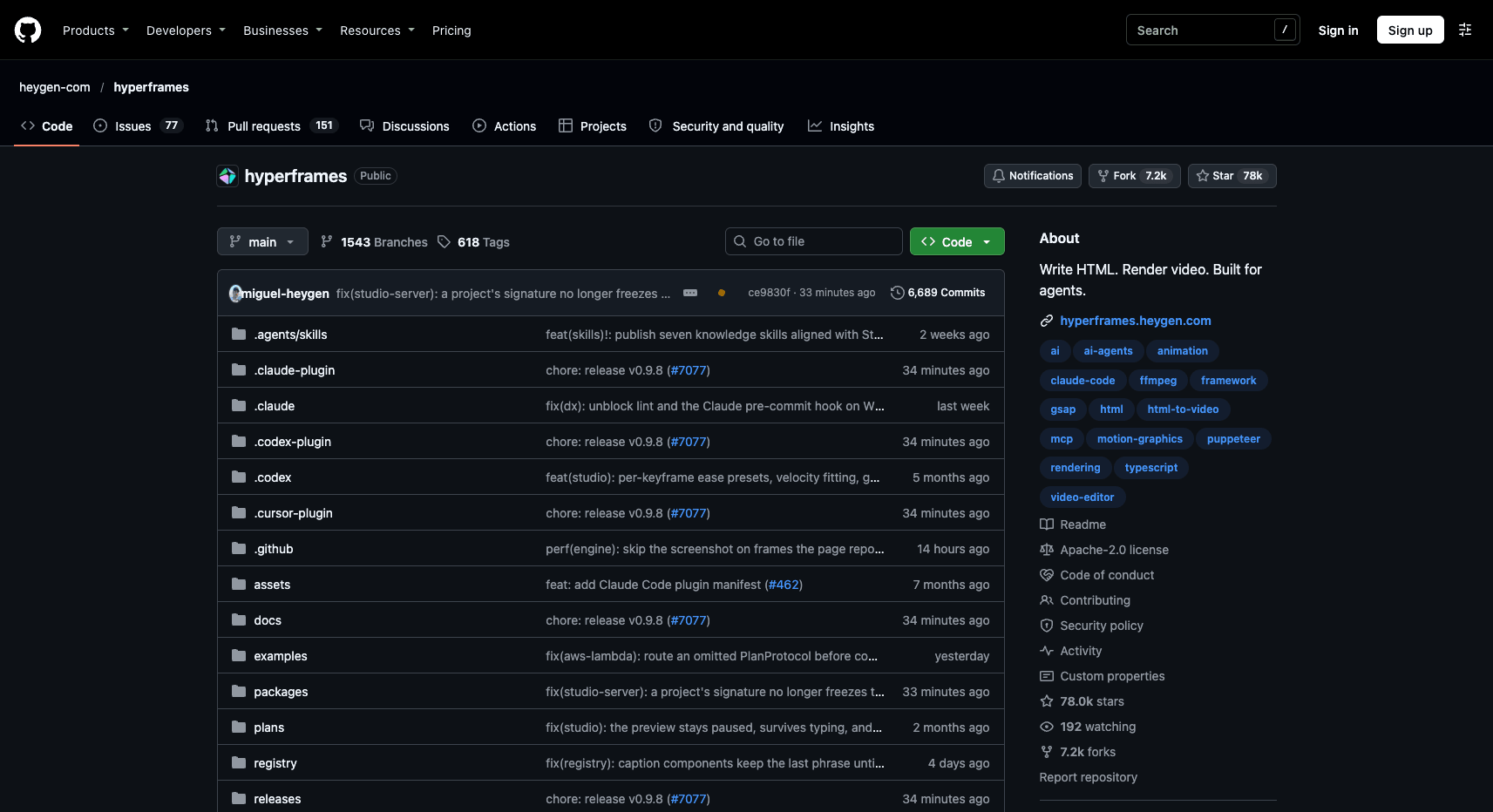
Source: github.com/heygen-com/hyperframes, accessed November 3, 2026.
Requirements
For the CLI path you need:
- Node.js 22 or newer (the npm package declares
engines: node >= 22) - FFmpeg available on your
PATH(on macOS:brew install ffmpeg; on Ubuntu:sudo apt install ffmpeg)
You don't install a project-level dependency: compositions are plain HTML files, and hyperframes init scaffolds a project with no node_modules at all — the CLI itself runs through npx.
Install path 1: the CLI, manually
The fastest way to try HyperFrames is one command:
npx hyperframes init my-video
cd my-video
I ran this on a Mac (Node 24, FFmpeg 8.1) with hyperframes 0.9.7. The scaffold created six files and no dependencies:
my-video/
├── index.html          # the composition — a 10s, 1920×1080 starter film
├── hyperframes.json    # registry + paths config
├── package.json        # dev / check / render / publish scripts
├── AGENTS.md           # instructions for coding agents
├── CLAUDE.md
└── meta.json
One detail worth knowing: init also links HyperFrames' agent skills into your installed coding-agent directories, so an agent opened in that folder already knows the framework's rules.
The starter index.html is instructive. The root element declares the film:
<div id="root"
     data-composition-id="main"
     data-start="0" data-duration="10"
     data-width="1920" data-height="1080">
  <h1 id="title" class="clip"
      data-start="0" data-duration="10" data-track-index="0">Title</h1>
</div>
and a paused GSAP timeline is registered for the renderer to seek:
<script>
  const tl = gsap.timeline({ paused: true });
  window.__timelines["main"] = tl;
</script>
Before rendering, lint the project:
npm run check
On the scaffold this passed with zero errors, one warning (the placeholder title never moves, so the checker flags a static first frame and suggests data-no-timeline for intentionally still compositions), and a 5/5 WCAG AA contrast pass. The checker validates layout, motion, contrast, craft, and audio rules before you waste a render.
npm run dev opens a live-reload preview in your browser; npm run render writes the MP4.
Install path 2: with your coding agent
If you work in Claude Code, Codex, Cursor, Copilot, or Gemini CLI, the intended workflow is to let the agent build the video. Two install shapes exist (this section is documentation-based — I verified the commands against the official docs, not every agent):
Claude Code plugin:
claude plugin marketplace add heygen-com/hyperframes
claude plugin install hyperframes@hyperframes
Then invoke it as /hyperframes:hyperframes.
Standalone skills (any folder, any agent):
npx skills add heygen-com/hyperframes     # interactive picker: choose Core Skills
npx hyperframes skills update            # non-interactive: installs exactly the core set
The core set is four skills: /hyperframes (the render contract — read first), /hyperframes-cli, /hyperframes-registry (the ~450-block catalog), and /media-use (music, voiceover, footage). Four more install on demand, including /remotion-to-hyperframes for porting existing Remotion code.
Then you just ask, in the README's own example:
Using
/hyperframes, create a 10-second product intro with a fade-in title, a background video, and subtle background music.
No-terminal options
Two paths skip the terminal entirely. The Studio app (macOS, Windows, Linux) runs an agent beside a live preview — you type what you want, answer a few questions, and edit by pointing at the frame; it needs a free HeyGen account. And a connector for Claude.ai or ChatGPT builds and renders the video in your HeyGen account, trading away the local project folder. The framework itself is free and Apache-2.0; HeyGen media like avatars or generated clips consumes HeyGen credits only when you explicitly ask for them.
The three rules that make a composition render
HTML compositions fail silently if you break the contract, so it's worth memorizing the three rules the docs call out:
- Every visible element carries
class="clip"with anid,data-start,data-duration, anddata-track-index. - The animation timeline is created paused — the renderer seeks it; it must not play on its own.
- The timeline is registered on
window.__timelinesunder the same id as the root element'sdata-composition-id. Miss this and you get a still frame with no motion.
For anything non-trivial, don't hand-build: npx hyperframes add data-chart pulls a ready-made block (about 450 exist — transitions, overlays, kinetic type, captions, charts, maps) into your project as editable source.
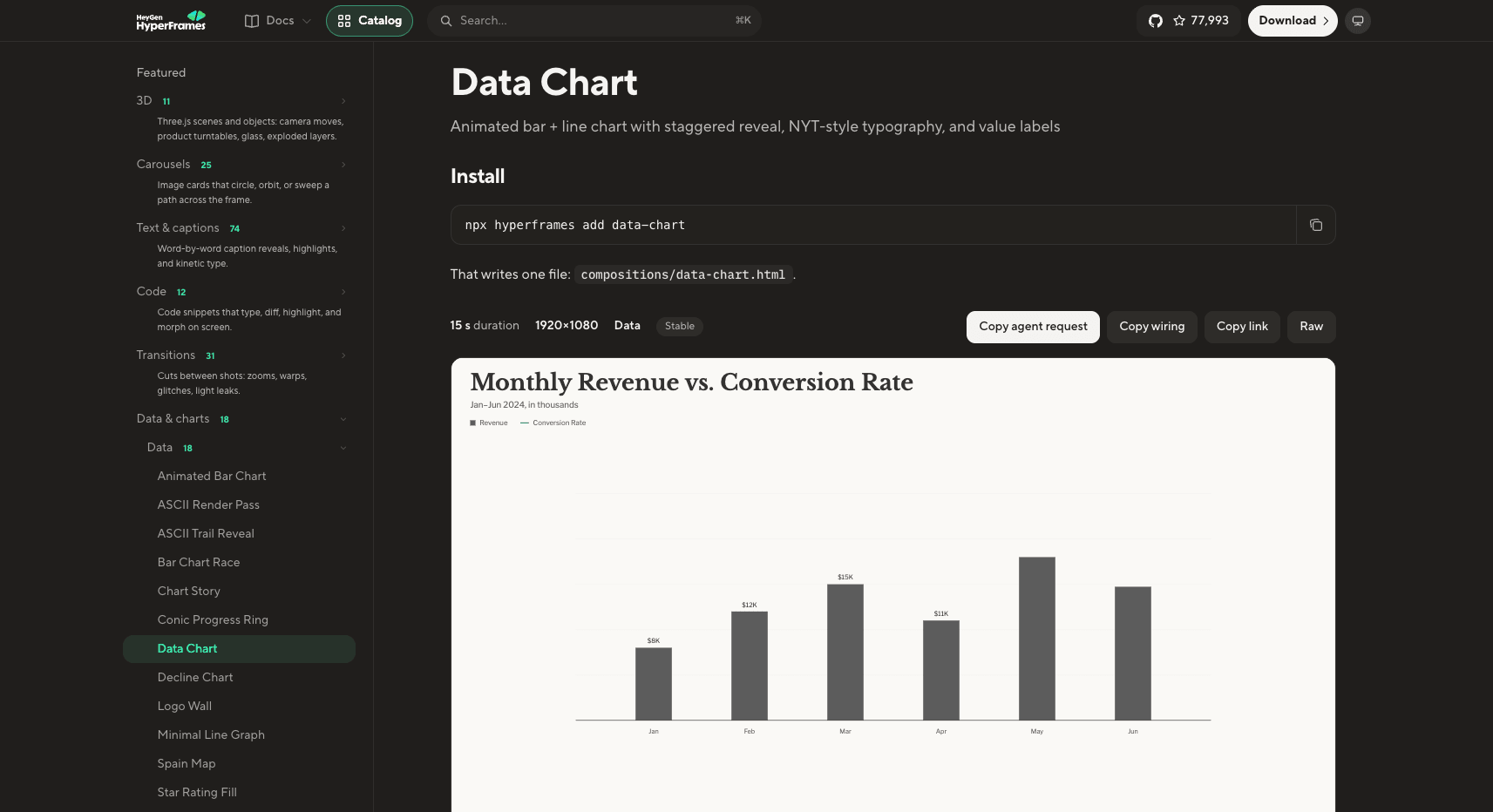
Source: hyperframes.heygen.com catalog, accessed November 3, 2026.
Rendering: what a real run produced
With the scaffold untouched, I ran npm run render:
◇  renders/smoke-test_2026-11-03_17-38-07.mp4
   29.0 KB · 10.0s video · rendered in 19.1s
   screenshot capture · hardware gpu · compile 8.5s · extract 0.0s · audio 0.0s · probe 0.0s · setup 1.6s · capture 8.8s · encode 0.1s · assemble 0.1s
The output is a 1920×1080 H.264 MP4, 300 frames at 30 fps, captured by 8 parallel workers — a ten-second video rendered in under twenty seconds on a laptop, for a trivially simple composition. Real projects with video assets and longer timelines take longer, but the mechanics hold: each frame is seeked and screenshotted, then encoded.
Determinism is the quiet feature here. The same index.html produces the same video on every run — the renderer seeks the same frames regardless of machine load — so you can diff renders, catch visual regressions in CI, and re-render a productized video template with swapped data without hand-checking every export.
HyperFrames vs Remotion: which should you pick?
Both tools render video from web pages with headless Chrome and FFmpeg, both ship a visual editor, and both offer AWS Lambda rendering (HyperFrames adds local, HeyGen-hosted, and Google Cloud Run paths). The real differences:
| HyperFrames | Remotion | |
|---|---|---|
| What you write | Plain HTML + CSS + seekable animation | React components as functions of the frame number |
| Build step | None — index.html plays as-is |
Bundler required |
| Animation model | Renderer seeks a paused timeline (GSAP, Lottie, WAAPI…) | useCurrentFrame() — you compute values per frame |
| Existing web material | Drops in close to as-is | Rewritten as React |
| License | Apache-2.0, no seat limits | Free for individuals and companies ≤3 people; paid above |
| Ecosystem | New (March 2026) | Older, far more templates, tutorials, production mileage |
On licensing, the numbers from Remotion's own license page (checked November 2026): free up to three people; beyond that, paid plans start at the Company License, with the automation track priced at $0.01 per render and a $100/month minimum, creator seats at $25/month, and enterprise agreements from $500/month. HyperFrames carries no equivalent gate — Apache-2.0 with no per-render fees — which matters most to agencies, SaaS builders, and anyone embedding rendering into a product.
Be equally honest about Remotion's advantages. It is more mature: more answered questions, more templates, and a battle-tested Lambda renderer. If your team already writes React, your components, design system, and charting libraries carry over with zero translation, and the pure-function mental model (interpolate(frame, [0, 15, 75, 90], …)) is genuinely simpler to reason about than a timeline contract you can violate quietly.
For agent-driven creation, HyperFrames is the more opinionated bet: it ships skills that teach agents the framework's rules, the CLI is non-interactive by default, and plain HTML is easier for an agent to produce correctly than a JSX project with a bundler. HeyGen's own guide reports a single-run experiment — one prompt, one run each, on Claude Code — where the HyperFrames run finished slightly faster (11m50s vs 12m30s), wrote 4 HTML files instead of 10 TypeScript files, and installed nothing instead of ~950 MB of node_modules. Treat that as one anecdote from the framework's authors, not a benchmark; their own conclusion is that the lasting difference is what you're left holding: HTML files you can open in a browser versus a React project.
Pick HyperFrames if you want agents to make and keep editing videos, you have existing HTML/animation assets, you need Apache-2.0 freedom for a product or team above three people, or determinism in CI is a requirement.
Pick Remotion if your team lives in React, you want the largest template and community ecosystem, or you need the most mature serverless rendering path today.
If you're porting existing Remotion code, the /remotion-to-hyperframes skill maps useCurrentFrame/interpolate onto timeline tweens, refuses patterns that don't fit (React state machines, async metadata), and self-checks by rendering both versions frame by frame.
Where this fits an AI video workflow
Code-rendered video and AI-generated video solve different jobs, and knowing which you need saves the most time. HyperFrames gives you deterministic, brand-exact output — precise text, logos, charts, and timing, identical on every run, ideal for product intros, explainers, and automated pipelines. AI generation gives you created footage — physical motion, characters, and scenes no template contains. A practical split is to use both: generated clips as the material, a code-rendered composition for the wrapper, captions, and branding. We cover the generation side in prompt-to-video tools, building an AI video content pipeline, and an agentic fruit-video workflow.
Ready to create fruit videos without code?
If your goal is short-form fruit content rather than a rendering pipeline, AI Fruit generates fruit-themed videos from prompts, images, and templates — no HTML, no FFmpeg. Start creating →