
Prompt to Video: Which AI Video Generator Should Creators Use?
LaunchVideo turns a URL or prompt into a finished launch video — no video model involved. See how code-rendered and AI-generated video differ, and which fits your next short.
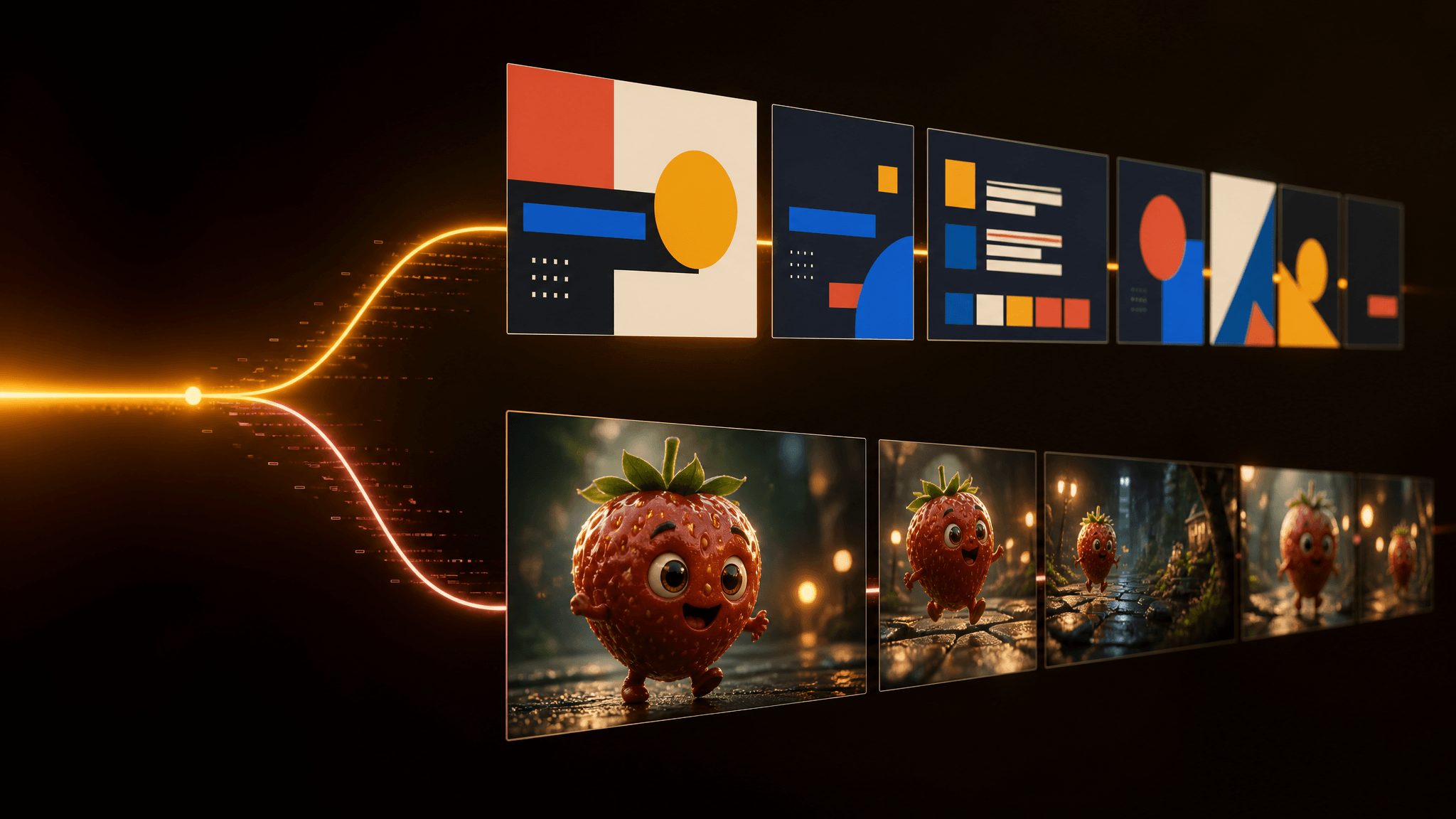
Paste a URL into LaunchVideo and about four minutes later you have a finished product video — no footage shot, no editor opened, and, surprisingly, no video model involved. Released on September 24, 2026, it is the most visible example of a split that short-form creators now need to understand: "prompt to video" tools run on two completely different engines, and they produce fundamentally different results.
The first engine generates footage: text and images go in, and an AI video model invents the frames — this is what most results for "AI video generator" have meant for the past two years. The second engine writes code: a coding agent composes your video as a program, and a browser renders it — deterministic motion graphics with your exact text and brand colors, but no filmed or invented scenes.
Which engine should you reach for? It depends on the task, not on which tool has more buzz. Product promos with precise copy favor the code route; anything that needs visual worlds, product shots, or creative scenes needs the generative route. Many real workflows use both in the same video. This guide explains how each engine works, where each one breaks, and how to combine them — using LaunchVideo as the concrete example of the newer, less familiar engine.
What LaunchVideo actually does
LaunchVideo's pitch is one field: paste a product URL or describe the product, and get back a 20-to-40-second launch video. Each run is a single pass — one input, one MP4, no timeline editing afterward. The project's README and the live site describe a run as taking about four minutes and roughly 100,000 tokens per video, with the finished file landing as a shareable MP4 link.
The site's example gallery shows single-run outputs of roughly 31 to 34 seconds for NVIDIA, Linear, and several other sites, plus one video generated purely from the prompt "make a modern slick and punchy video for a modern startup that works on inference." LaunchVideo is also open source and brand new — a few commits old as of this writing — and you can deploy the agent to your own account with one click if you want to run it yourself.
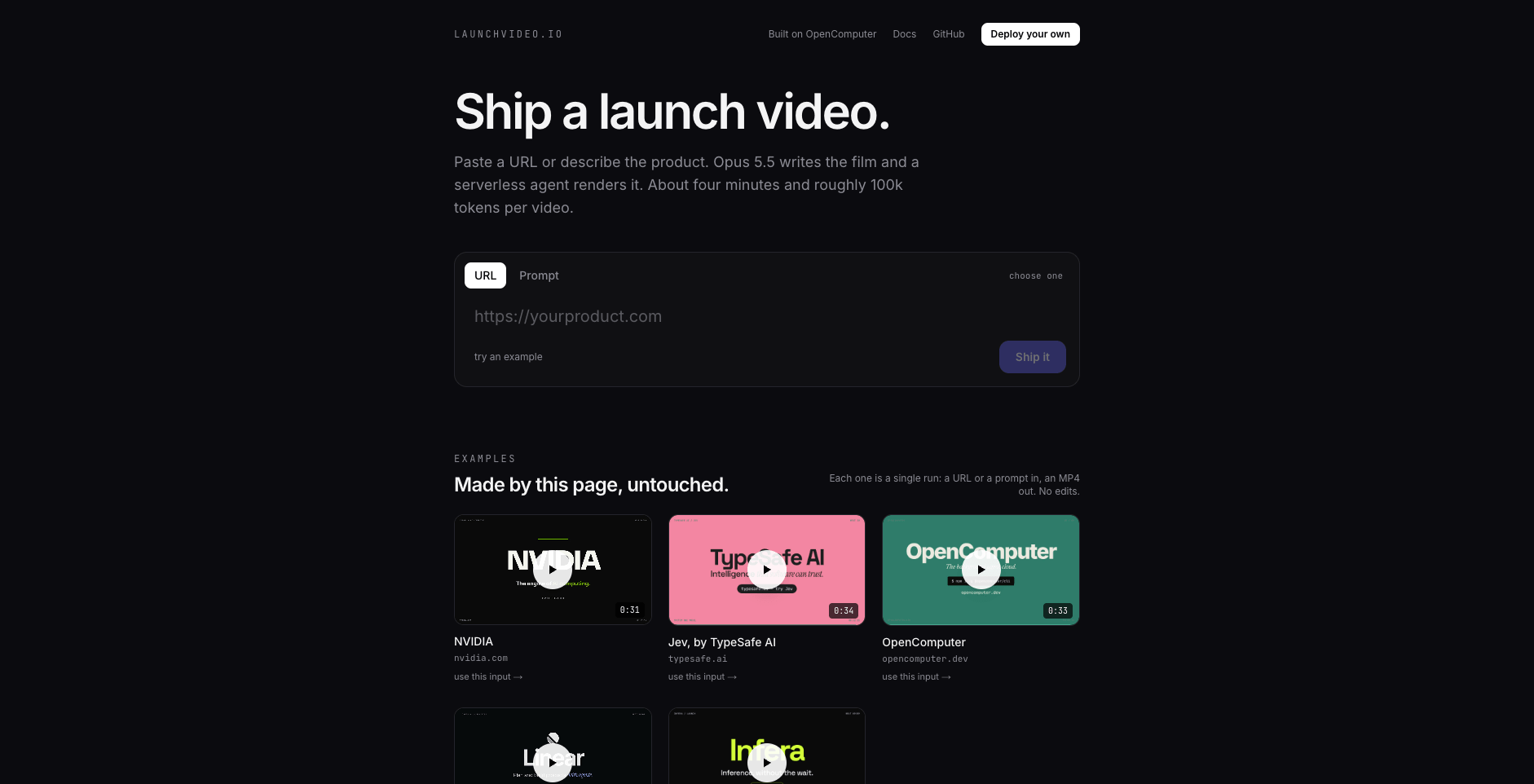
Source: launchvideo.io, accessed September 25, 2026.
The engine under the hood: the video is code
Here's the part that surprises people: LaunchVideo uses no video model at all. A Claude Opus coding agent writes your video as a single self-contained HTML document — animated typography, transitions, brand-colored shapes, timed text — and then a serverless agent renders that document frame by frame in a headless Chromium browser, piping the frames into ffmpeg at 1920×1080 and 30 fps.
In URL mode, the agent first fetches your page and extracts the title, headings, the most-used hex colors, and Google Fonts — so the video automatically wears your site's brand. The README is explicit about the scene rules: no embedded video, audio, or iframes; no external images; no randomness. Every clock in the render is virtualized, which makes the output deterministic — the same input produces the same video every single time. That's the origin of the project's tagline, borrowed from the demo that inspired it: the model writes the film as code, and code renders the same every time.
Think of it as hiring a motion designer who works at typing speed. The output has the polish of hand-built motion graphics — because that's exactly what it is — just produced in minutes instead of days.
What code-rendered video can and can't do
The scene rules define the boundaries, and creators should read them as a capability map:
Strong fit:
- Product launch promos and changelog announcements where the copy must be exact — the render can't garble your tagline the way a generative model can mangle on-screen text
- Brand-true intros that reuse your site's real colors and fonts automatically in URL mode
- Fast ad-style hooks and announcement videos for social, where 20–40 seconds is the whole format
Out of scope:
- Any filmed content: people, hands, products in real environments. The renderer draws shapes and text; it cannot show your actual product being used
- Invented visual worlds, characters, or scenery — there are no external images and no generative frames
- Motion with audio; the pipeline produces a silent MP4 you'd score later in your editor
If your video's job is to state a message with brand-perfect typography, the code engine is now a legitimate one-prompt option. If your video's job is to show something, it needs the other engine.
The other engine: generative AI video generators
When creators search for an AI video generator today, the results are almost entirely the second engine: platforms built on video models like Veo, Kling, Sora, and Seedance, where a text or image prompt becomes invented footage. These models excel precisely where code rendering can't go — surreal scenes, product-style b-roll, stylized worlds, characters, and that genre of eye-catching content that made AI fruit videos a TikTok staple.
The trade-offs are equally structural. Generative output is sampled, so two runs of the same prompt differ; on-screen text can garble; quality, speed, resolution, and audio behavior depend on which model you pick; and credits or pricing usually vary by model and settings. You're trading the code engine's determinism for the ability to show things that were never filmed.
Quick decision map:
| Your task | Better engine | Why |
|---|---|---|
| Launch promo with exact tagline and brand colors | Code-rendered | Deterministic text, auto-brand from your URL |
| Product b-roll, scenarios, stylized scenes | Generative model | Invents footage that was never filmed |
| Changelog or announcement video, fast | Code-rendered | Copy accuracy beats visual novelty |
| Trend content, fruit-style visuals, characters | Generative model | Sampling is the point |
| Silent ad hook with precise copy | Code-rendered | Output is silent anyway |
| Video that needs both message and scenes | Both | Motion-graphics wrapper + generated footage |
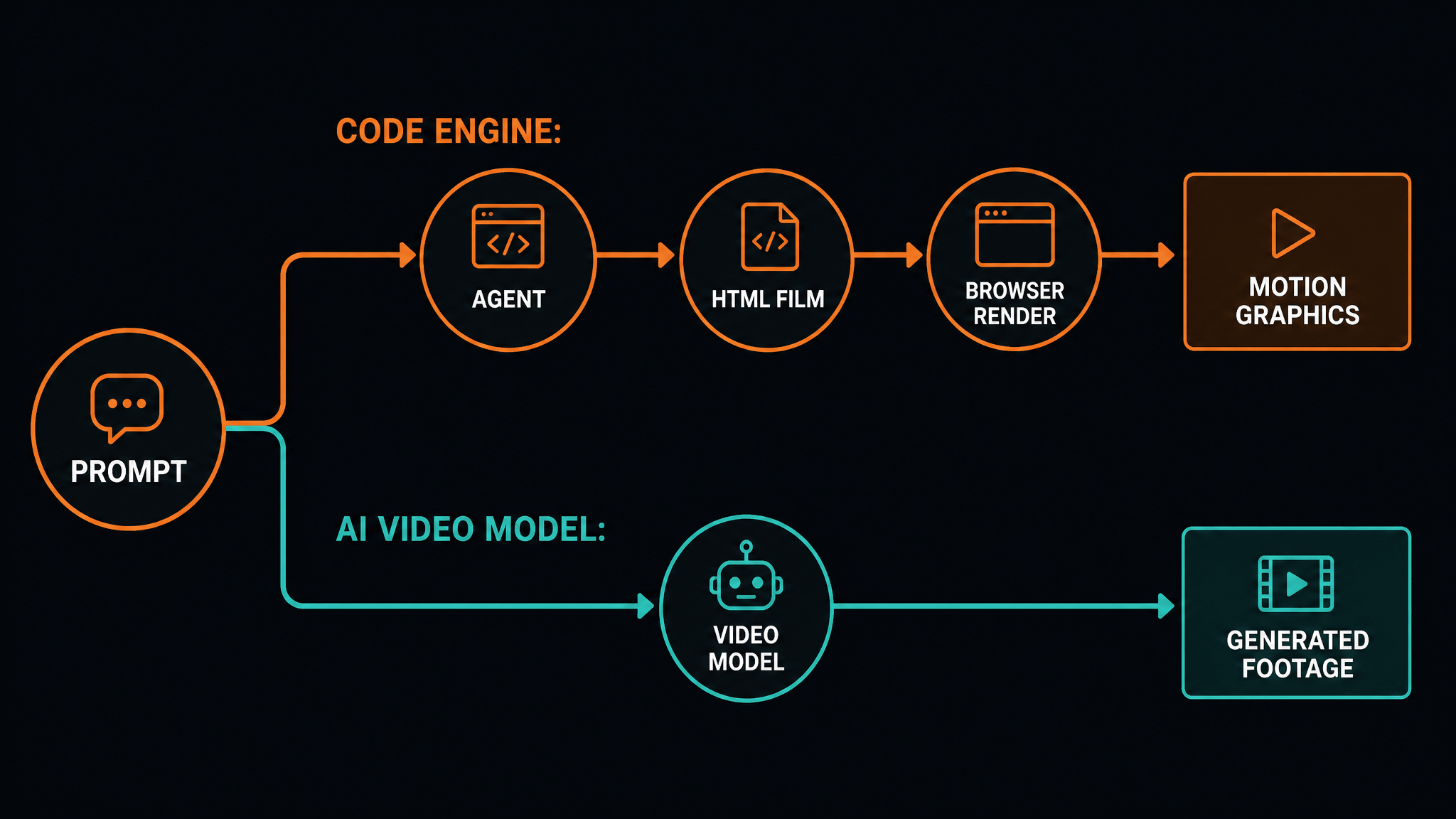
A combined workflow that uses both engines
The two engines aren't rivals so much as two layers of one stack. Here's a planning workflow — a documented-mechanics heuristic rather than a tested script, so treat timings as estimates:
-
Open with a code-rendered hook. Feed your product URL (or a tight prompt) to a LaunchVideo-style tool and get a brand-true, copy-exact intro clip of 20–40 seconds.
-
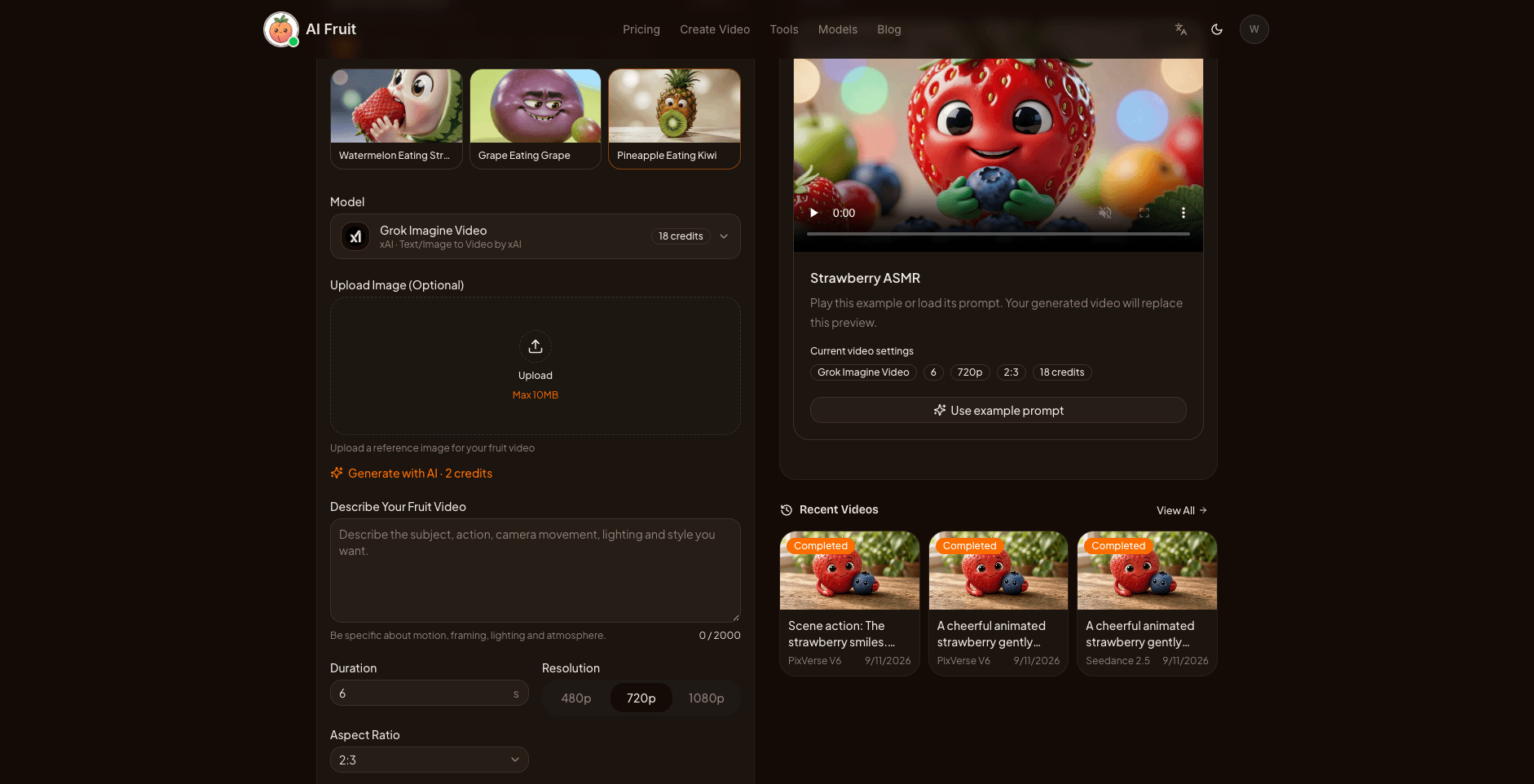
Generate the body footage. Write scene-level prompts for what the camera should "see" — the product in context, stylized b-roll, the surreal attention-grabber. This is the step where a platform with visible model context saves real money: you can compare models, check the expected credit cost before generating where it's shown, and pick per scene instead of guessing. AI Fruit's AI video generator is built exactly this way — prompt-, image-, template-, tool-, or model-led creation, with model choices and expected credit costs shown before you generate (where available), plus a Story mode for resumable multi-scene sequences.
-
Assemble in your regular editor. Drop the motion-graphics intro over the generated footage, add music and captions natively, and export for the platform you're posting to.
-
Keep one promise per video. If the message is the star, lead with code-rendered graphics and keep generated footage short. If the visuals are the star, generate first and let a short branded outro carry the message.
The point of the stack is that each engine does the thing it's provably good at: exact copy and brand in the wrapper, invented visuals in the body.
Where to start this week
Both engines are cheap to try. LaunchVideo runs from a single form field on its live site — or deploy your own copy from the open-source repo if you'd rather own the pipeline. For the generative side, pick a platform that shows you model and credit context before generation; comparing outputs across two or three models on one scene teaches you more about the differences than any spec sheet.
The takeaway
"Prompt to video" is no longer one technology. Code-rendered tools like LaunchVideo turn a URL or prompt into deterministic, brand-exact motion graphics — ideal when the message must be pixel-perfect. Generative AI video generators turn prompts into invented footage — ideal when you need to show something that doesn't exist. Classify the tool by its engine, choose by task, and when a video needs both a precise message and generated scenes, use both engines in one stack.