
AI Fruit Review 2026: Honest Test of 50 Templates
Honest, third-person review of AI Fruit in 2026: 50+ fruit video templates re-verified, 19 AI models, pricing and free trial re-checked, and where it falls short.
Last updated: October 2026
If you've spent any time on TikTok in the past year, you've seen them: a cartoon watermelon biting into a strawberry, a baby blueberry giggling, a glass mango getting sliced into perfect shards. AI fruit videos exploded as a niche in late 2025 and have only gotten weirder, cuter, and more lucrative for creators in 2026.
The market caught up. Generic video tools like Veo and Kling can technically generate this content with the right prompts, but creators kept hitting the same wall: prompting fruit videos consistently is hard. Models drift, characters break, ASMR audio doesn't sync, and you burn through credits trying to get one usable 9-second clip.
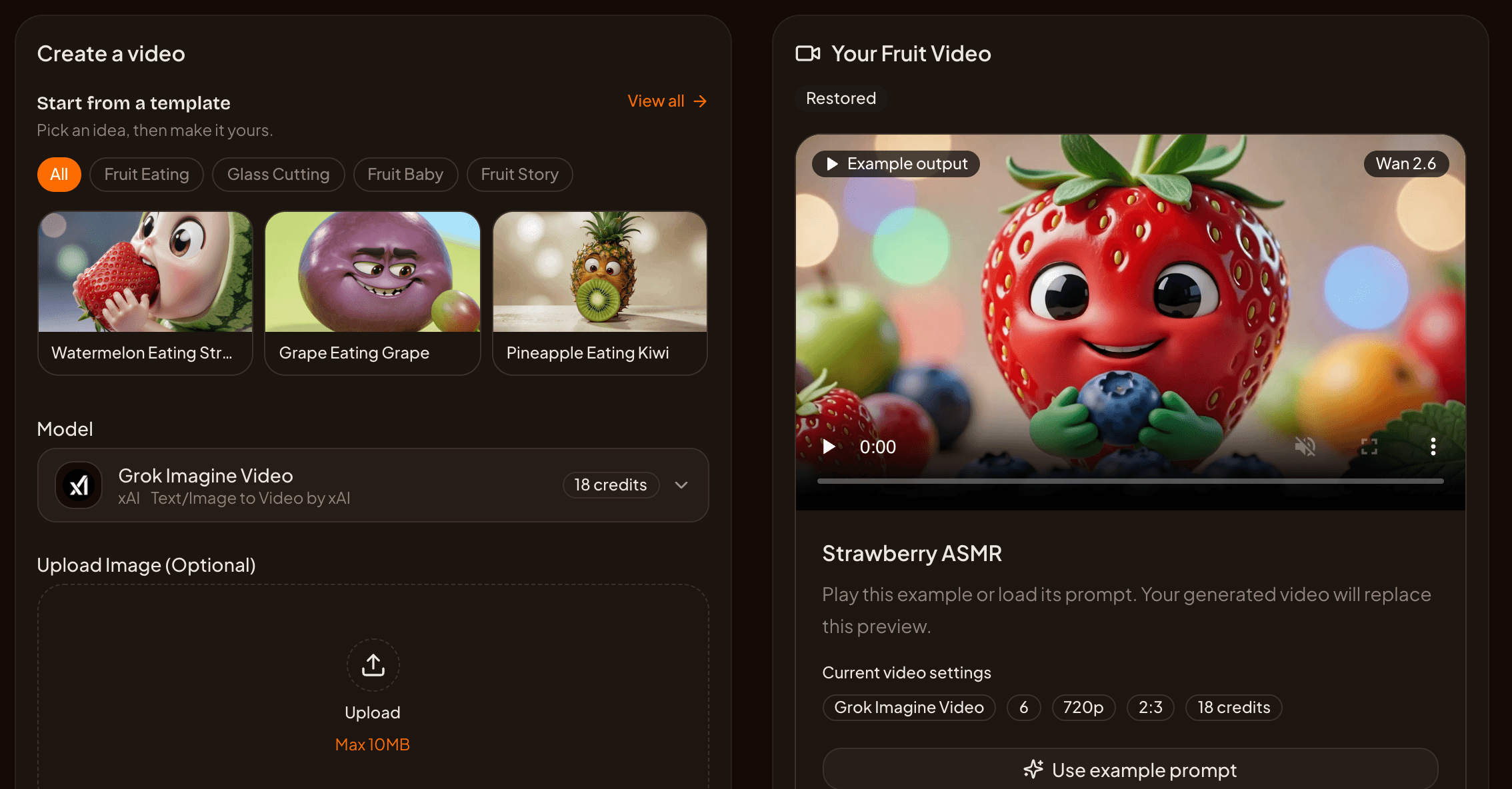
AI Fruit is one of the niche SaaS tools that emerged to solve exactly this. Is it actually worth using over a generic generator? In May 2026 we spent two weeks running tests across its template library and the models it routed to at the time; this October refresh re-checks every number in that review against the platform's current model catalog, pricing, and template library. Here's the unfiltered version.
What Changed in Q4 2026
If you read the May edition, here's what's different now. All figures below were re-checked against the platform's live configuration on October 26, 2026.
- The model lineup grew from 6 to 19. AI Fruit no longer routes to just six models. The current catalog includes Grok Imagine Video and a newer Grok Imagine Video 1.5, four Wan variants (2.6, 2.7, 3.0, 3.0 Prime), Happyhorse 1.1, three Kling tiers (3.0, 3.0 Omni, V3 Turbo), Veo 3.1, four Seedance options (2.0, 2.0 Fast, 2.0 Mini, 2.5), PixVerse V6, MiniMax H3, and two Gemini Omni models. Sora 2 has been removed from the lineup — it no longer appears in the model selector.
- Clips can run longer. In May, every model capped at 15 seconds. Select models now reach 30 seconds: Grok Imagine Video (6–30s), Seedance 2.5, and the Wan 3.0 family.
- Pricing didn't move. Creator is still $15 for 600 credits, Pro is still $30 for 1,500 credits, yearly plans and credit packs are unchanged, and new users still start with 20 free credits plus 2 per day. We did correct two stale details in the old table — see the pricing section.
- The template library is unchanged. Still exactly 50 active templates across the same 8 content tags, with the same distribution we measured in May.
- LTX-2.5 is not part of the lineup. The Lightricks model keeps making headlines for its published $0.90-per-10-second economics, and we cover it below as an external yardstick — but AI Fruit does not currently offer it, and its own LTX-2.5 explainer says so explicitly.
What Is AI Fruit?
AI Fruit is a hosted SaaS that generates fruit-themed short videos for TikTok, Reels, and YouTube Shorts using 19 AI models and 50+ pre-built templates across 8 content tags. Users pick a template, choose a model, and the platform handles prompting, model routing, and vertical formatting automatically.
The product sits at https://aifruit.app and is positioned as a vertical-niche alternative to general-purpose video tools. Instead of spending an hour engineering a prompt for "watermelon eating strawberry, ASMR style, satisfying crunch sounds, vertical 9:16," a user clicks a template called "Watermelon Eating Strawberry," picks a model, and waits.
Templates are grouped by 8 content tags (ASMR, Funny, Cinematic, Cute, Fruit Eating, Fruit Story, Glass Cutting, Fruit Baby). Many templates carry multiple tags. The 19 underlying models now span three trade-off axes — speed, audio, and cinematic quality — much more widely than they did in the spring.
The pitch is simple: trade some prompt freedom for a much higher hit rate on the kind of viral content the fruit-video subculture rewards.
Who Is AI Fruit For?
AI Fruit is built for solo creators and small social media teams who post fruit-themed content on TikTok, Reels, or Shorts and care more about volume and consistency than maximum creative control. If you publish 5-20 short videos a week and your feed identity is fruit ASMR, fruit drama, or baby-fruit cute content, this tool is faster than prompt-engineering a generic model from scratch.
It's a less-good fit if you're a generalist video creator, a brand needing a custom recurring character, or a power user who already has a refined prompt library for Veo, Kling, or Wan. In those cases the template constraint is more limit than help.
The platform is also useful for content marketers running fruit-adjacent products (juice brands, smoothie chains, supplement startups), where 9:16 social ad creative is needed in volume but bespoke production is overkill.
The 50+ Templates: What You Can Actually Make
AI Fruit ships with 50 active templates spread across 8 content tags — a count we re-verified directly against the live template library on October 26, 2026, including the per-tag distribution below, which is identical to May. Many templates are multi-tagged — a "Watermelon Eating Strawberry" clip is both ASMR and Fruit Eating, and a "Baby Mango First Steps" clip is both Cute and Fruit Baby.
| Tag | Templates | What this looks like |
|---|---|---|
| ASMR | 19 | Crunch, slurp, juice splash audio-led clips |
| Funny | 17 | Talking fruit, slapstick, meme formats |
| Cinematic | 15 | Slow-mo, hero shots, golden-hour lighting |
| Cute | 14 | Big eyes, soft palettes, baby-style faces |
| Fruit Eating | 14 | One fruit literally eating another |
| Fruit Story | 10 | Narrative arcs, characters, conflict |
| Glass Cutting | 8 | Crystal/glass fruit being sliced cleanly |
| Fruit Baby | 7 | Anthropomorphic baby fruit characters |
A few real examples we tested in May — all of which are still in the library:
- Fruit Eating: Watermelon Eating Strawberry, Grape Eating Grape, Pineapple Eating Kiwi, Mango Eating Coconut, Dragon Fruit Eating Passion Fruit
- Glass Cutting: Glass Watermelon Cutting, Crystal Orange Slicing
- Fruit Baby: Baby Strawberry Playing, Baby Blueberry Laughing, Baby Mango First Steps, Baby Cherry Sleeping, Baby Banana Dancing
- Fruit Story: Apple vs Orange Drama, Banana Superhero Rescue, Strawberry Love Story, Orange vs Lemon Rivalry
- Funny: Talking Avocado Comedian, Watermelon Eating Itself
The Fruit Baby and Glass Cutting tags are smaller (7 and 8 templates respectively) but produced the highest engagement in our limited May tests — likely because both formats translate well to a 6-second silent autoplay loop, which is what the TikTok For You feed rewards on first impression.
If you primarily want fruit ASMR, the 19 ASMR templates plus 14 Fruit Eating templates give you over 30 starting points, which is enough to fill a content calendar without obvious repetition.
Models Under the Hood
This is the section that changed most. AI Fruit doesn't run a single model — it routes generations across 19 third-party video models, each with different strengths, durations, and credit costs. That's up from 6 when this review was first published.
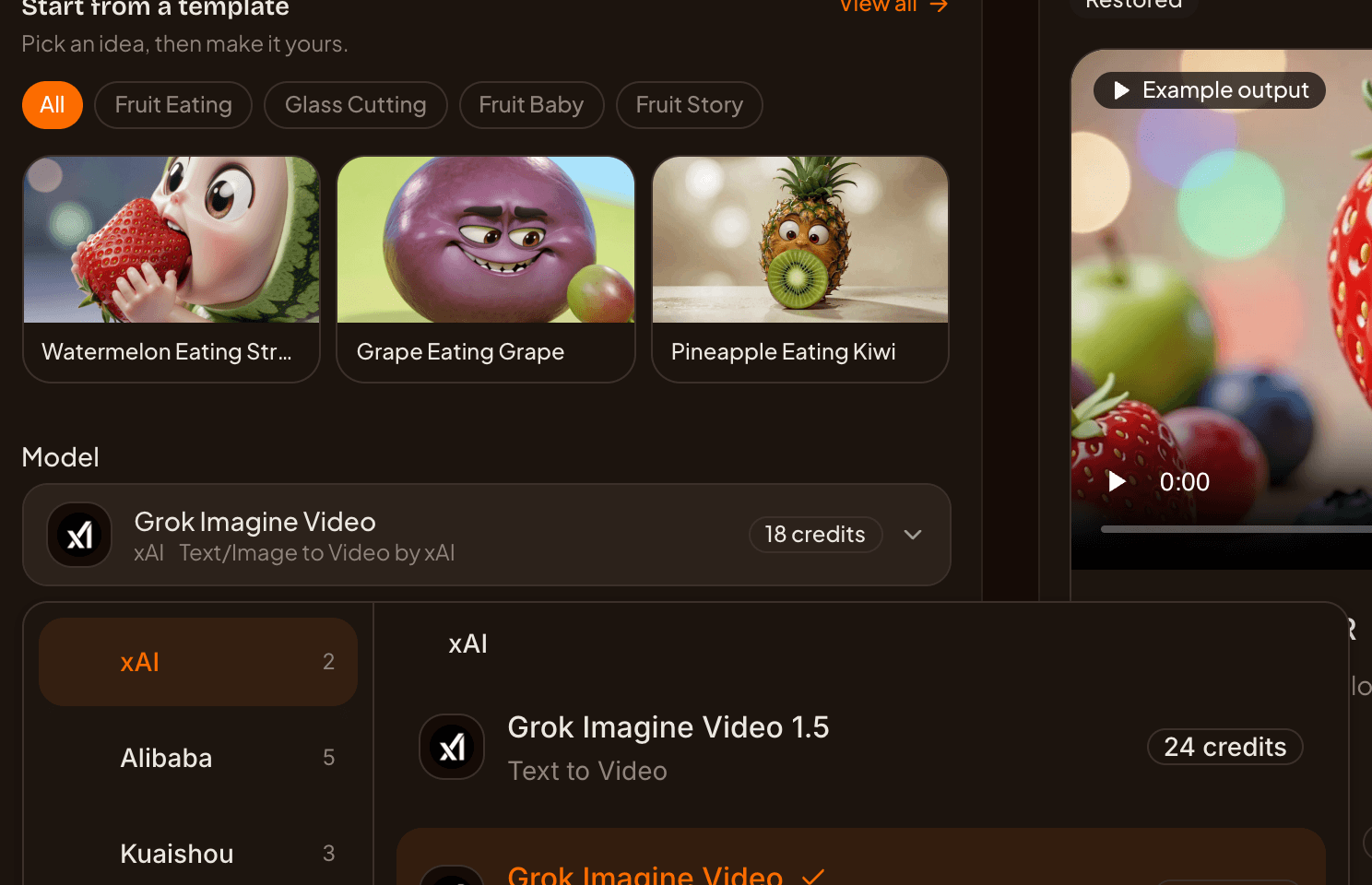
AI Fruit's model selector (screenshot from aifruit.app, October 26, 2026) — part of the 19-model catalog listed in the table above
Here is the full visible catalog as of October 26, 2026, with credit rates taken from the platform's own runtime pricing configuration:
| Model | Vendor | Best for | Credits/s (720p) | Max clip | Audio | Image-to-video |
|---|---|---|---|---|---|---|
| Grok Imagine Video 1.5 | xAI | Cheapest fast lane (text-only) | 3 (480p: 2) | 15s | — | No |
| Grok Imagine Video (default) | xAI | Fast t2v + i2v, up to 30s | 3 (1080p: 6) | 30s | — | Yes |
| Seedance 2.0 Mini | ByteDance | Cheapest clips with audio | 6 (480p: 3) | 15s | Optional | Yes |
| PixVerse V6 | PixVerse | Effects and first/last-frame transitions | 5 (with audio: 7) | 15s | Optional | Yes |
| MiniMax H3 | MiniMax | Stylized speed at 768P/2K | 6 (2K: 9) | 15s | — | Yes |
| Gemini Omni 1.1 Flash | Prompt-heavy clips, billed per generation | 42–84 per 4–10s clip | 10s | — | Yes | |
| Gemini Omni | Same, with 4K option | 42–84 per 4–10s clip (4K: 98–140) | 10s | — | Yes | |
| Wan 2.7 | Alibaba | Multi-ratio mid-tier with end-frame | 11 (1080p: 16) | 15s | — | Yes |
| Wan 3.0 | Alibaba | Audio + long clips on a budget | 11 (1080p: 22) | 30s | Optional | Yes |
| Kling 3.0 Omni | Kuaishou | Cinematic with cheap silent mode | 10 silent / 12 with audio (4K: 45) | 15s | Optional | Yes |
| Kling V3 Turbo | Kuaishou | Speed-oriented Kling tier | 12 (1080p: 15) | 15s | — | Yes |
| Kling 3.0 | Kuaishou | Cinematic look, optional audio | 12 silent / 17 with audio | 15s | Optional | Yes |
| Wan 2.6 | Alibaba | Multi-shot narrative | 12 (1080p: 18) | 15s | Embedded | Yes |
| Happyhorse 1.1 | Alibaba | Image-led generation (cheaper with an input image) | 24 t2v / 15 i2v | 15s | — | Yes |
| Seedance 2.0 Fast | ByteDance | Fast HD drafts with audio | 17 (480p: 8) | 15s | Optional | Yes |
| Wan 3.0 Prime | Alibaba | Premium Wan tier | 17 (1080p: 34) | 30s | Optional | Yes |
| Seedance 2.5 | ByteDance | Long audio clips (up to 30s) | 42 (480p: 19) | 30s | Optional | Yes |
| Seedance 2.0 | ByteDance | HD/4K with audio, up to 9 reference images | 35 (480p: 16, 1080p: 68, 4K: 139) | 15s | Optional | Yes |
| Veo 3.1 | Premium HD with audio | 224 flat per generation | 8s | Included | Yes |
A few practical notes:
Grok Imagine Video 1.5 is the new cheapest fast lane. At 2 credits/second for 480p and 3 for 720p, it undercuts everything else — but it's text-to-video only, so you can't feed it a reference image. The default Grok Imagine Video costs the same 3 credits/second at 720p, accepts images, and stretches to 30 seconds.
Seedance 2.0 Mini is the cheapest way to get synchronized audio. At 6 credits/second for 720p with audio, a 10-second clip runs about 60 credits. If you want fruit ASMR on a budget, start there rather than paying Veo prices.
The premium tier has widened, not just risen. Veo 3.1 (224 credits flat) is no longer the only expensive option: Seedance 2.0 at 4K (139 credits/second) and Kling 3.0 Omni at 4K (45 credits/second) can cost more per clip. Seedance 2.0 also accepts up to nine reference images, which matters if you're trying to keep a specific fruit character or product packaging on screen.
Speed still depends on the model. In our May testing, most templates finished in roughly 60–90 seconds on the default fast model, with premium tiers taking 2–3 minutes. We didn't re-run latency tests for this update, so treat those figures as May 2026 observations — timing varies by model, resolution, and provider queue.
If you're comparing model behavior on your own: AI Fruit lets you switch between models on the same template, and if you want to go deeper on one family, the site's Seedance 2.0 API explainer breaks down pricing and access for ByteDance's model.
Where does LTX-2.5 fit? It doesn't — yet. LTX-2.5 is Lightricks' open-weights video model that launched in August 2026 with a published rate of $0.09 per second for 720p with synchronized audio: about $0.90 for a 10-second clip, generated in 6.8 seconds on datacenter hardware (a vendor-measured figure — through LTX's managed API, the same job took 23.7 seconds). AI Fruit does not currently offer LTX-2.5 in its model lineup, so we treat it as an external price benchmark rather than an option in this review. For context at AI Fruit's published plan rates ($0.025 per credit on Creator), a 10-second 720p clip costs about $0.75 on Grok Imagine Video (silent) and about $1.50 on Seedance 2.0 Mini (with audio) — so LTX-2.5's published $0.90 undercuts the in-platform audio options while sitting above the silent fast lane. If that model's economics matter to your workflow, read the platform's own LTX-2.5 breakdown for what the numbers do and don't mean.
Pricing & Free Trial
AI Fruit's pricing is credit-based with two subscription tiers and one-time credit packs. New users get 20 free credits at sign-up plus 2 additional credits per day for daily login — both re-verified against the live platform configuration on October 26, 2026. That's enough to test a few templates on the default fast model before any payment is required.
| Plan | Price | Credits | Credit validity |
|---|---|---|---|
| Creator Monthly | $15/mo | 600 | 30 days |
| Pro Monthly | $30/mo | 1,500 | 30 days |
| Creator Yearly | $120/yr ($10/mo) | 7,200 | 365 days |
| Pro Yearly | $240/yr ($20/mo) | 18,000 | 365 days |
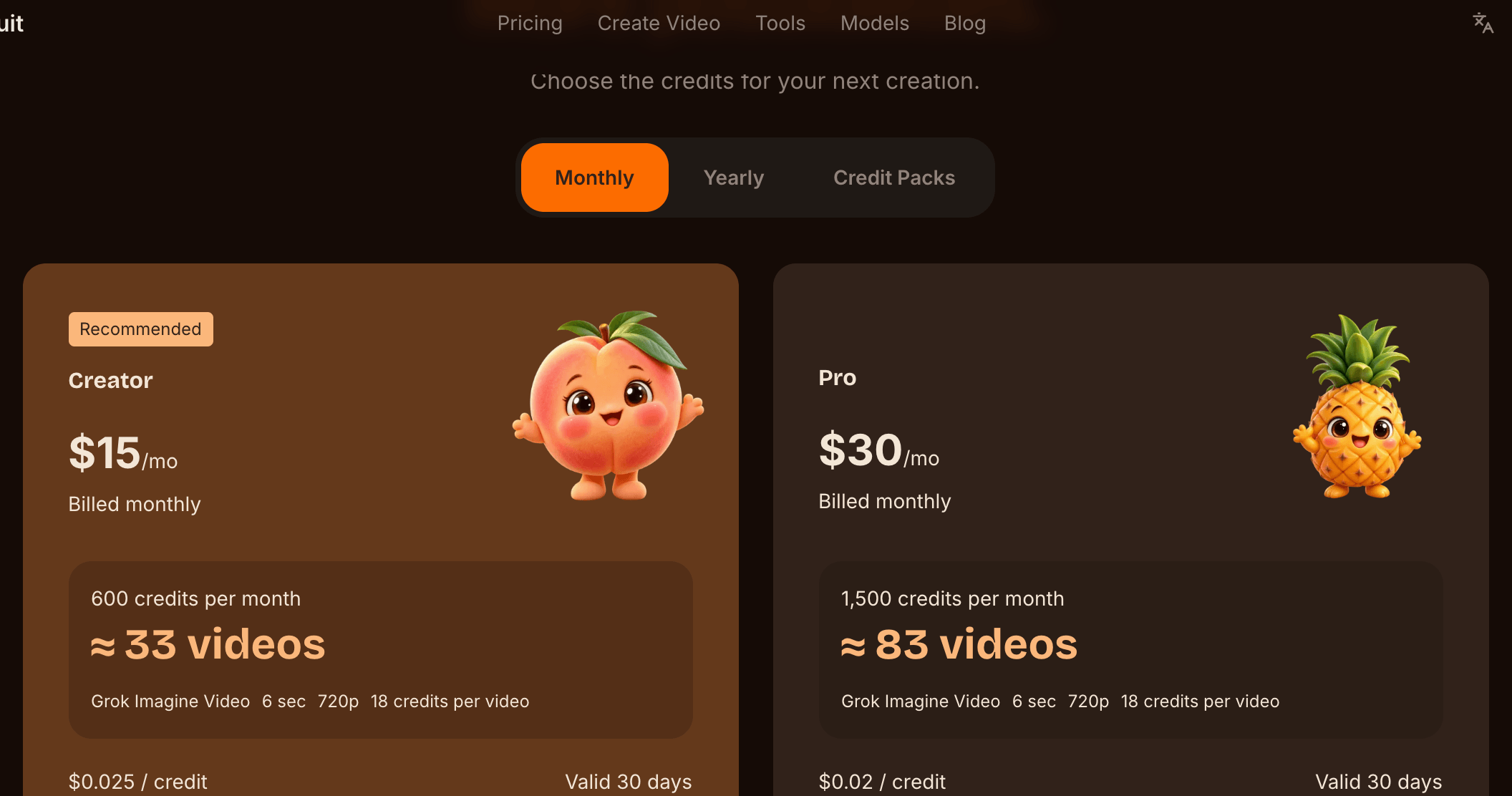
Live pricing page at aifruit.app, checked October 26, 2026
Yearly billing works out to 33% off the monthly rate, which pushes the effective per-credit cost down significantly. (A correction from our May edition: credits on both monthly plans are valid for 30 days, not 90 — the earlier table overstated the Pro plan's validity, and the "concurrent generations" and "storage" columns we published then aren't part of the platform's actual pricing configuration, so we've dropped them rather than guess.)
Credit packs are available as one-off top-ups, valid for 1 year:
| Pack | Price | Effective discount |
|---|---|---|
| 500 credits | $25 | — |
| 1,200 credits | $49 | −18% |
| 3,000 credits | $99 | −34% |
| 6,000 credits | $169 | −44% |
A practical math check: at 3 credits per second, a 10-second Grok Imagine Video clip at 720p costs 30 credits — the Creator Monthly plan at $15 covers about 20 of them, and the platform's own pricing page quotes roughly 33 six-second videos per Creator plan. At 224 credits per Veo 3.1 generation, the same plan gets you 2–3 premium clips. The Pro Yearly plan at $20/month with 18,000 credits is the right tier for anyone running a daily fruit-content channel — that's roughly 600 fast-model clips a year before you touch credit packs.
There's no permanent free tier — the 20 + 2/day model is essentially a renewable trial, not a free plan. That's a friction point to flag honestly: if you generate two clips and walk away for a week, you'll still need to subscribe to come back at scale.
On commercial use: the platform's pricing page states it directly — commercial use is subject to the selected model's terms and AI Fruit's Terms of Service. Because AI Fruit routes to many providers, the licensing picture is model-specific rather than a blanket guarantee, so check the terms shown for the model you pick before building a monetized channel on its output.
Pros & Cons
A clean read on where AI Fruit wins and where it doesn't.
Best for:
- Solo TikTok / Reels / Shorts creators in the fruit niche who post 5+ clips per week
- Marketers running fruit-adjacent ad creative in volume
- Creators who want model-routing handled — a cheap fast lane, audio-capable mid-tiers, and premium cinematic options — without learning each model's quirks
Not ideal for:
- Generalists who shoot non-fruit content most of the time — the templates are fruit-specific and there's no easy way to repurpose the platform for other niches
- Brands that need a recurring custom character — the templates are stylized, and neither the templates nor the underlying models guarantee character or scene consistency
- Power users who already maintain prompt libraries for Veo, Kling, or Wan directly — you're paying a markup over raw API costs in exchange for the template UX
- Long-form creators — most models still cap out at 15 seconds per clip (a few now reach 30), fine for TikTok but limiting for YouTube long-form
The honest summary: AI Fruit is a workflow product, not a model product. You're paying for speed-to-good-enough-clip, not for model access you couldn't get elsewhere. One new caveat for Q4: with 19 models spanning roughly 2 to 42 credits per second at 720p, model choice matters far more than it did in May — the catalog is now wide enough that picking the wrong tier can burn a plan quickly. If your bottleneck is template ideation and prompt iteration, it pays for itself fast. If your bottleneck is creative direction or character continuity, it doesn't.
AI Fruit vs Generic AI Video Generators
Most reviewers ask the same question: why use AI Fruit instead of going directly to Veo, Kling, or a generalist tool like Pixelle, Google Vids, or Dreamina? We've covered this in eight more focused comparison pieces, indexed below for context.
- AI Fruit vs Pixelle Video — Pixelle Video is a general-purpose AI video editor; AI Fruit is the niche template tool. The two solve different problems. Read the comparison →
- ChatGPT Images 2 vs AI video generators for TikTok fruit — ChatGPT Images 2 outputs static images; for actual motion you need a video model. Read the comparison →
- Google Vids vs AI video generator for TikTok — Google Vids is built for slideshow-style work videos, not vertical short-form fruit content. Read the comparison →
- Best Dreamina alternative — Dreamina is good but doesn't ship fruit-specific templates. Read the comparison →
- PixVerse v6 alternatives — PixVerse v6 is a strong generic generator; AI Fruit competes by being template-first instead of prompt-first. Read the comparison →
- Best AI fruit video generator 2026 — A broader market overview testing 7 fruit video tools side by side. Read the comparison →
- AI video generator comparison 2026 — A model-level comparison of major video models powering tools like AI Fruit. Read the comparison →
- How to make TikTok fruit ASMR videos with AI — A tactical walkthrough using AI Fruit's ASMR templates. Read the guide →
The pattern across all of these: generic video tools out-perform AI Fruit on one-off creative pieces, but AI Fruit out-performs them on time-per-publishable-clip in the fruit niche. If you publish fruit content daily, that time savings compounds.
FAQ
Is AI Fruit free to try?
Yes. New users get 20 free credits at sign-up (valid 30 days) plus 2 additional credits per day for daily login — re-verified in October 2026. That's enough to test a few generations on the default fast model before any payment is required. There's no permanent free tier, but the daily login bonus keeps the trial renewable as long as you log in each day.
How much does AI Fruit cost per month?
Two paid tiers: Creator at $15/month (600 credits) and Pro at $30/month (1,500 credits), with credits valid 30 days on both. Yearly billing is 33% off — $120/year for Creator (7,200 credits) and $240/year for Pro (18,000 credits), valid 365 days. One-off credit packs run from $25 (500 credits) to $169 (6,000 credits).
Which AI models does AI Fruit support?
Nineteen visible models as of October 2026: Grok Imagine Video and Grok Imagine Video 1.5 (xAI), Wan 2.6, 2.7, 3.0 and 3.0 Prime plus Happyhorse 1.1 (Alibaba), Kling 3.0, 3.0 Omni and V3 Turbo (Kuaishou), Veo 3.1 and Gemini Omni / Gemini Omni 1.1 Flash (Google), Seedance 2.0, 2.0 Fast, 2.0 Mini and 2.5 (ByteDance), PixVerse V6, and MiniMax H3. Sora 2, which was in the May lineup, has been removed from the selector. Costs, durations, and audio support vary a lot between tiers — the table above is the quick version.
Can I use AI Fruit videos commercially?
It depends on the model. The platform's pricing page is explicit: commercial use is subject to the selected model's terms and AI Fruit's Terms of Service. Treat licensing as a per-model question — check the terms for the specific model you generate with before using its output in monetized or sponsored content.
What aspect ratios are supported?
The default and most-used is 9:16 vertical, optimized for TikTok, Reels, and YouTube Shorts. Most models also offer 16:9 and 1:1, and several add 4:3, 3:4, or even 21:9 — the exact set depends on the selected model.
How long does it take to generate a fruit video?
In our May 2026 testing, most templates finished in roughly 60–90 seconds with the default fast model, and premium models took 2–3 minutes. We didn't re-run timing tests for the October update; treat generation time as model-, resolution-, and queue-dependent rather than guaranteed.
Can I upload my own reference image?
Yes — 18 of the 19 current models accept a reference image (the exception is Grok Imagine Video 1.5, which is text-only). Seedance 2.0 goes furthest, accepting up to nine reference images, and several models also support an end-frame for first-to-last-frame transitions. This is useful when you want a specific fruit look — your branded apple, a particular packaging shot — to anchor the clip rather than letting the model invent the subject from scratch.
What's the difference between AI Fruit and ChatGPT video generation?
ChatGPT and the OpenAI image/video models output one piece of content at a time per prompt and require you to write the full prompt manually. AI Fruit takes a template-first approach: pick a pre-engineered template, choose a model, get a calibrated output. ChatGPT is more flexible; AI Fruit is faster for the fruit niche specifically. We've covered this in more depth in ChatGPT Images 2 vs AI video generators for TikTok fruit.
Ready to test AI Fruit yourself? Start with 20 free credits at AI Fruit — and you get 2 extra credits each day you log in.
Last updated: October 2026. The template library, model catalog, and pricing in this review were re-checked against the platform's live configuration on October 26, 2026; we update this review when models, pricing, or templates change materially.