
AI Fruit People: Why Fruit Character Videos Keep Winning the Feed
Fruit people — anthropomorphic fruit characters with human bodies — keep pulling millions of views. Why AI fruit people videos work, a 15–30 second structure, prompt templates, and fixes for the five failures that ruin most attempts.
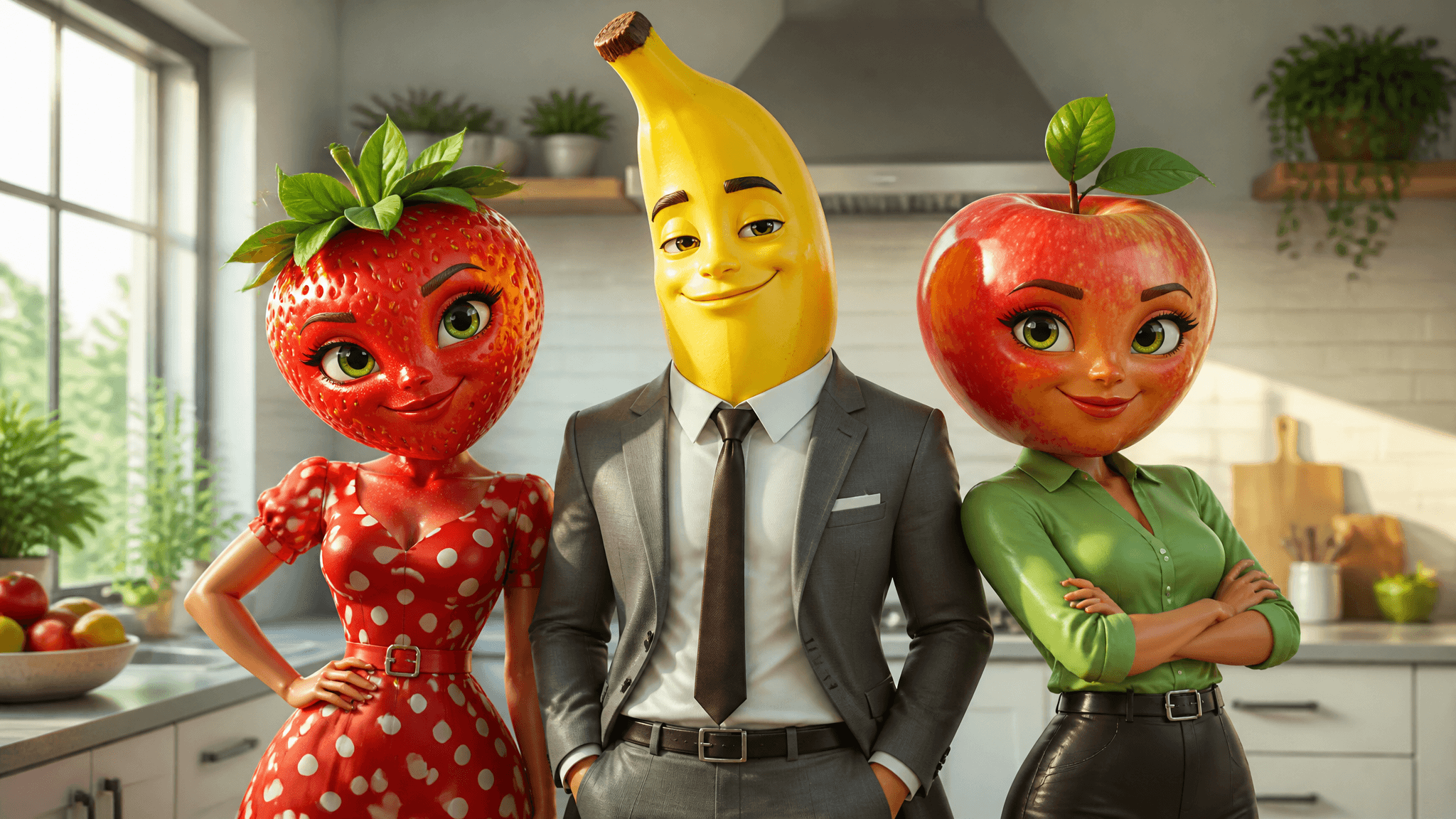
Fruit people — characters with a fruit for a head and a human body below it — have become one of the most reliable formats in short-form video. In early 2026, CBC News reported that these AI "fruit slop" dramas were racking up millions of views on TikTok and Instagram, with one fruit-parody account, @ai.cinema021, reaching about 3.3 million followers and a single episode passing 39 million views. Academic commentary published the following week described the genre as amassing hundreds of millions of views overall.
But there's a difference between watching the trend and making it work. Most attempts fail in predictable ways: the character's limbs melt mid-shot, the apple skin turns into smooth plastic, the kitchen background drifts between cuts. This guide covers both halves — why AI fruit people videos keep winning the feed, and a concrete build path for making your own: character anatomy, a 15–30 second structure, prompt templates, failure fixes, and how to grow one clip into a series with AI Fruit's Story Director.
One honesty note before the tactics: US search interest in this format peaked in early June 2026 and has since cooled to roughly a quarter of that peak. The feed demand is real and documented, but this is now a durable niche rather than an exploding wave — which is exactly why a deliberate, repeatable build process beats chasing whatever clip went viral this week.
Why AI fruit people keep winning the feed
The scale is well documented. CBC traced the wave through soap-opera-style series with named characters like Strawberrina and Bananito, brand posts from Walmart Canada, and celebrity engagement. Psychologists writing in The Conversation identified the mechanics that keep viewers watching:
- Variable reinforcement. You never know whether the next clip is absurd, funny, tragic, or strangely compelling — and unpredictable rewards are exactly what sustains attention.
- Compressed emotion. A single fruit people clip can run betrayal → sadness → revenge → humor in under a minute. That emotional volatility raises arousal and holds attention.
- The uncanny middle zone. Fruit characters are expressive but clearly not human — strange enough to provoke curiosity, not disturbing enough to make you stop scrolling.
- Moral distance. Because the characters are obviously synthetic, viewers can enjoy melodrama — affairs, betrayals, humiliations — without the discomfort of real people involved.
- The algorithm loop. Feeds amplify whatever maximizes watch time, completion rate, and interaction. Fruit drama delivers all three, so the format keeps getting distributed.
The same coverage also documents the backlash: criticism of generative AI, environmental concerns, and creators pushing the format into increasingly extreme territory to hold attention. That's worth reading not as noise but as a design boundary. The durable part of this format is character-driven comedy and melodrama — the part that traces back to pulp fiction and soap operas — not rage bait. If your series needs cruelty to a fruit to get comments, it's already decaying.
For a maker, the practical takeaways are simple: build for completion and replay (a strong first two seconds and a button ending), lean into the knowingly campy contract viewers enjoy, and keep the drama fruit-scale.
What "fruit person" means as a build target
A fruit person is not a fruit with a face pasted on it. The format that's winning feeds has a specific anatomy:
- Fruit species. The head — or sometimes the whole body — is a recognizable fruit: strawberry, banana, apple, watermelon. Recognition is the hook; exotic fruits lose it.
- Human body. Human proportions, arms, legs, hands. This is what enables human drama: hugs, arguments, dramatic pointing, walking out of rooms.
- Wardrobe. Clothing does the character work. A strawberry in a wedding dress is a bride; the same strawberry in a tracksuit is a different character.
- A scene. Kitchens, hospitals, beaches, reality-TV villas. Domestic and public spaces read as "real life", which is what the parody feeds on.
Before you generate anything, write down the character's anchor set: 3–5 details that define them — species, body type, outfit, hair-or-leaf detail, one signature trait. For example: strawberry head with green leaf hair, slim human body, red polka-dot dress, white sneakers, dramatic personality. Every prompt you write for this character repeats these details verbatim. It's the highest-leverage habit in this workflow, and it becomes the backbone of your prompt block in the next sections.
This is also where fruit people differ from the fruit ASMR and eating-fruit content that shares the feed. Those formats are sensory and single-shot. Fruit people are serial drama: named characters, relationships, and stories that reward coming back. If your clips don't have a recurring character worth following, you're making the other format — which is fine, but it's a different article.
The 15–30 second arc that fits the feed
The viral episodes profiled by CBC run about a minute, but 15–30 seconds is where most creators should live: short enough to survive replays, long enough for one complete dramatic beat. Structure it in four parts:
| Beat | Time | Job | Shot count |
|---|---|---|---|
| Hook | 0–2s | Conflict visible immediately — the slap, the pregnancy reveal, the empty bed | 1 |
| Setup | 2–10s | Who the characters are, what they want | 1 |
| Turn | 10–25s | Escalation — the lie cracks, the rival appears | 1–2 |
| Button | last 3–5s | Payoff + replay trigger — punchline, reaction shot, cliffhanger | 1 |
That maps to 3 shots for ~15 seconds (about 5 seconds each) or 4–5 shots for ~30 seconds. Two rules keep AI generation manageable:
- One action per shot. "She slams the door and storms out" is two actions and a scene change — split it. A shot where one verifiable physical thing happens generates cleanly far more often than a shot where three things happen.
- One camera move per shot. Pick static, slow push-in, or a single pan. Never combine a moving camera with a moving character doing a complex action in your first drafts — that combination is where deformation lives.
Write the beats down before generating. A written 15-second arc is also exactly what a story tool needs as input, which is why this article's structure carries straight into AI Fruit's Story Director later.
Prompt anatomy: how to write a fruit people prompt
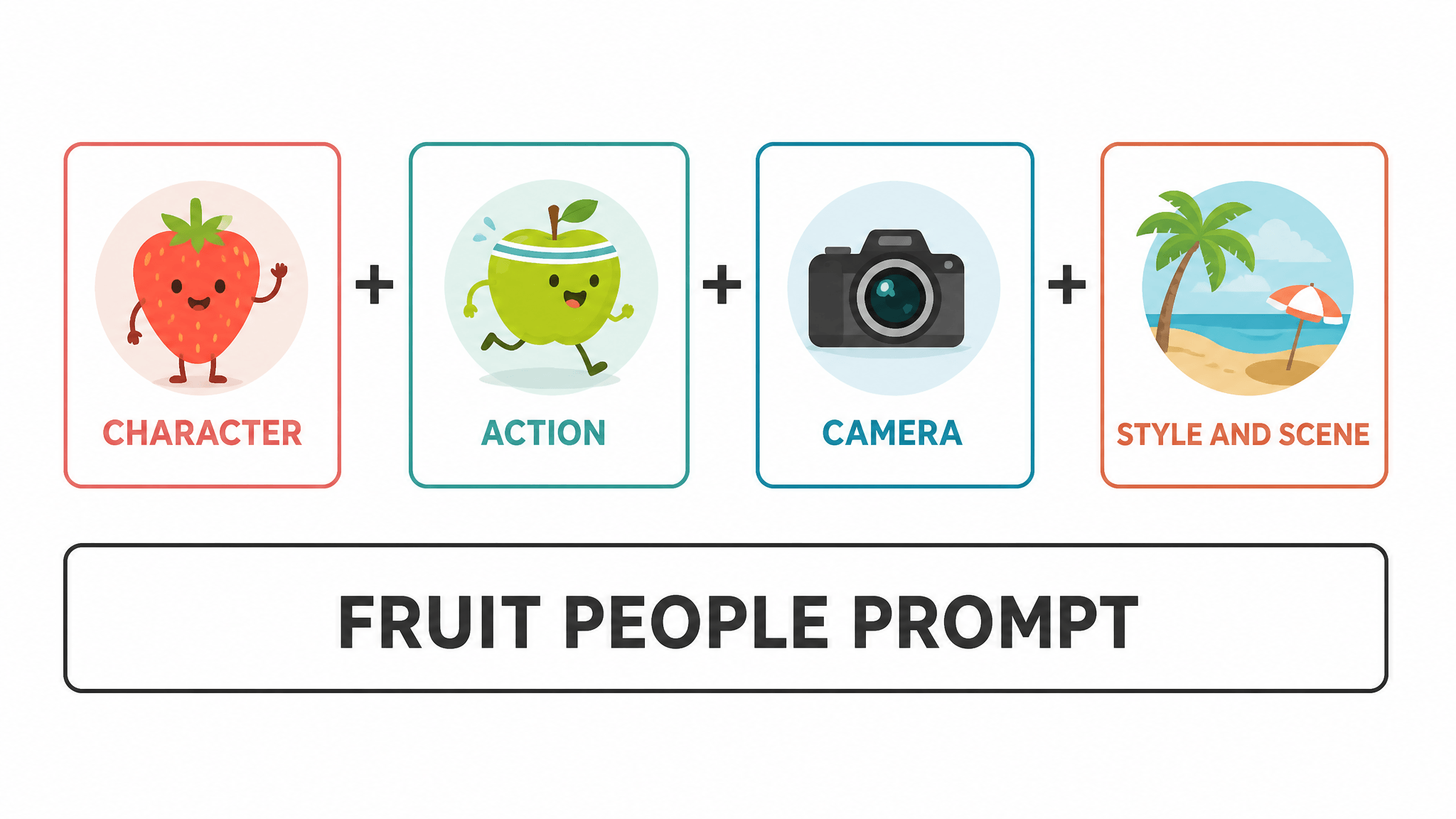
A workable fruit people prompt has four blocks in a fixed order:
[CHARACTER] + [ACTION] + [CAMERA] + [STYLE & SCENE]
Character block. Your anchor set, verbatim, every time: species, human body type, wardrobe, signature details. Write it once, paste it forever.
Action block. One physical, filmable action with concrete verbs: slams a hospital door, points at the banana, runs out of the kitchen crying. Emotional adjectives ("heartbroken", "furious") don't generate limbs — actions do. If the emotion matters, show it through the action.
Camera block. One move, named: static shot, slow push-in, medium shot, over-the-shoulder. Static is the correct default; a cut between two static shots almost always looks more professional than one sweeping move.
Style & scene block. Rendering style, lighting, and location — locked verbatim across every shot in the episode. This block is your defense against background drift: if the kitchen is "a bright modern kitchen with white cabinets and a fruit bowl on the island" in shot 1, it is the same sentence in shot 4.
There are two build paths, and the choice matters more than most prompt advice:
- Direct text-to-video. Fastest. Write the full four-block prompt and generate. Best for testing a character concept in a single shot.
- Character-image-first (image-to-video). Generate or upload a still of your character first, then drive each shot from that image. The first frame anchors identity, wardrobe, and background — which removes most of the drift and texture problems below. Several models in AI Fruit's catalog also accept a last-frame image, so you can pin where a shot ends, and Seedance 2.0 Mini accepts up to nine reference images per task, which fits a full cast plus key props (model availability checked October 2026).
Image-to-video is the series-maker's path; text-to-video is the sketchbook. Both show the model, settings, and estimated credit cost before you generate, so a failed experiment costs a known amount.
Five failure modes and how to fix them
These are the five failures that ruin most fruit people attempts, with the prompt or setting change that addresses each. Treat them as generation rules of thumb, not guarantees — every model fails differently.
1. Limb misplacement (extra fingers, melting arms). Cause: too many simultaneous actions and contacts in one shot. Fix: one action, one contact point. "She holds the phone" generates cleanly; "she holds the phone while hugging the banana and pointing at the door" generates a horror movie. Crop tighter — closer framing means fewer limbs in frame.
2. Fruit skin turns into smooth plastic. Cause: generic style words ("beautiful", "high quality") plus wide framing. Fix: name the texture — glossy strawberry skin with visible seeds, the matte brown of a banana peel — and move the camera closer. Texture survives close-ups; it dissolves in wide shots.
3. Characters clipping through props. Cause: complex staging where bodies and furniture overlap. Fix: stage with space. "She stands behind the table" invites intersection; "she stands in the kitchen, table in front of her, arm's length away" defines the distance. Simple single-prop scenes until you've earned complexity.
4. Background drift between shots. Cause: the scene block gets re-worded (or dropped) shot to shot. Fix: the verbatim scene block from the anatomy section, plus image-to-video from a fixed still for any shot where the room must match. Chaining shots with last-frame inputs also helps: shot 2 starts where shot 1 ended.
5. Characters deforming during camera moves. Cause: sweeping pans and zooms on detailed subjects — the model redraws the character every frame of the move. Fix: shorten and slow the move (a 20% push-in, not a 100% zoom), or replace the move with a cut between two static shots. When you must move, move the camera on a static character, not both at once.
Three prompt templates to start from
These are starting templates to adapt, not tested recipes — swap the CAPS variables, generate, and revise against the failure table above. They're written for AI Fruit's text-to-video and image-to-video models but the four-block structure transfers to any generator.
Template 1 — single-shot character intro (text-to-video):
A STRAWBERRY-headed woman with a slim human body, wearing a RED POLKA-DOT
DRESS and WHITE SNEAKERS, green leaf hair — she WALKS INTO A BRIGHT MODERN
KITCHEN carrying a paper bag of groceries and stops, shocked. Static medium
shot. Pixar-style 3D animation, soft window light, glossy strawberry skin
with visible seeds.
What it does: establishes one character with a full anchor set and one readable action. Swap: species, wardrobe, action, scene. Use it as the "who is this" beat of your episode.
Template 2 — two-character drama beat (text-to-video):
A BANANA-headed man in a GREY SUIT and an APPLE-headed woman in a GREEN
BLOUSE stand face to face in a DIM LIVING ROOM, in front of a SOFA, an
arm's length apart. She SLAPS him; his head snaps back and he stumbles one
step. Static medium shot from her side. Pixar-style 3D animation, warm lamp
light, glossy fruit skin.
What it does: two characters, one contact action, defined spacing (the "arm's length" clause is your anti-clipping insurance). Swap: cast, conflict action, lighting for mood.
Template 3 — character-locked series shot (image-to-video):
[IMAGE: your character still — full body, neutral pose, plain background]
Same character as the image, unchanged outfit and proportions: she SITS AT
THE KITCHEN TABLE and SLIDES A PHOTO ACROSS THE TABLE toward camera, face
falling. Slow push-in from medium shot. Same kitchen and lighting as the
image. Pixar-style 3D animation, glossy strawberry skin with visible seeds.
What it does: locks identity and background through the reference image, then spends the prompt's budget on action and camera only. This is the template for shot 2 through N of any episode.
From one clip to a series: Story Director
One good fruit people clip is a nice week. A series is a channel — and series are a workflow problem, not a prompting problem. This is the step where generating clips one by one stops scaling, and where AI Fruit's story mode is built for exactly the job.
The pieces (current as of October 2026):
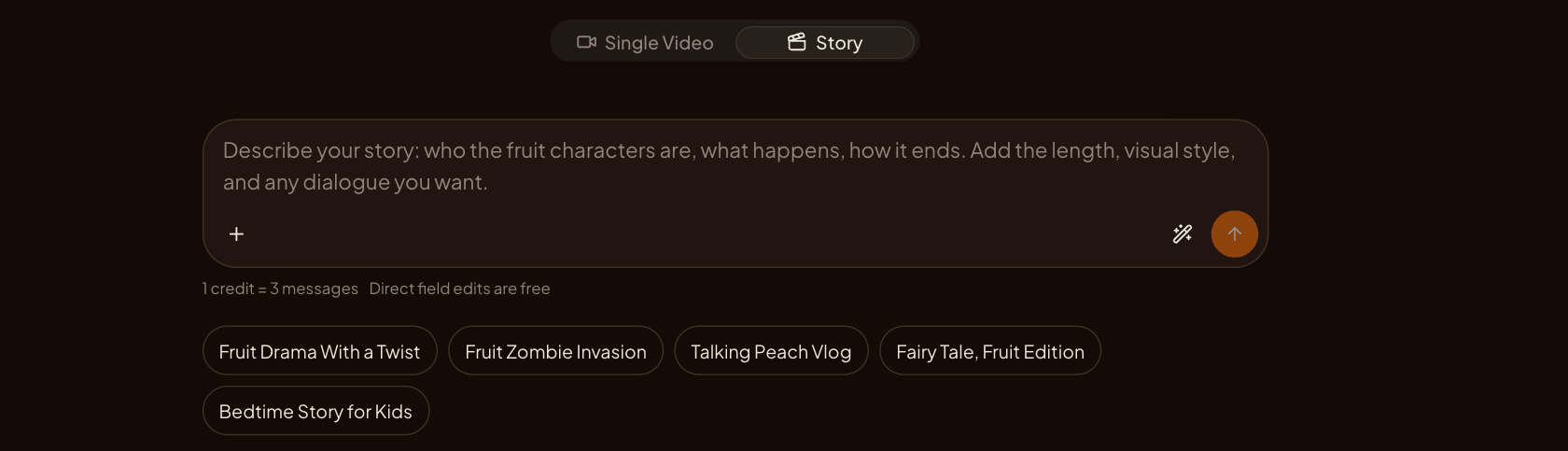
Source: aifruit.app homepage, accessed October 28, 2026.
- Character Library. Save your character once — species, body, wardrobe, primary image — as a reusable character. Adding it to a story project snapshots it into that project's cast, so later library edits don't silently change your running series.
- Anchors. A project holds up to nine anchors — characters, scenes, key props — and their images attach to segments as references. This is the product-level version of Template 3: define the cast once, reference it everywhere.
- Segments. A story is 1–12 segments of 4–15 seconds each. Your 15–30 second arc from the table above maps directly: hook segment, setup segment, turn segment, button segment.
- Quotes before you spend. Confirm parameters and the project shows a 30-minute quote with the credit cost per segment; regenerate a single weak segment without re-paying the whole episode. Anchor images are priced per image (4 credits at documentation time, checked 2026-10-28). If you're new to the platform, what AI Fruit is covers the model lineup and credit basics.
- Quality tiers. mini-480p (default), mini-720p, and standard — draft in the cheap tier, re-run the episodes that earn it in higher quality.
One boundary stated plainly, because it protects your planning: Story Director preserves characters, context, results, and versions across segments, but it does not guarantee frame-perfect character consistency between independently generated clips. Anchors and reference images raise the odds; repeating your character block verbatim in each segment raises them further.
If that's the workflow you want — named characters, recurring cast, episodes on a schedule — create your first fruit people character and run one three-segment episode through Story Director before you commit to a series.
Start with one character and one arc
The format rewards serialization, and serialization rewards discipline. In order: write one character's anchor set; script one 15-second, three-shot arc; generate it character-first (image-to-video) with the verbatim blocks; fix what breaks using the failure table; and when the arc works twice in a row, take the character into Story Director and make it a series. The fruit people winning the feed aren't the luckiest prompts — they're the ones with a cast worth coming back to.