
How to Make AI Fruit Eating Fruit Videos (Step-by-Step)
Make an AI fruit eating fruit video step by step: the four-block prompt anatomy, bite rhythm, ASMR audio settings, model choice with credit costs, and 9:16 export — with a worked apple example.
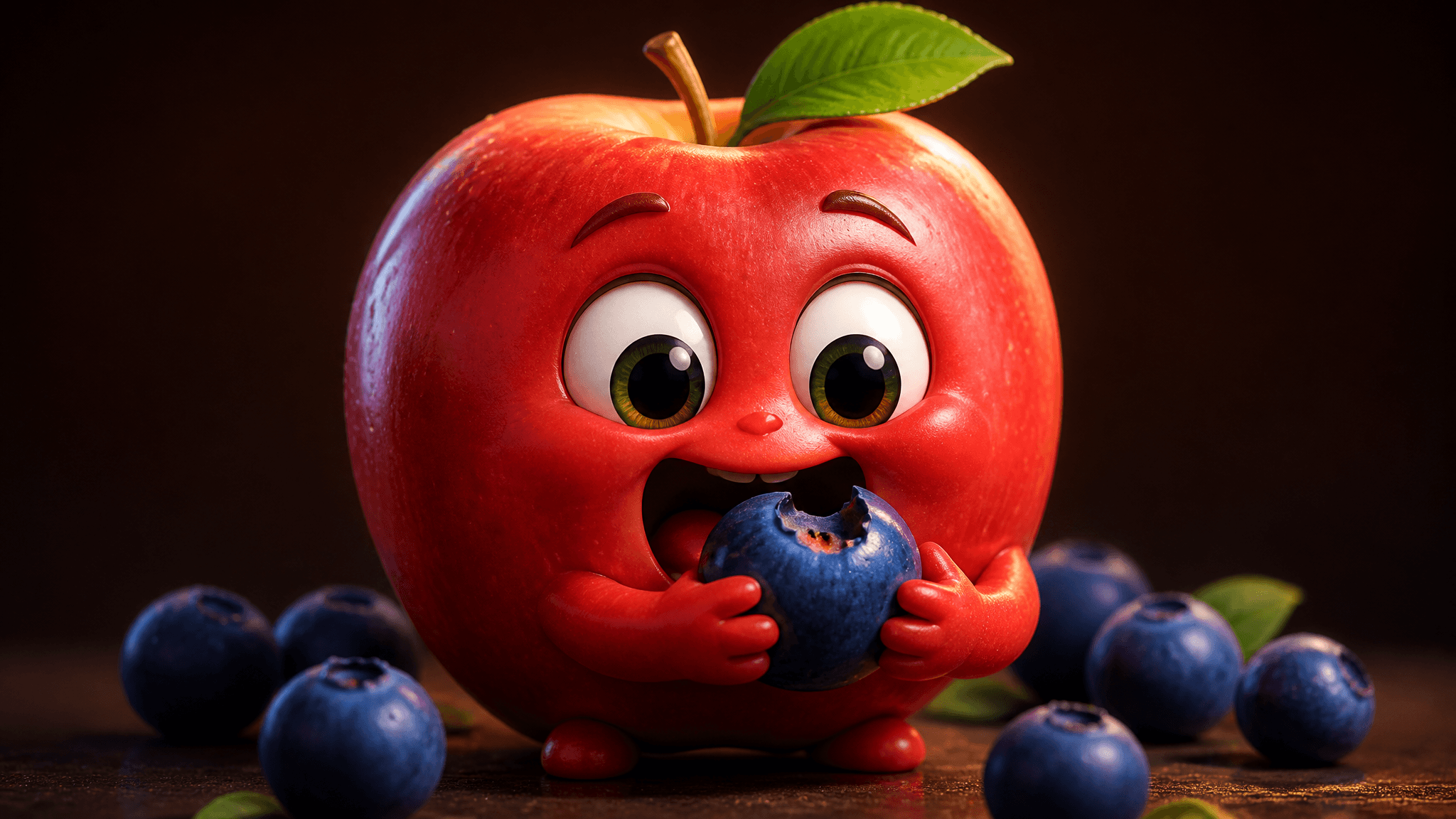
You scroll past one for the tenth time today: an apple with big cartoon eyes calmly takes a bite out of a blueberry, the crunch is loud enough to feel, and the clip is already at six figures. This is the AI fruit eating fruit format — a short vertical clip where an anthropomorphic fruit eats another fruit — and it is one of the easiest AI video formats to reproduce once you can read its structure. In this guide you'll build one from scratch in AI Fruit: the four-block prompt anatomy, which fruit pair to start with, how to pick a model and audio settings, and what to set before export. Everything below is based on the product's documented workflow and shipped examples, with model settings checked October 12, 2026 — not on tested render results, so treat settings as starting points, not guarantees.
What a fruit-eating-fruit video actually is
The format has three fixed ingredients: a fruit character with a face (sometimes tiny arms), a second fruit being eaten, and a satisfying bite — usually with ASMR-style crunch audio. Clips typically run 5–10 seconds, which is short-form feed length. AI Fruit's own fruit-eating examples follow this shape: a strawberry eating a blueberry, a watermelon biting an apple slice, a group of grapes having a mukbang feast.
Two neighbors get confused with it. Cutting ASMR videos use a knife to slice fruit — no character, no face. Fruit story videos are multi-scene dramas with dialogue and plots, made in a separate planning workspace. The eating format sits between them: one character, one bite, one clip. If you want plots later, the story workflow is a different tutorial — this one stays on the single-clip eating format.
The four building blocks of an eating prompt
Every shipped example prompt in AI Fruit's fruit-eating tool contains the same four blocks. Take the editor's default:
A cute strawberry with big eyes eating a blueberry, ASMR style with satisfying crunch sounds, close-up shot, vibrant colors
- Character — "a cute strawberry with big eyes": the species plus how humanized it is. "Big eyes" is doing real work here; it pushes the model toward a face you can read emotion from.
- Target — "eating a blueberry": the fruit being bitten. Small targets read better than big ones (more on this below).
- Action — "eating": the bite itself. Words like biting into, munching on, or taking a bite each steer the mouth physics differently.
- Style, audio, and shot — "ASMR style with satisfying crunch sounds, close-up shot, vibrant colors": the aesthetic register, whether you want sound, and the framing.
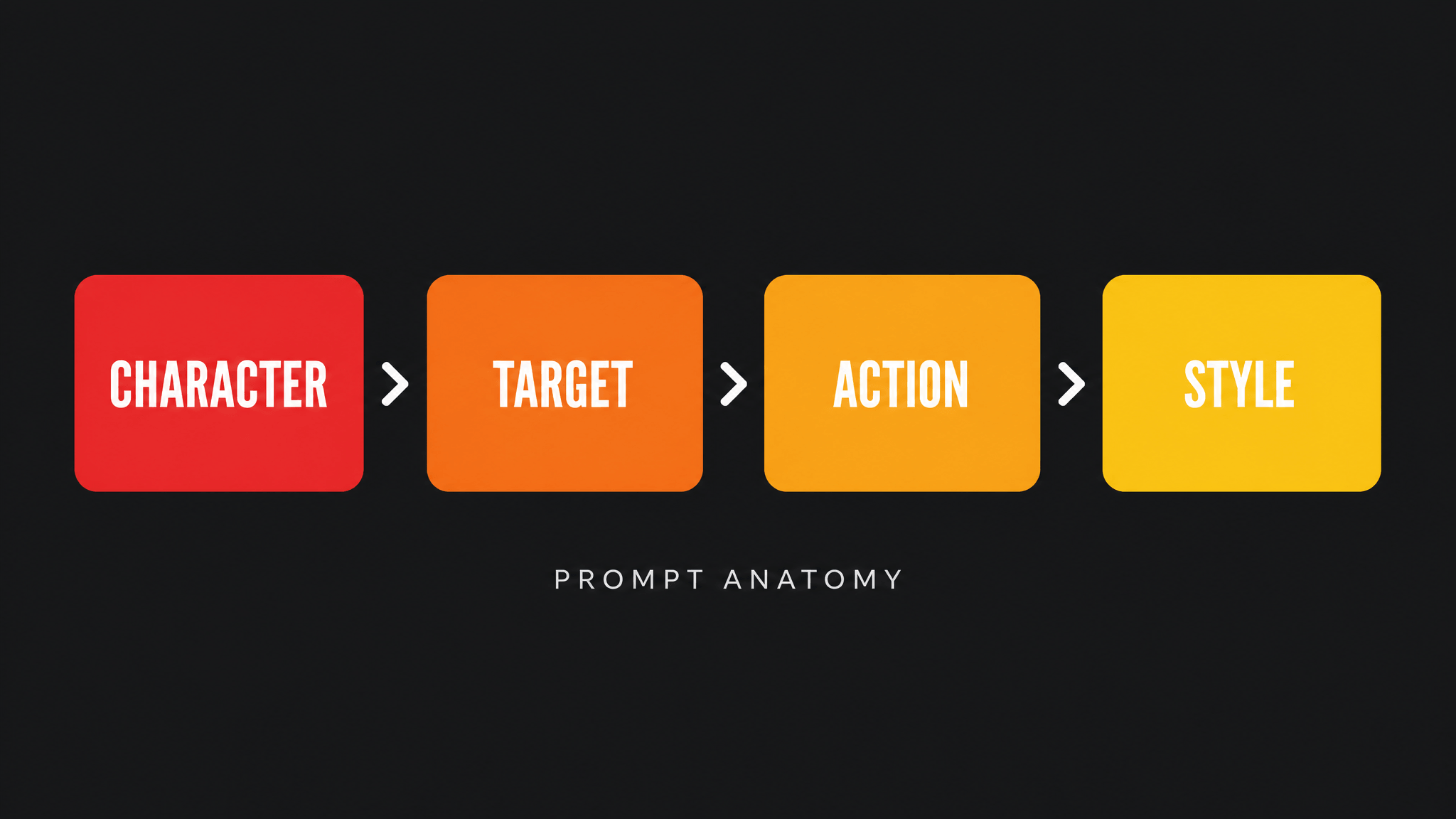
The four-block anatomy, derived from AI Fruit's shipped example prompts
The same skeleton is visible in the tool's other shipped prompts — "An apple with big eyes eating a blueberry, ASMR style", "A baby watermelon munching on a grape with crunchy ASMR sounds", "A happy mango eating a cherry, cartoon style, vibrant colors". Once you see the blocks, you can swap any slot deliberately instead of hoping a rewrite lands.
Step 1: Pick a fruit pair
Start with small eating smaller: an apple eating a blueberry, a strawberry eating a cherry, a baby watermelon munching a grape. The size gap matters because a 5–10 second clip only has time for one or two bites — a large target means the bite never visibly lands, and an equal-size target turns into collision physics instead of eating.
The apple-and-blueberry pair is the flagship example in AI Fruit's own Apple ASMR sample, and it's a deliberately safe first run: high contrast between the two fruits (red on blue reads clearly in a vertical frame), a face large enough to emote, and a target small enough to disappear in two bites. Other proven starter pairs from the shipped examples: mango-eats-cherry, baby-watermelon-eats-grape, and the self-eating twist — an orange peeling and eating its own slices — which works because the "target" is always in frame.
Step 2: Write the prompt
Assemble the four blocks in one sentence. Here is the apple flagship as a fill-in template (variables in brackets):
A cute apple with big eyes eating a blueberry, ASMR style with satisfying crunch sounds, close-up shot, vibrant colors
Swap one block at a time and say what changed:
- Change style to set the look: "cartoon style" (the shipped mango example), "realistic", "3D render". One style word is enough; stacking five usually muddies the render.
- Change the action verb to change the rhythm: "munching on" reads faster and messier than "slowly biting into".
- Keep the audio clause only if you're generating on a model that produces sound — otherwise you're spending prompt attention on something the clip can't deliver. Which models do is covered in Step 4.
Two untested starting points in the same skeleton, if you want somewhere to go after the flagship:
An apple with big eyes slowly biting into a cherry, soft cartoon style, gentle crunch, extreme close-up
A grumpy apple with tiny arms refusing to share its blueberry, comedy timing, close-up shot
These are structure demonstrations, not proven templates — expect to regenerate a few times regardless of how the prompt reads.
Step 3: Choose your input path
AI Fruit's fruit-eating tool gives you three ways in, and the choice affects character consistency more than anything else.
Text prompt only. Fastest path. The model invents the character from your description — fine for one-off clips.
Upload a reference image. Upload a fruit photo or illustration and the model animates it instead of inventing one (image-to-video). Use this when you want your fruit — a specific apple's color and shape — or when you plan a series and need the same character across clips. Every model in the catalog accepts an image input; none requires one.
Start from a template. The fruit-eating template category ships pre-made scenes like "Watermelon Eating Strawberry" — pick one, edit the prompt, generate. Fastest for matching a format you've already seen working.
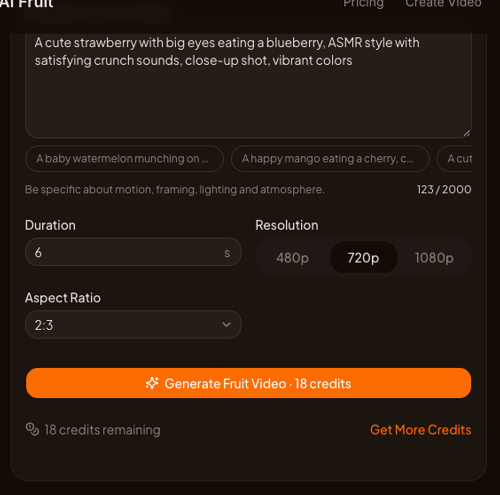
Screenshot: aifruit.app, accessed October 12, 2026
Step 4: Pick the model and audio settings
This is where cost and sound get decided. Settings below are from the model catalog as checked on October 12, 2026 — they can change with availability, and the generator always shows the current price before you generate.
| Model | Length | Resolutions | 9:16 option | Credit rate | Native audio |
|---|---|---|---|---|---|
| Grok Imagine Video | 6–30s | 480p / 720p / 1080p | yes | 3 credits/s at 720p | not listed in catalog |
| Kling 3.0 | 3–15s | 720p / 1080p / 4K | yes | 720p: 12/s silent, 17/s with audio | toggle, priced in |
| Wan 2.6 | 5 / 10 / 15s | 720p / 1080p | not exposed | 12/s at 720p, 18/s at 1080p | embedded |
| Veo 3.1 | model-defined | model-defined | yes | shown in generator | listed with audio |
Practical reading of that table:
- Cheapest test loop: Grok Imagine Video at 720p — a 6-second clip is 18 credits.
- Guaranteed-crunch path: the "ASMR crunch sounds" clause only becomes real audio on models that generate sound. Kling 3.0 makes it an explicit toggle (priced differently on and off), Wan 2.6 embeds audio, and Veo 3.1 is listed with audio by Google. If your model has no audio option, you'll be adding sound in an editor instead.
- Image-to-video works everywhere: uploading a reference fruit photo routes to each model's image-to-video variant automatically.
Step 5: Generate, review the bite, iterate
Generation runs asynchronously — completion time varies with the model, settings, and provider queue. When the result lands, review it against four checks before posting:
- Bite contact — does the mouth actually meet the target, or does it glide past it?
- Face stability — do the eyes and face stay consistent through the clip, or melt mid-chew?
- Chew physics — is there a visible bite mark and swallowing motion, or does the fruit just vibrate near the mouth?
- Sound sync — if your model produced audio, does the crunch land on the bite?
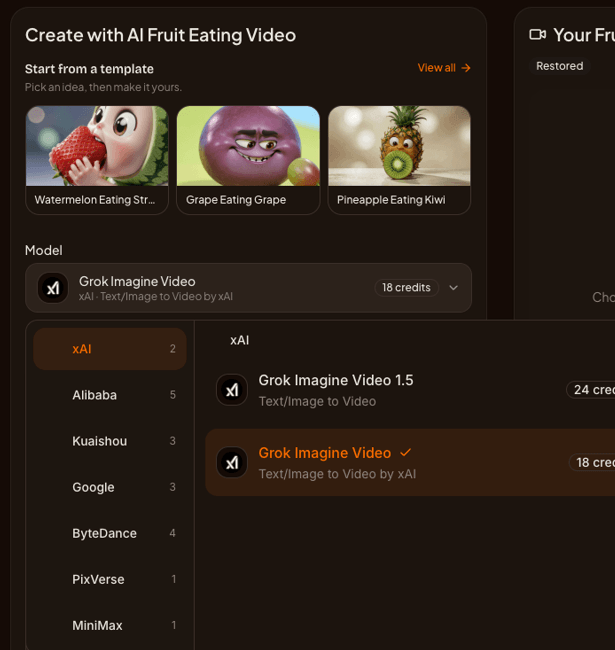
Screenshot: aifruit.app, accessed October 12, 2026
If any check fails, regenerate — each take costs only that clip's credits, so iterating twice on a cheap model usually beats settling for a broken bite. This is also the point to open the fruit-eating generator, set your prompt, and run the first take; the editor ships the flagship prompts from this guide as defaults.
Step 6: Export settings for TikTok, Reels, and Shorts
Eating clips are vertical-feed content, so:
- Aspect ratio: pick 9:16 where the model exposes it (Grok Imagine, Kling 3.0, and Veo 3.1 all offer it; Wan 2.6's catalog entry doesn't expose an aspect picker, so check the preview before committing credits).
- Resolution: 720p is the cheap iteration resolution; take your final winner to 1080p if the model offers it. The difference matters most on texture close-ups — apple skin and blueberry bloom are exactly where 480p smears.
- Length: 5–10 seconds fits the format; the shipped examples all sit in that window.
One compliance note before you post: watermark behavior and commercial use depend on the model and provider terms, AI Fruit's Terms, and your rights in the input image — check them for the specific model you used rather than assuming a blanket license.
What one video actually costs
Worked examples at the settings above (rates checked October 12, 2026):
| Scenario | Math | Cost |
|---|---|---|
| Grok Imagine 720p, 6s test | 6 × 3 | 18 credits |
| Kling 3.0 720p with audio, 6s | 6 × 17 | 102 credits |
| Wan 2.6 720p, 5s | 5 × 12 | 60 credits |
Budget for re-rolls: at two extra takes, a Grok test loop is ~54 credits end to end, and a final 1080p re-render costs its own rate. New accounts start with free credits — check the current signup offer before planning a batch.
Limits worth knowing
Bite realism varies by model and settings — the format's anatomy makes any model attempt it, but no setting guarantees a clean bite, and AI Fruit doesn't promise character consistency across clips. Audio is model-dependent, not prompt-dependent: writing "crunch sounds" louder doesn't add sound to a silent model. And if your eating clip grows a plot — a fruit family, a rivalry, a story arc — that's the multi-scene Story workflow, which the scene-by-scene story tutorial covers properly.
Further reading
- How to Make a Baby Fruit Family Video — the baby-fruit variant of the format
- How to Make TikTok Fruit ASMR Videos with AI — the knife-cutting neighbor format
- How to Avoid the AI Generated Look in Fruit Videos — when your clip reads as AI and how to fix it
- The fruit-eating generator and the fruit-baby tool if you'd rather start from templates