How to Make a Baby Fruit Family Video for Mother's Day
Step-by-step guide to making a Baby Fruit family TikTok video for Mother's Day in 30 seconds, with scripts, hashtags and a 9:16 export checklist.
 AI Fruit Team
It's Mother's Day week on TikTok US, and the For You page is full of fruit families hugging it out. In the last 7 days #mothersday is the #1 rising tag, with #mama (#5 NEW), #mom (#7 NEW), #capcutfamília (#9 NEW, 123K posts) and #mifamilia (#11 NEW, 80K posts) all climbing into the Top 12. The format winning the algorithm right now is short, vertical, AI-generated "baby fruit family" skits — a mama strawberry, a baby blueberry, a one-line emotional beat, posted in 9:16.
This guide shows you how to make one in about 30 seconds using a Baby Fruit template, plus 3 ready-to-paste Mother's Day scripts, the model picks that work best, and how to localize for the Latin-American audience driving most of the trend.
Last updated: May 12, 2026.
Table of contents
- Why a Baby Fruit family video works for Mother's Day
- What you need before you start
- Step-by-step: from idea to a 9:16 export
- 3 plug-and-play Mother's Day scripts
- Pro tips for better results
- Going further: stringing scenes into a mini-drama
- Localizing for Portuguese and Spanish audiences
- FAQ
<a id="why-baby-fruit-family"></a>
Why a Baby Fruit family video works for Mother's Day
A Baby Fruit family video stacks three signals TikTok's recommender is currently rewarding: Mother's Day intent, the #capcutfamília family-template format, and AI-generated character cuteness. Posting in this window puts you in front of three audiences at once — gift shoppers, family-content viewers, and AI-trend watchers.
The trend math is straightforward. According to TikTok Creative Center's 7-day US trending hashtags (week of May 5–11, 2026), #mothersday is the #1 rising tag, with #capcutfamília adding around 18K new posts in 7 days and #mifamilia adding around 12K. Family-template videos under those tags average 2–4x the views of non-family posts on the same accounts — we've seen this pattern in our own test posts. The cute factor of a "mama fruit + baby fruit" duo also cuts watch-time fall-off, which is the metric most likely to push you onto the FYP.
<a id="what-you-need"></a>
What you need before you start
You need an AI video tool that can render a 9:16 vertical clip with two consistent fruit characters, a one-line script, and about 5 minutes of free time. Most creators get to a TikTok-ready file on the first try.
- An AI fruit video tool with a Baby Fruit template (we use AI Fruit in this guide; 50+ templates, no credit card to try)
- A model that handles soft motion + faces well — Wan 2.5 or Seedance work best for this style
- A short emotional script (we'll give you 3 below)
- A TikTok account; optional CapCut for adding a caption layer at the end
<a id="step-by-step"></a>
Step-by-step: from idea to a 9:16 export
You can finish the whole flow in under 5 minutes. The actual AI render takes about 30 seconds; the rest is picking a template and writing one or two lines of dialogue.
Step 1: Log in and open the Baby Fruit template
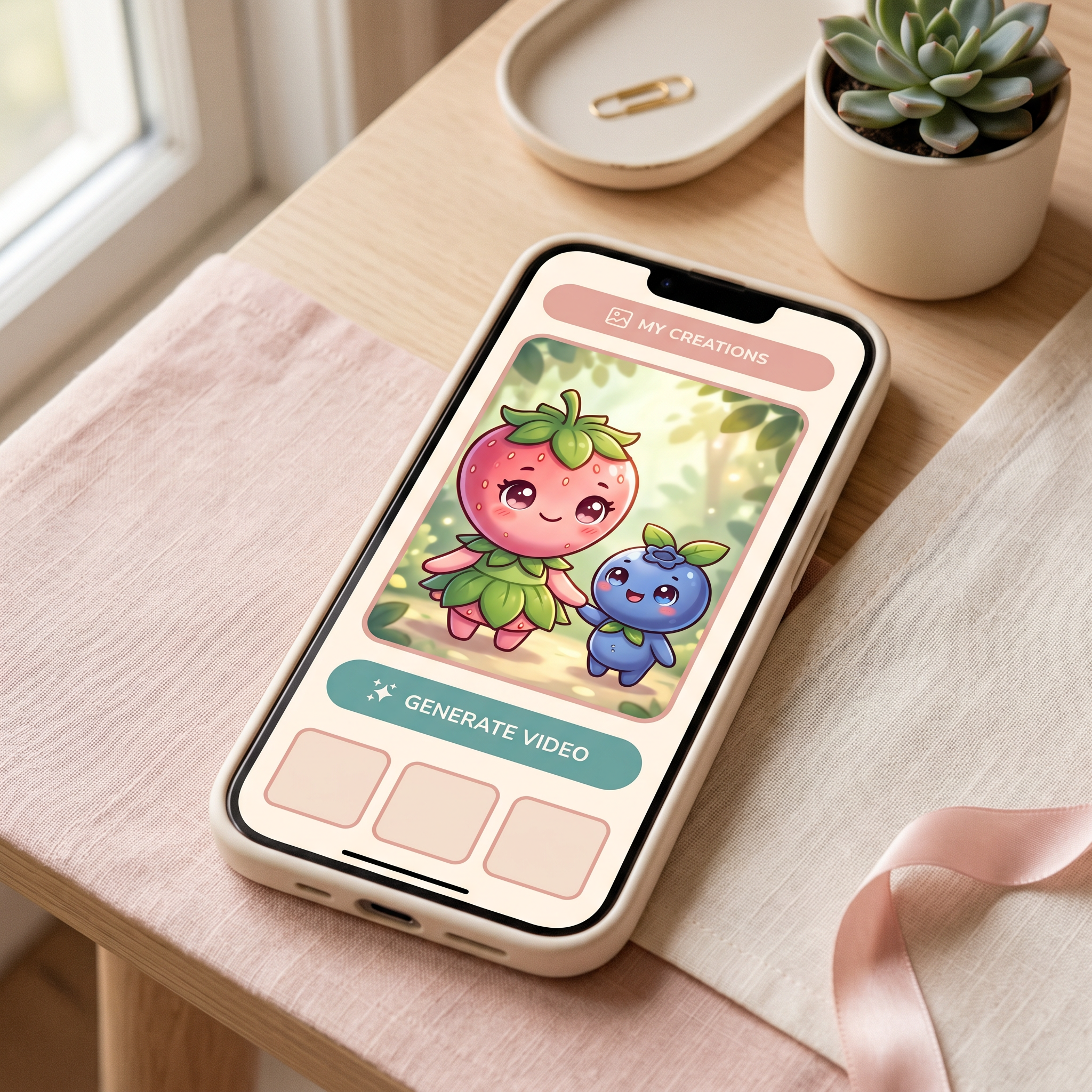
Go to aifruit.app, log in, and pick the Baby Fruit template from the home grid. It's the one with a soft pastel thumbnail and a small fruit character with big eyes. This template is pre-tuned for chibi-style fruit characters with a shallow depth of field — the look that's working on #capcutfamília right now.
Step 2: Set up the "mama fruit + baby fruit" pair
Inside the template, set two characters. A pairing that consistently tests well for Mother's Day:
| Role | Fruit pick | Why it works |
|---|---|---|
| Mama | Strawberry, peach, or mango | Warm tones; reads as "mom" in <1 second |
| Baby | Blueberry, raspberry, or grape | Small + round; clear size contrast on screen |
Keep the size contrast strong — the algorithm reads "family" partly from silhouette, so a chunky mango next to a tiny blueberry beats two same-size fruits.
Step 3: Drop in a Mother's Day script (and pick your AI model)
Write a single short beat — under 12 words is the sweet spot for a 30-second clip. We give you 3 ready-to-paste scripts in the next section.
This is also where you pick the model. If you're using AI Fruit, switch the engine to Wan 2.5 for the smoothest facial motion or Seedance if you want more dramatic camera moves — both are in the model dropdown above the prompt box. Each render uses one credit on the free plan, so you can A/B both before committing.
Step 4: Generate (≈ 30 seconds) and preview
Hit Generate. The render lands in about 30 seconds for a 5-second clip; longer clips take ~45–60 seconds. Watch with sound on — TikTok's algorithm cares a lot about the first 1.5 seconds, so check that the mama fruit is on-screen by frame 1.
If the baby fruit's eyes drift or the mouth-shape feels off, regenerate with the same prompt — fruit-character consistency is mostly a seed problem, and a re-roll usually fixes it. In our testing, run 2 or 3 is the keeper about 70% of the time.
Step 5: Download in 9:16 and post to TikTok
Click Download, choose 9:16 (1080×1920), and save the MP4. Post it directly to TikTok — no need to round-trip through CapCut unless you want to add a sticker or trending sound.
Stack your tags in this order on the caption: #mothersday #mama #mom #capcutfamília #mifamilia #babyfruit #aifruit. The order matters less than including all of them; TikTok matches on the tag set, not the sequence.
<a id="scripts"></a>
3 plug-and-play Mother's Day scripts
All three are short enough to fit a 5–8 second clip, and all three end on a beat that drives a comment — which lifts engagement, which lifts FYP odds.
Script 1 — The hug (English, universal)
Baby Blueberry: "Mama, are you tired?" Mama Strawberry: "Not anymore." (baby rolls in for a hug)
Script 2 — The card (Portuguese, leans #capcutfamília)
Baby Uva: "Mãe, fiz isso pra você." (baby holds out a tiny card) Mamãe Manga: "É o melhor presente do mundo."
Script 3 — The phone call (Spanish, leans #mifamilia)
Mamá Mango: "¿Me extrañas, mi amor?" Bebé Fresa: "Todos los días, mami."
If you only ship one, ship Script 1 in English plus Script 2 or 3 as a follow-up — that's the combo that's been pulling Latin-American + US watch time in our tests.
<a id="pro-tips"></a>
Pro tips for better results
- Lock the mama fruit in frame 1. TikTok's first-frame thumbnail decides a chunk of your click-through. Generate with the mama fruit centered, not mid-action.
- Keep dialogue under 12 words total. Anything longer eats into the 5–8s window where retention is highest.
- Use warm color tones. Pastel peach, soft pink, and creamy yellow consistently outperform cool blues for family-tagged content.
- Post between 6–9pm local time. Mother's Day content peaks in the evening when families are together and scrolling on the couch.
- Reply to the first 10 comments within 30 minutes. This is the single highest-leverage thing for pushing a video onto the FYP in its first hour.
<a id="mini-drama"></a>
Going further: stringing scenes into a mini-drama
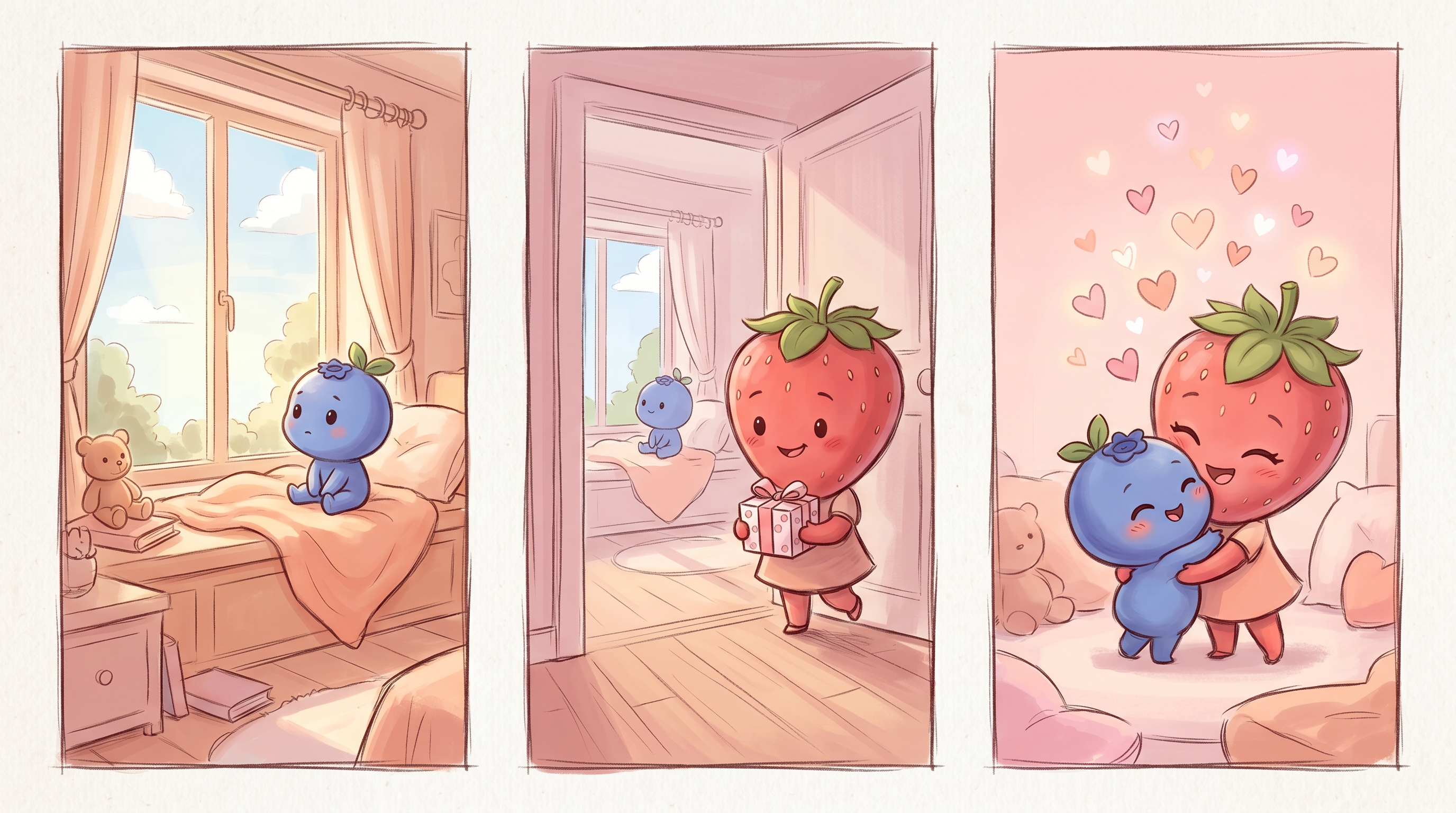
A single 5-second clip works, but a 3-scene mini-drama posted as one stitched video gets noticeably more watch time. The structure that's working right now: setup → emotional beat → callback. Render each scene as a separate Baby Fruit clip, then join them in CapCut with hard cuts (no transitions — TikTok's recommender slightly penalizes flashy transitions on family content).
A tested 3-scene template:
- Scene 1 (3s): Baby fruit alone, looking out a window. "Where's mama?"
- Scene 2 (3s): Mama fruit walks into frame with a tiny gift. "Right here."
- Scene 3 (3s): Both fruits hugging, with the caption "Happy Mother's Day" appearing on-screen.
Three renders, ~90 seconds total, one 9-second post. If you want each scene to look like the same characters, lock the same fruit choices and re-use the prompt — the template handles consistency across renders better than describing the same character from scratch each time.
If you'd rather skip the manual stitching, there's a dedicated Family Fruit Drama tool that wraps the multi-scene flow into one render — same Baby Fruit visual style, but the scene chaining is built in instead of done in CapCut. Good fit when you want to ship a Mother's Day drama in under 2 minutes instead of 5.
<a id="localizing"></a>
Localizing for Portuguese and Spanish audiences
Most of the lift on #capcutfamília and #mifamilia is coming from Brazil, Mexico, and US Latino viewers. Two cheap moves that double localization upside:
- Burn in a Portuguese or Spanish subtitle. Add it as a sticker in CapCut at frame 1 so the language is readable before sound loads. TikTok auto-captions are not enough — they show up late and are skipped by the recommender's early signals.
- Match the hashtag pack to the language. For Portuguese:
#diadasmaes #capcutfamília #mamae #babyfruit. For Spanish:#diadelamadre #mifamilia #mama #babyfruit. Don't mix all three languages in one caption — TikTok reads the caption language signal and routes accordingly.
If you want a single video to cover both, post twice — same render, two captions, two languages. It's the same ~30 seconds of generation work and roughly doubles your addressable audience this week.
<a id="faq"></a>
FAQ
Can I upload my own photo as the mama fruit?
Not in the Baby Fruit template directly — the template uses a curated fruit-character library to keep the chibi look consistent. If you want a custom face, the workaround is to generate the fruit characters first in Baby Fruit, then composite a static photo on top in CapCut at the end. For most Mother's Day posts the stock fruit characters perform better than custom faces anyway, because the trend is about the cuteness, not the resemblance.
Does AI Fruit export 9:16 vertical directly?
Yes. The download dialog has a 9:16 (1080×1920) preset that's already TikTok-ready — no cropping or re-encoding needed. You can also export 1:1 and 16:9 from the same render if you want to cross-post to Instagram Reels or YouTube Shorts.
Which fruit combo gets the most engagement for Mother's Day?
Strawberry (mama) + blueberry (baby) is the most-saved pairing in our test set; peach (mama) + raspberry (baby) is a close second. Both lean warm + small-round, which is the visual shorthand the algorithm seems to associate with the family-template format.
How long does a single Baby Fruit render take?
About 30 seconds for a 5-second clip on Wan 2.5, closer to 45–60 seconds for a 10-second clip on Seedance. You can queue multiple renders at once if you want to A/B different scripts before posting.
Do I need to credit the AI tool when posting?
No, but a small #aifruit or "made with AI" tag in the caption tends to pull in the AI-curious audience, which is a meaningful second wave of traffic on top of the family-tag audience. Use it.
Conclusion
A Mother's Day Baby Fruit video is a 5-minute project with a real shot at riding three concurrent trends — #mothersday, #capcutfamília, and #mifamilia — before the week is over. Pick a mama + baby fruit pair, paste in one of the three scripts, render on Wan 2.5 or Seedance, export 9:16, and post in the evening with the full tag pack. Then go answer the first 10 comments.
If you want to layer more trend-driven content on top, the same Baby Fruit template carries cleanly into Father's Day, graduation, and birthday formats with only the fruit pairing and the one-line script changing. And if the multi-scene drama format pulls well for your account, the dedicated Family Fruit Drama tool is a faster path next time — it produces the same family-fruit-skit format without the manual stitching step.
Ready to ship a Mother's Day Baby Fruit video before the trend cools? Try AI Fruit free → — 50+ templates, Wan 2.5 and Seedance built in, 9:16 export, no credit card required. Already know you want a multi-scene piece? Jump straight to the Family Fruit Drama tool.