Hotel Lobby AI: Make Your Own Booth Performance Video

The hotel lobby AI trend drops people into an orange LED booth for a two-mic performance clip. Describe your scene below and generate it, or bring a photo into the main generator and let an image-to-video model cast you into the lobby.

Create with Hotel Lobby AI Video Generator

Start from a template

Pick an idea, then make it yours.

Upload a reference image for your fruit video
Be specific about motion, framing, lighting and atmosphere.294 / 2000
s
Sign in to see creditsGet More Credits
Your Fruit Video
Restored

Ready for your first video

Choose a template or write a prompt. Your preview and download controls will appear here.

Grok Imagine Video6720p2:318 credits
CurrentModel Catalog
Model-specificResolution
AsynchronousGeneration
Review TermsCommercial Use

What Is the Hotel Lobby AI Trend?

The trend comes from the COLORS-style performance of Quavo & Takeoff's "Hotel Lobby": a small room lined with orange LED panels, one hanging microphone, two performers trading verses with their hands doing half the talking. Tools like LightX and Mitte now let people swap themselves into that setup, and the format has become a recurring meme. On AI Fruit you generate an original take on the format: your characters, your outfits, an AI-rendered booth or a grand hotel lobby, with the camera moves that make the meme read instantly.

There are two ways in. The editor on this page is a text-to-video generator: describe the scene — who is at the mic, what they wear, the lighting, the camera move — and it renders the clip. To use your own face or an existing character, open the main AI video generator, upload your photo with an image-to-video model (the photo drives the first frame, or Seedance 2.0 can take up to 9 reference images to cast your character into the scene). AI Fruit renders new footage; it does not re-cut the original broadcast, and whether a clip carries generated audio depends on the selected model.

What you can make

The two-performer booth clip
Two characters trade verses at one hanging mic in an orange LED room — slow push-in, hands on every beat, the format that made the trend.
The solo spotlight
One performer, one mic, dramatic side lighting — the close-up version of the booth meme.
The grand lobby walk-through
A character in a long coat crosses a marble hotel lobby under chandeliers while the camera tracks behind — the luxury-roam sibling of the booth meme.
Your face or an original cast
Prompt original characters, or bring 1–2 photos into the main generator and let an image-to-video model put you into the scene.

Two Ways to Make a Hotel Lobby AI Video

Start from a written scene or from your own photos — both paths end in a vertical clip you can post.

Prompt the Scene

Write the booth scene in plain language — the performers, outfits, the orange glow, the camera push-in — and the editor renders it. The more specific the setting and framing, the more readable the meme.

  • Natural language scene prompts
  • Casting, outfit, and lighting control
  • Camera keywords like push-in and orbit
  • Aspect options from the selected model

Cast Your Photo

Open the main generator and upload 1–2 photos with an image-to-video model: the photo anchors the first frame, or Seedance 2.0 accepts up to 9 reference images to keep your character's face and outfit inside the scene.

  • Photo as first frame on models like Kling 3.0, Veo 3.1, and Wan
  • Seedance 2.0 reference-image casting (up to 9 images)
  • Keep your character's face and outfit
  • Model-specific duration and resolution

Check Model and Credits

Pick from the current model catalog and read the credit cost before you generate. Generation runs asynchronously; when the clip is ready, review it and download or iterate on the prompt.

  • Visible model catalog with settings
  • Credit cost shown before generating
  • Asynchronous generation
  • Download, re-prompt, or continue from a result

Why Generate the Hotel Lobby Meme on AI Fruit

A direct path from the trend to your own clip — with the model, settings, and cost in view before you spend credits.

Your Own Take on the Format

Instead of pasting faces onto the same clip everyone posts, you generate an original booth scene — your characters, your wardrobe, your camera direction — so the meme is yours.

Two Real Entry Points

Prompt-led for speed, photo-led for likeness: text-to-video in the editor, or image-to-video and reference images in the main generator. Both are current product paths, not workarounds.

Models and Costs in the Open

Compare the catalog — Grok Imagine, Kling 3.0, Veo 3.1, Seedance 2.0, Wan, PixVerse, MiniMax — and see what each generation costs before you commit credits.

Terms You Can Check

Commercial use depends on the selected model's provider terms and the AI Fruit Terms of Service. The catalog points you to the terms; review them before client or ad work.

How to Make a Hotel Lobby AI Video

From trend to posted clip in three steps.

1

Describe the Scene or Bring a Photo

Write the booth scene — "two performers trade verses at one hanging mic in an orange LED room, slow push-in" — or open the main generator and upload your photo with an image-to-video model.

2

Pick the Model and Settings

Choose a model from the catalog and set duration, resolution, and aspect ratio. Some models take reference images for character casting; the credit cost updates with your settings before you generate.

3

Generate, Review, Post

Generation runs asynchronously. Review the finished clip, download it, or tighten the prompt and re-roll. Add your own track in any editor — the visuals are built for vertical feeds.

Hotel Lobby AI Video Examples

Five booth-style clips generated for this page with Seedance 2.0 Mini (9:16, 720p, 5s), each from the prompt shown — copy one and make it yours.

The Two-Mic Trade-Off

Prompt: Two performers trade verses at one hanging microphone inside a small room lined with glowing orange LED panels, one in a red leather jacket and one in a grey tracksuit, expressive hand gestures on every beat, slow camera push-in from wide to close-up, cinematic music-video look, vertical video

▶

The Solo Spotlight

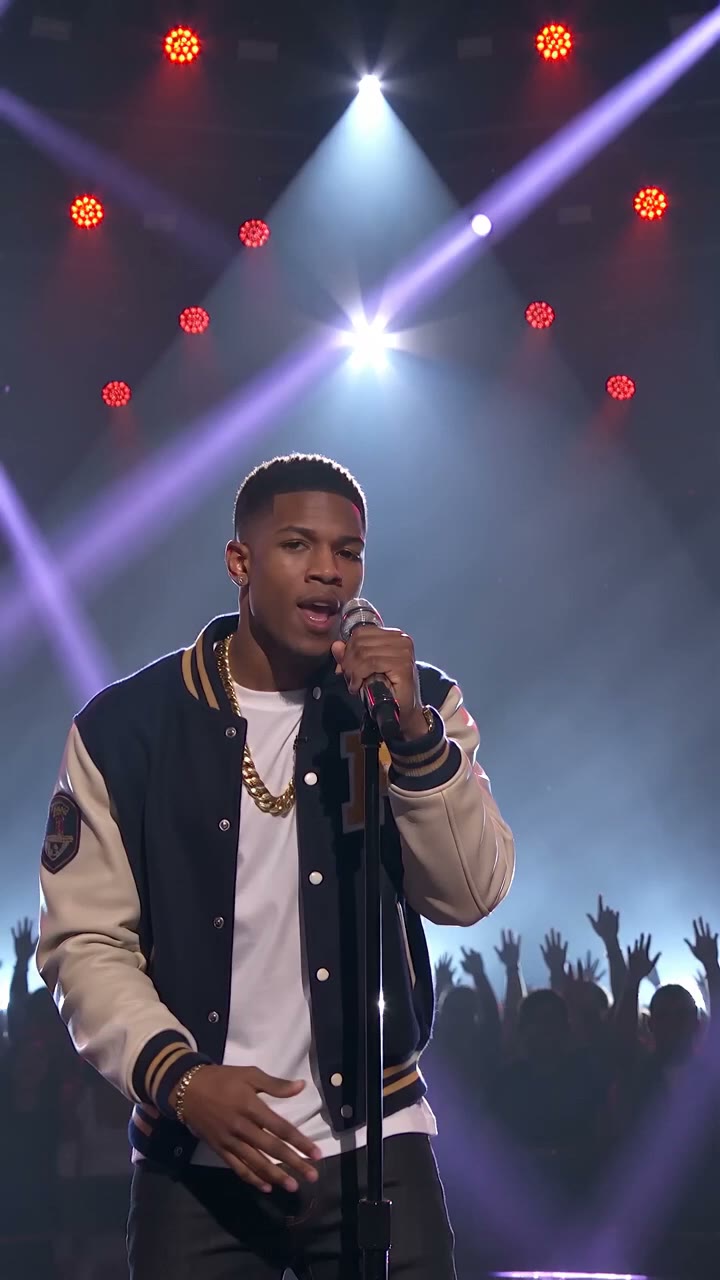
Prompt: A solo performer in a streetwear outfit sings at a hanging mic in an orange LED booth, dramatic side lighting, confident hand choreography, slow orbit around the artist, cinematic music-video style, vertical video

▶

The Grand Lobby Walk

Prompt: A stylish character in a long coat walks through a grand hotel lobby with marble floors, golden chandeliers and tall windows, slow tracking shot following from behind, luxury cinematic mood, vertical video

▶

The Beat-Drop Handoff

Prompt: Two friends take turns at the mic in an orange LED booth, one points at the camera on the beat, the other leans back laughing, warm glow on their faces, static medium shot with subtle push-in, music-video energy, vertical video

▶

The Hands Do the Talking

Prompt: Close-up of a performer gesturing to the beat under warm orange light, jacket collar and expression catching the glow, shallow depth of field, moody cinematic grade, vertical video

▶

Hotel Lobby AI FAQ

What the trend is and how to make your own clip.

It is a meme format built on the COLORS-style performance of "Hotel Lobby" by Quavo & Takeoff: an orange LED room, one hanging microphone, two performers trading verses with big hand choreography. AI tools now let people drop themselves or their characters into that setup, and the format keeps resurfacing in AI video trend tracking.

Two ways. Describe the scene in the editor on this page — performers, outfits, orange glow, camera push-in — and generate. Or open the main AI video generator and upload 1–2 photos with an image-to-video model so the clip keeps your face and outfit inside the scene.

Yes. In the main generator, image-to-video models like Kling 3.0, Veo 3.1, and Wan can use your photo as the first frame, and Seedance 2.0 accepts up to 9 reference images for character casting. The editor on this page is prompt-only, so photo-driven generation runs in the main generator.

Ready to Make Your Hotel Lobby AI Video?

Describe the booth scene or bring your photo — pick a model, check the credits, and generate your take on the trend.

Open the AI Video Generator