
Ultimate Fruit Content Creator GPT: What It Is and How to Recreate the Fruit Video Trend
What the Ultimate Fruit Content Creator GPT actually does, community prompts to recreate the fruit video trend, and where to run the video step.
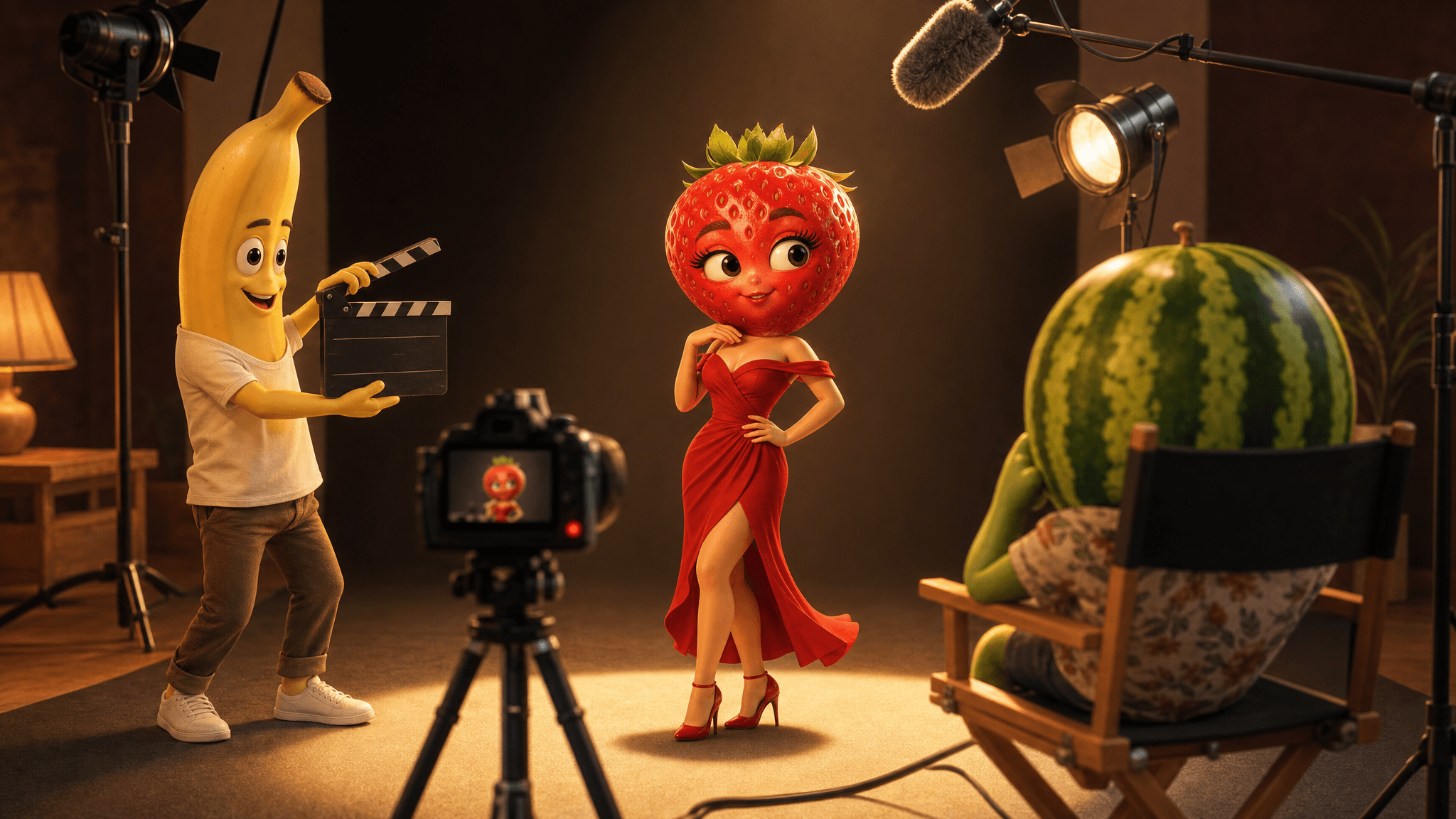
The Ultimate Fruit Content Creator is a custom ChatGPT GPT: a community-built bot that turns a fruit-video idea into ready-to-use scripts, scene prompts, and image prompts. What it does not do is make videos. In every documented version of the trend, the GPT's output gets pasted into a separate AI video model — Veo 3 in the tutorial that popularized the flow — and the clip is finished in CapCut.
There's also a catch worth knowing before you go hunting for its prompt: the GPT's internal instructions are not public. No one outside its creator, who is credited only as "community builder," can show you the exact text inside it. What you can do is reproduce the same workflow with community-shared prompts. Several good ones are public — they're attributed below, and to be clear up front, they are shared by their authors, not tested by us.
This article explains what the trend actually is, how the documented workflow runs step by step, where the free ChatGPT route stops, and where you can run the video step instead.
What is the Ultimate Fruit Content Creator GPT?
The trend object is a custom GPT listed on ChatGPT's Explore/GPT directory under the name Ultimate Fruit Content Creator, with the creator shown as "community builder" rather than a verified company. Its profile page is publicly viewable, but the page exposes no prompt text — using the GPT itself requires a ChatGPT account.

The GPT's public profile on chatgpt.com (accessed Sep 10, 2026). No prompt text is exposed on the page.
What made it spread is documentation, not marketing. A YouTube tutorial from the channel EarnWithAi — "How I Make VIRAL AI Fruit Drama Videos With Veo 3 For FREE," sitting above 10,000 views — walks through what it calls the "Ultimate Fruit Content Creator GPT Flow": AI image generation, then "AI video animation with built-in voiceover" in Veo 3, then captions in CapCut. Instagram and Facebook creator posts plus a linked Telegram channel describe the same pipeline. The common thread across all of them: the GPT handles ideas and prompts, a video model handles footage, CapCut handles editing.
How the documented workflow actually works
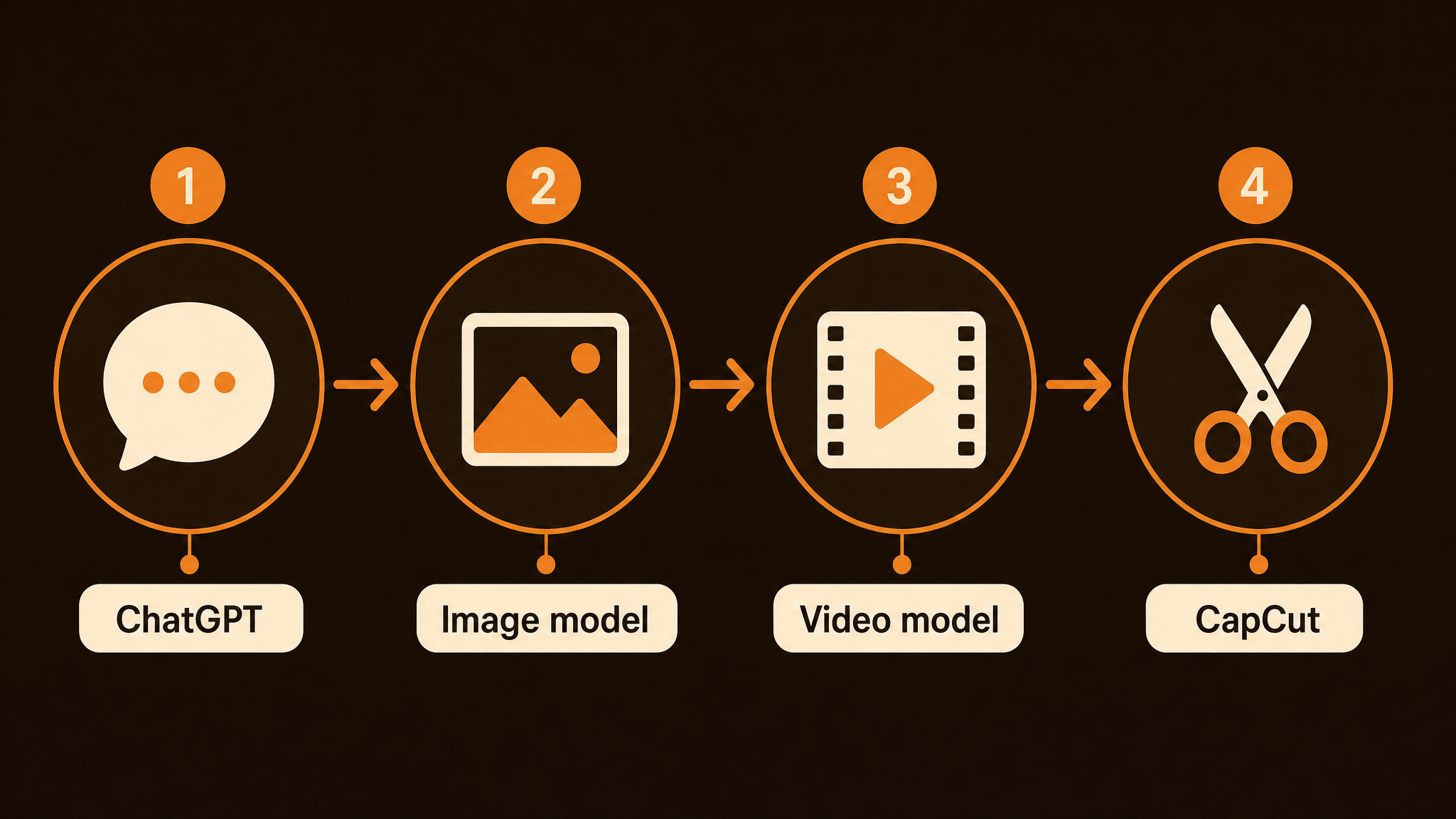
Strip away the tool names and the trend is a four-step pipeline:
- Brainstorm in the GPT chat. You describe the kind of fruit drama you want (a strawberry landlord, a banana heist) and the GPT returns video concepts, scripts, and scene-by-scene prompts.
- Generate character images. Its image prompts go into an image generator so your fruit character has a consistent look before anything moves.
- Animate in a separate video model. The documented flow uses Veo 3, which also produces the voiceover and ambient audio the trend is known for.
- Edit and caption in CapCut. Trims, captions, and platform exports happen outside the AI tools entirely.
One honest observation from reading the source material: the GPT is a convenience layer, not a magic ingredient. Steps 1 and 2 work from any capable ChatGPT conversation — the packaged GPT just saves you from writing the setup yourself. That's exactly why the community prompt reproductions in the next section exist.
Is there an official Ultimate Fruit Content Creator prompt?
No. The GPT's instructions are private, and OpenAI's GPT pages don't publish them. If a page or video claims to have "the official Ultimate Fruit Content Creator prompt," it's a reconstruction — possibly a decent one, but not the real thing.
That matters less than it seems. A prompt is a means to an end: fruit-drama concepts and usable scene prompts. The community alternatives below aim at the same output, and you can judge them on what they produce rather than on a label.
Community-shared prompts you can copy today
None of these are ours, and we haven't run them for this article — they're published by their authors, linked so you can read the full context and decide for yourself.
1. The two-prompt transformation workflow (Tariq Pathan)
A publicly published workflow (March 2026) uses two ChatGPT prompts in sequence:
- Prompt 1 casts ChatGPT as a "YouTube Shorts viral content strategist" and asks for 10 video concepts, each starting from an unexpected oversized object — a giant watermelon, a hillside, a shipping container — that gets carved into a hidden luxury living space. Every concept comes with a thumbnail-style title, a transformation outline, and a self-rated viral hook score.
- Prompt 2 takes the concept you pick and expands it into exactly 10 scenes, each with an image prompt and a 6-second video prompt, while locking the character's appearance and the camera rules so scenes stay consistent.
The guide's final step sends those prompts to Veo 3: first the image prompt to establish the scene, then the video prompt to animate it. It's the same ChatGPT-ideas-then-video-model structure as the GPT flow, just with the brainstorming prompts in your own hands.
2. A fruit-character image prompt (r/PromptEngineering)
For the character-design step, a thread on r/PromptEngineering shares this image prompt from a user experimenting with the "talking fruits" trend:
A hyper-detailed 3D cartoon strawberry fruit character with a human
body and cute expressive face, standing confidently in a modern
kitchen, realistic strawberry texture with seeds and shine, small
muscular arms and legs, cinematic lighting, shallow depth of field,
Pixar style, ultra high quality render, vibrant colors, 16:9 aspect
ratio, no text, no watermark.
The author's own tips: keep "shallow depth of field" for a more cinematic look, always end with "no text, no watermark," and swap the setting ("jungle," "space") for a completely different vibe. Note this is an image prompt — it designs your fruit avatar, it doesn't produce footage.
3. Prompt pattern libraries (insMind, Media.io)
If you'd rather start from a menu than a blank page, two large prompt collections document what fruit-video prompts tend to include:
- insMind's list of 20+ trending AI fruit video prompts groups them by scenario — seaside date, jet ski chase, love triangle, airport arrest, product showcase — and names models like Seedance 2.0 and Sora as targets.
- Media.io's library of 50+ fruit prompts formats them for talking-fruit animations with voiceover.
Across both, the recurring anatomy of a fruit prompt is: character + emotion + action + setting + visual style + camera direction. That's the pattern the community has converged on, whatever model runs it.
| Source | What it gives you | Feeds into |
|---|---|---|
| Tariq Pathan two-prompt workflow | 10 concepts → 10 scenes of image + video prompts | Image model, then video model (Veo 3 in the guide) |
| r/PromptEngineering strawberry prompt | One reusable fruit-character image prompt | Image generation (character design) |
| insMind / Media.io libraries | Categorized scenario prompts | Any video model you prefer |
What the free ChatGPT route can and can't do
Set expectations before you invest an afternoon. The ChatGPT route — GPT or plain chat — is genuinely useful for the front half of the pipeline: brainstorming fruit-drama concepts, writing scripts, and drafting scene and image prompts. ChatGPT's image generation can also produce still character designs, which is most of what "fruit avatar" requests actually need.
It cannot produce video. No matter how detailed your prompts, a chatbot outputs text, and ChatGPT's images are stills — no motion, no camera move, no voiceover. We covered this in more depth in our ChatGPT Images 2.0 vs. AI video generator comparison: turning ChatGPT into a fruit movie maker hits a hard stop at the video step, and that step needs a dedicated video model.
On cost: the GPT itself doesn't cost anything beyond a ChatGPT account, but free-tier usage limits apply to both chats and image generations. The video step is where real costs appear, because video models are billed per generation or per credit.
Run the video step in a dedicated generator
Whichever prompts you start from, the video step is the same: paste the scene prompt into a video model, check the settings, generate. The practical questions are which model, which settings, and what it costs before you commit.
That's the job AI Fruit's model catalog is built for. The current catalog exposes 11 selectable video models from 6 vendors — xAI, Alibaba, Kuaishou, OpenAI, Google, and ByteDance — and individual models get their own generator pages, where the model, the settings, and the credit cost are all visible before anything runs. Veo 3.1 — the same Veo family the tutorial uses — is one of them: you enter the scene prompt from your ChatGPT session, optionally attach a reference image of your fruit character, pick the aspect ratio, and see the credit estimate before generating. Fruit-specific templates are there too, if you'd rather start from a proven scene than a blank prompt box.
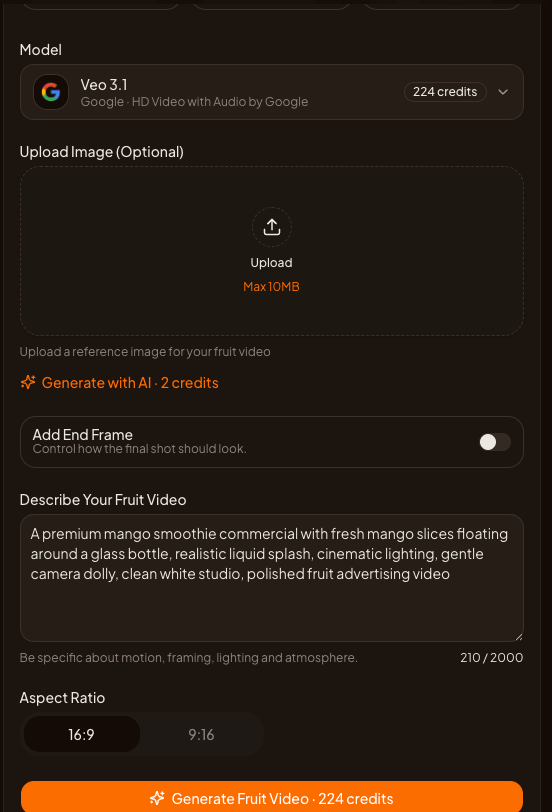
Ready to run the video step on your own fruit-drama prompts? Open the Veo 3.1 generator on AI Fruit — paste a scene prompt, check the credit estimate, and generate.
Frequently asked questions
Is the Ultimate Fruit Content Creator GPT free?
The GPT doesn't charge anything itself — using it requires a ChatGPT account, and free-plan usage limits apply. The video step in the documented workflow happens in a separate tool with its own costs.
Is there an Ultimate Fruit Content Creator download?
No. It's a GPT that lives inside ChatGPT's interface — there's no app, file, or software to download. Pages promising a download are packaging something else, so check what you're actually getting.
Which video model should I use for the video step?
The documented trend flow uses Veo 3, but the prompts work in any capable model. Choose by scene type, resolution, audio needs, and credit cost — comparing a few models on the same prompt is the honest way to find out what fits your format.
Will these prompts guarantee a viral fruit video?
No prompt can. The trend's documentation shows what formats get posted, not what results you'll get. Treat every shared prompt as a starting point and judge it by your own outputs.
The bottom line
The Ultimate Fruit Content Creator GPT is best understood as a packaged brainstorm: it turns fruit-drama ideas into scripts and prompts, but every documented version of the trend still needs a separate video model and CapCut to produce an actual clip. Its own prompt is private — the reproducible part is the workflow, and the community prompts above give you a way in without pretending to own the original.
If you'd rather compare models before committing, the AI Fruit generator entry puts every video model — and its credit cost — one click from the homepage.