
MiniMax H3 VBVR LoRA: How to Install and Use It (Plus What the Comparisons Show)
The VBVR LoRA (H3-Licon-VBVR-I2V) targets object duplication and action-logic errors in MiniMax H3 image-to-video. Here's how to install it in ComfyUI, what the published comparisons show, and what to know before you commit 40 GB of model files.
MiniMax H3 VBVR LoRA: How to Install and Use It (Plus What the Comparisons Show)
The VBVR LoRA is a 149 MB add-on for MiniMax H3's image-to-video workflow that claims to fix three specific failure modes: objects duplicating mid-motion, characters clipping through surfaces, and incoherent action sequences. Installation takes two steps — drop H3-Licon-VBVR-I2V.safetensors into ComfyUI/models/loras/ and select it in the LoRA loader of your H3 image-to-video workflow. The harder part is everything around it: VBVR attaches to a 33B-parameter base model, so you'll first need H3 itself running in ComfyUI, roughly 40 GB of model files, and a GPU setup that can serve it.
This guide walks through the whole chain: what VBVR actually is (the name comes from a visual-reasoning training suite, not a marketing label), how to get the H3 base workflow installed, how to wire in the LoRA, what the published before/after comparisons actually show — and what to do if running a 33B video model locally is more than you bargained for.
Quick facts
| File | H3-Licon-VBVR-I2V.safetensors (149 MB) |
| Publisher | LiconStudio, released October 23, 2026 |
| Works on | MiniMax H3 image-to-video (FL2VA) workflows |
| License | Apache 2.0 (the LoRA); MiniMax H3 Community License (the base model) |
| Adoption | ~10,000 downloads in the last month, 165 likes on Hugging Face (checked November 4, 2026) |
| Usage | Place in ComfyUI/models/loras/, select in the workflow's LoRA loader |
One naming quirk to know upfront: the README still says to download H3-VBVR-I2V.safetensors, but the actual file in the repo was renamed to H3-Licon-VBVR-I2V.safetensors. Same weights, new name — don't go looking for a missing file.
What VBVR actually is
VBVR stands for a piece of published research: VBVR-Pro, a "scalable and verifiable suite for native visual reasoning". The researchers generate procedural video-reasoning tasks — move an object off-screen and back without it changing, pack exactly three apples into a bag with no duplicates, solve an on-screen puzzle step by step — and use verifiable, rule-based scoring instead of a judge model. Its video fine-tuning split, VBVR-Pro-SFT-Video, contains 1.24 million generated instances across 250 task families at 512×512.
The VBVR LoRA is that training data rebuilt for H3. Per the model card, LiconStudio reprocessed the VBVR-Pro-SFT-Video data around H3's training pipeline and distilled it into the LoRA, with the goal of transferring "structured motion and interaction patterns" into practical generation. The three claimed improvements follow directly from the task style:
- Reduced object duplication — fewer unintended copies of objects during motion (the counting-and-reappearance tasks target exactly this)
- Reduced clipping and interpenetration — better spatial separation between characters, objects, and surfaces
- Improved character action logic — movement sequences that stay coherent across the clip
Don't confuse the LoRA with the similarly named Patarapoom/h3-vbvr repository, which ranks highly in search. That repo is an unmodified re-host of about 41 GB of H3 files (diffusion model, text encoder, VAEs) built for RunPod serverless caching — it bundles a small ~30 MB community "attention-only" VBVR variant, but it is not the Licon LoRA and trains nothing. If you want the LoRA this article covers, download from the LiconStudio repository.
Before the LoRA: get H3 running in ComfyUI
VBVR plugs into an existing H3 image-to-video workflow — it doesn't run on its own. The official ComfyUI path is the MiniMax H3 I2V template (Workflow Library → Video), which requires ComfyUI 0.30.0 or newer and these files from Comfy-Org's repackage:
| File | Folder |
|---|---|
minimax_h3_fl2va_pruned_int8_convrot.safetensors |
models/diffusion_models/ |
qwen3vl_32b_minimax_h3_nvfp4_awq.safetensors |
models/text_encoders/ |
minimax_h3_video_vae_int8_convrot.safetensors |
models/vae/ |
minimax_h3_audio_vae_fp32.safetensors |
models/vae/ |
minimax_h3_fl2v_turbo_8step_v1.0_comfyui_bf16.safetensors (optional speed LoRA) |
models/loras/ |
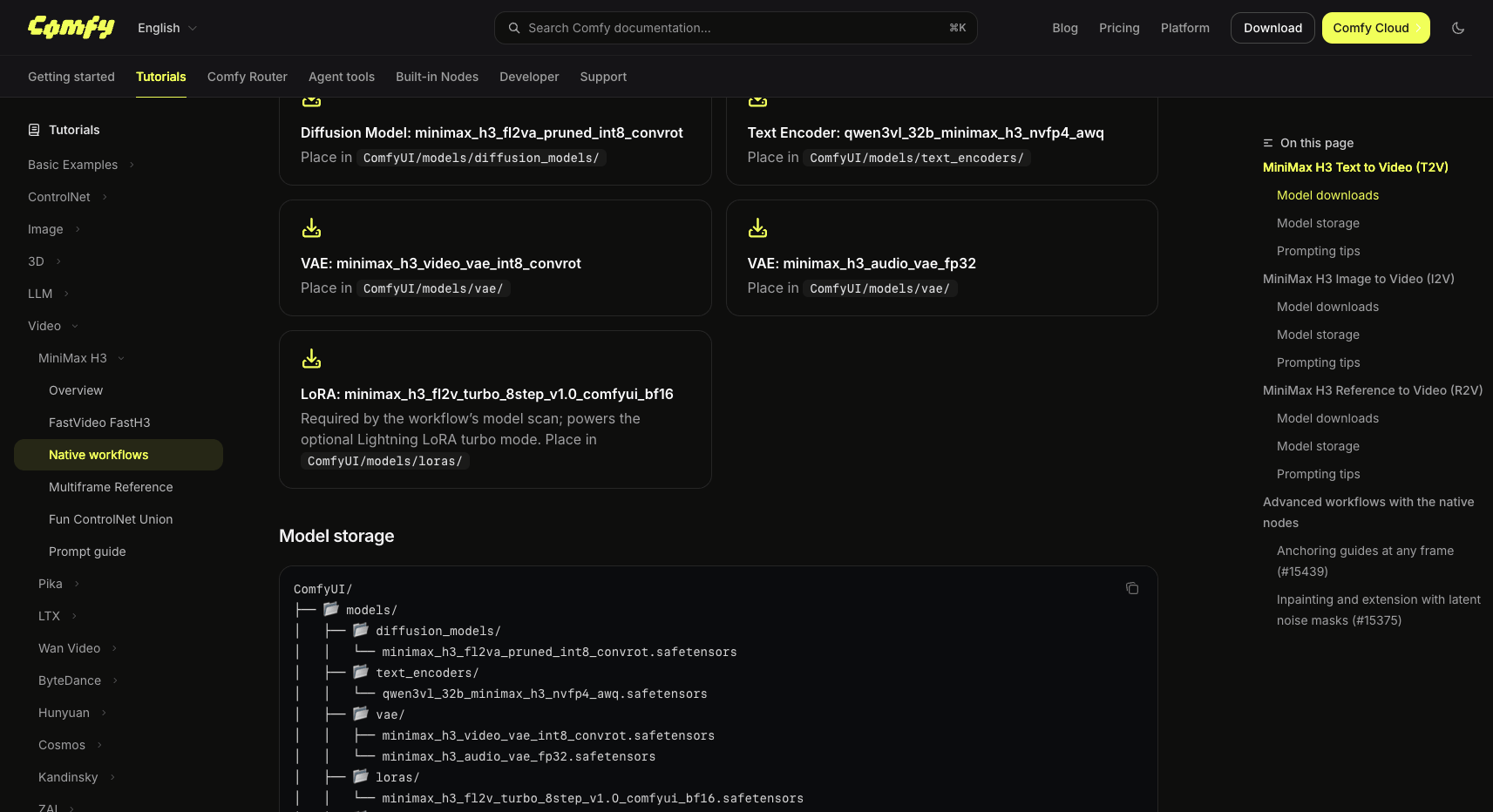
Official ComfyUI docs: template model files and target folders (the I2V template uses the same file set). Source: docs.comfy.org, accessed Nov 4, 2026.
A note on scale before you start downloading: at the commonly served quantizations, one H3 render touches roughly 21 GB of diffusion model, 16 GB of text encoder, and 4 GB of VAEs — call it 40 GB before the LoRA's 149 MB even enters the picture. Comfy-Org recommends the int8_convrot builds if your PyTorch runs on CUDA 13.0+, with fp8_scaled as the fallback; the nvfp4 text encoder doesn't require a Blackwell GPU.
Two practical settings from the official template docs matter once you're generating:
- Resolution and duration snap to a grid. Native 16:9 is 1344×768 (sides in multiples of 32), and duration snaps to 17k+5 frames at 24 FPS. The I2V template opens at a small 1:1 canvas (640×640, 0.4 MP) — raise the megapixels for a final render.
- First and last frames behave differently.
first_frameis resized to the canvas, so an off-aspect image comes out stretched;last_frameis center-cropped instead.
One more thing to settle before investing hours: H3's open weights ship under the MiniMax H3 Community License, and commercial use of locally generated outputs requires a MiniMax commercial license (Comfy acts as the official reseller). The VBVR LoRA itself is Apache 2.0, but the base model's terms are what govern your output.
Install the VBVR LoRA
- Download the LoRA from the LiconStudio repository:
H3-Licon-VBVR-I2V.safetensors(149 MB). - Place it in
ComfyUI/models/loras/— the same folder as the optional turbo LoRA from the template. - Add or locate the LoRA loader in your H3 I2V workflow and select the VBVR file. The model card's only stated requirement is "a compatible MiniMax-H3 image-to-video workflow" — VBVR targets the FL2VA/I2V path, not the Ref2VA reference-to-video checkpoint.
- Set strength and steps. The card doesn't publish a recommended strength, and it doesn't describe the sampling schedule behind its validation videos — the ComfyUI LoRA loader defaults to strength 1.0, so that's a reasonable starting point. One caution: the template's optional 8-step turbo mode is a separate speed LoRA optimized for fast sampling, not VBVR. For a clean comparison, run your base generation and the VBVR generation on the same schedule, same prompt, and same seed.
- Generate both ways. The only meaningful evaluation is your own A/B pair on your own prompts — more on what to look for below.
What difference to expect: the published comparisons
The repository ships six validation examples (validation/1 through 6), each containing the conditioning image, the prompt, and two videos: the original H3-FL2VA output versus H3 plus VBVR. These are the author's published demonstrations — not an independent benchmark, and the distinction matters when you set expectations.
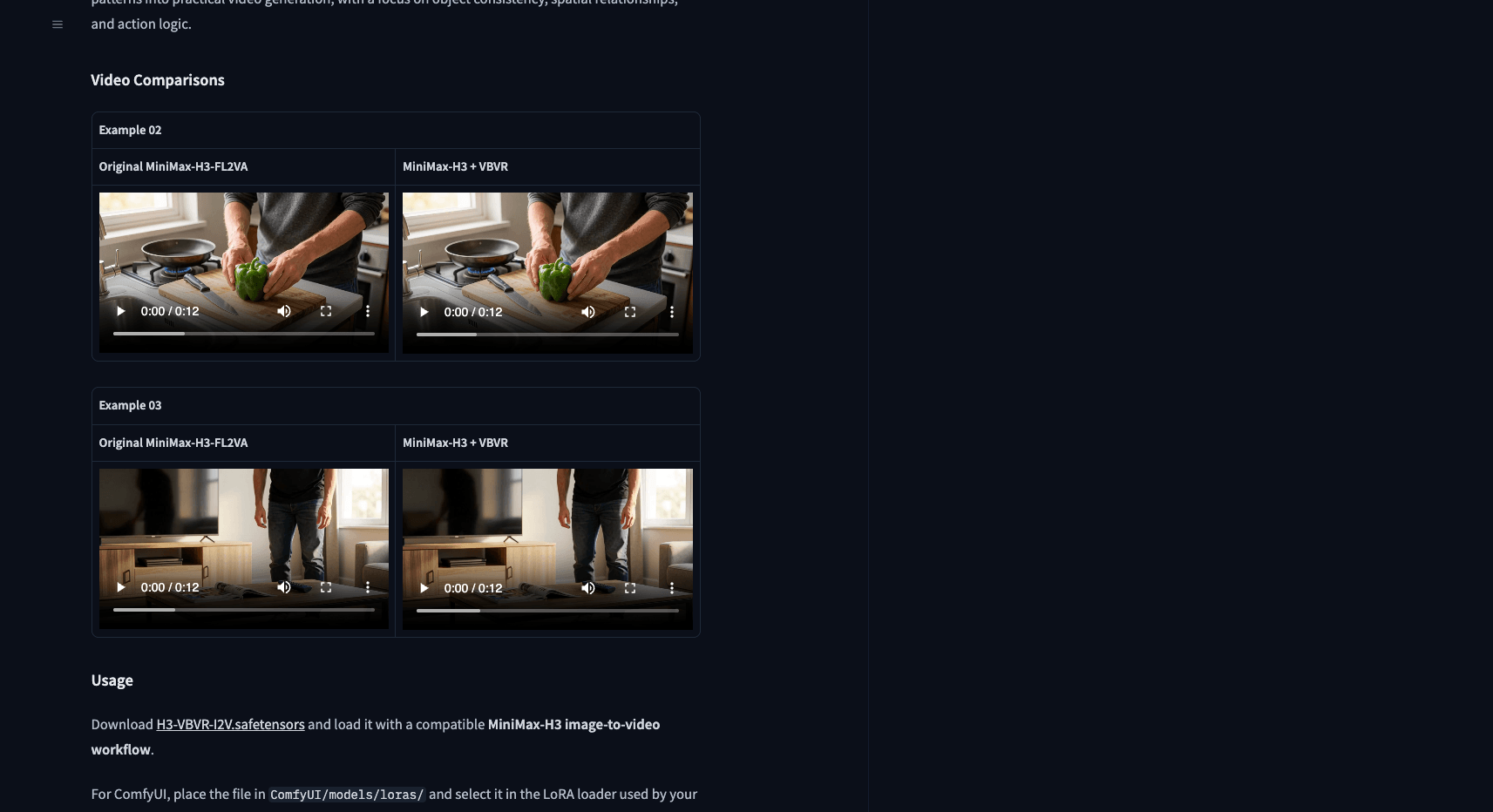
Author-published side-by-side comparisons on the model card. Source: huggingface.co/LiconStudio/Minimax-H3-VBVR, accessed Nov 4, 2026.
The first example is the clearest illustration of the training idea: a photorealistic fruit stand where the prompt requires the customer to pick up three red apples one at a time, place each into a paper bag, and end with "exactly three" apples in the bag and none left on the counter — explicitly "no cuts, duplicates, or extra apples." Counting and object persistence through occlusion are precisely the failure modes the VBVR-Pro tasks drill, so this is where you'd expect the LoRA's effect to show. The remaining examples follow the same pattern: interaction-heavy scenes where objects must keep their identity and count through motion.
The honest summary: the improvements the card claims (fewer duplicated objects, less clipping, more coherent action logic) are demonstrated in the author's own side-by-side videos, which you can watch directly on the model card. Nobody has independently benchmarked this LoRA yet. The cheap way to judge it yourself is to pick a prompt where H3 already almost succeeds — a scene with 3–5 distinct objects being handled, carried, or packed — and compare both outputs frame by frame where the objects interact.
No 33B-class hardware? The hosted path
Running H3 locally is a real commitment: tens of gigabytes of weights, a GPU setup that can serve a 33B transformer, and 2K output still isn't part of the local pipeline (the open release targets ~1 MP / 768 px; 2K comes from MiniMax's hosted regeneration stage, or a separate upscale pass in ComfyUI).
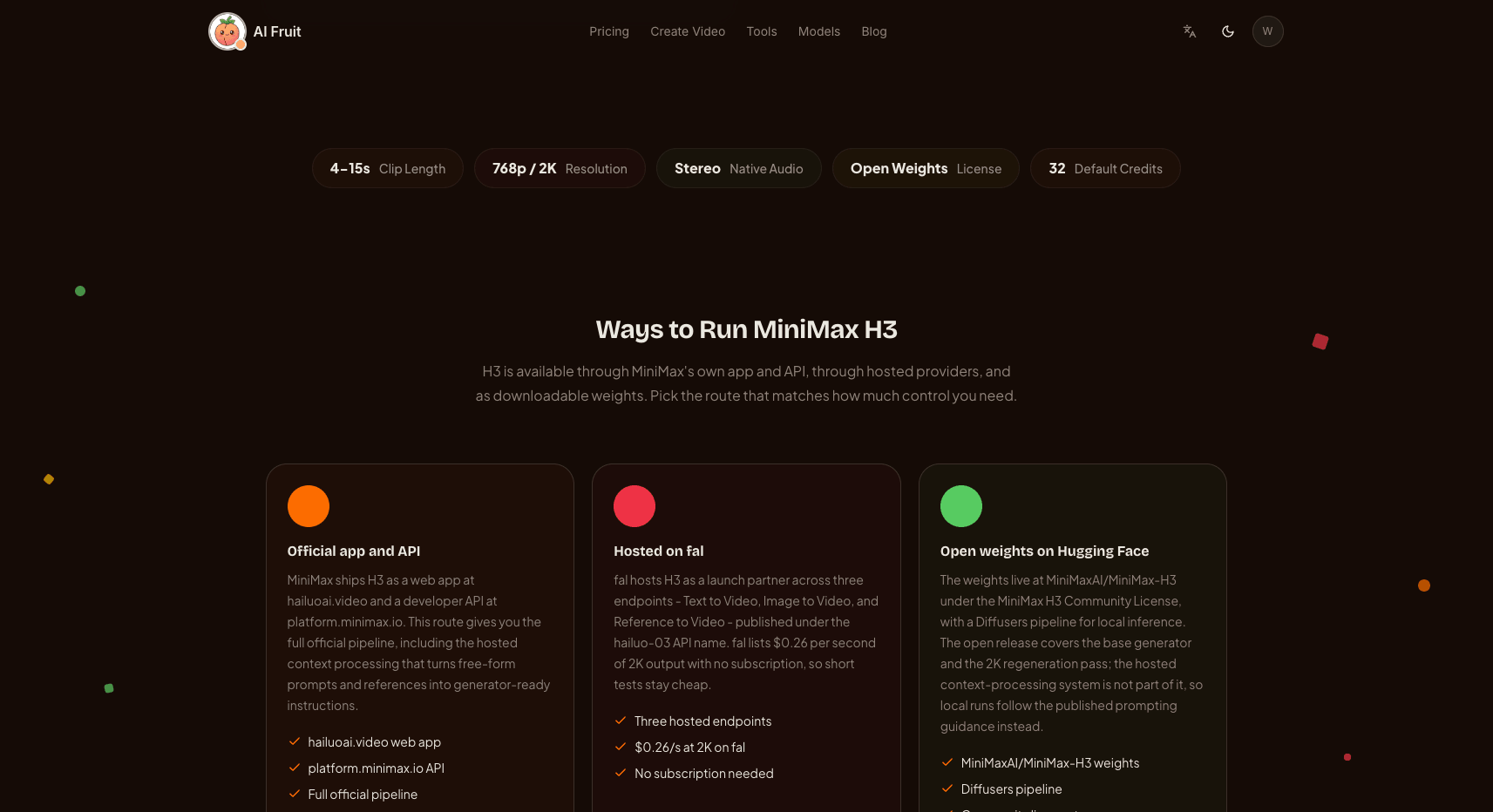
If that's more than you want to take on, the base model itself runs hosted: AI Fruit's video generator includes MiniMax H3, with text- and image-to-video at 768P or 2K in the browser, no local setup — you can try H3's behavior on a consistency-heavy prompt before deciding whether the LoRA route is worth building. Note that the hosted generator runs the base model; the VBVR LoRA itself is a local-workflow add-on and isn't offered there. (Try MiniMax H3 in AI Fruit's generator)
Two more internal reads if you're going deeper on H3: FastH3 Omni covers FastVideo's 8-step distilled H3 checkpoint for faster local sampling, and the MiniMax H3 Timeline plugin covers storyboard-style multi-shot workflows in ComfyUI.
Bottom line
The VBVR LoRA is a targeted, low-cost experiment on top of an expensive base: 149 MB against ~40 GB, addressing specific consistency failures rather than general quality. If your H3 clips keep duplicating objects or breaking action logic mid-motion, it's one of the few published, reproducible attempts to fix exactly that — with side-by-side evidence you can check before downloading. Install it in the LoRA loader, run the same prompt both ways, and judge on the shots where objects have to survive contact with each other.