How to Make VHS-Style AI Fruit Videos for TikTok
Make a VHS AI fruit video for TikTok: exact retro prompt keywords, free ntsc-rs artifacts, date-stamp tricks, and 9:16 export settings.
 AI Fruit Team
Scroll TikTok for thirty seconds and you'll hit one: a strawberry the size of a couch, colors bleeding past the edges, a blinking red REC dot, and a timestamp reading 1987. It looks like someone found it on a dusty camcorder tape — except it was generated by AI last Tuesday. That collision of brand-new AI footage and worn-out analog texture is one of the stickiest looks on the feed right now, and it's surprisingly easy to copy.
This guide is a complete recipe for making a VHS AI fruit video: the exact prompt keywords that trigger the analog look, which artifacts actually read as "VHS" on a phone screen, a free open-source tool (ntsc-rs) for baking in authentic NTSC distortion, and the export settings that survive TikTok's compression. Follow it top to bottom and you'll have a repeatable process, not a one-off lucky render.
Last updated: June 9, 2026
Table of contents
- Why Make VHS-Style Fruit Videos?
- What Actually Makes a Video Look "VHS"?
- Step-by-Step: How to Create a VHS AI Fruit Video
- Pro Tips for a More Authentic VHS Look
- Copy-Paste VHS Fruit Video Prompts
- FAQ
- Conclusion
<a id="why"></a>
Why Make VHS-Style Fruit Videos?
A VHS AI fruit video stops the scroll because it breaks the pattern. Most feeds are flooded with clean, hyper-real AI renders, so a grainy, wobbly retro clip reads as "found footage" and earns a second look before the brain catches up. The nostalgia does the rest — viewers tag friends with "why does this look like our old home tapes."
The retro-analog trend isn't a hunch. In June 2026, ntsc-rs — an open-source emulator for analog TV and VHS artifacts — hit the Hacker News front page, the latest sign that "degraded on purpose" is a deliberate creative choice, not a flaw. Vaporwave, lo-fi, and "cassette futurism" have trained a whole generation to associate VHS grain with authenticity and warmth.
For fruit content specifically, the contrast is the hook. Hyper-saturated fruit is already eye candy; wrapping it in faded tape color and scan lines creates tension between "obviously fake" and "weirdly real" that keeps people watching to figure out which it is. That extra second of attention is exactly what the algorithm rewards. It also sidesteps the "this is so obviously AI" comment that plagues clean renders — when the whole point is that it looks old and damaged, the usual AI tells stop mattering.
<a id="artifacts"></a>
What Actually Makes a Video Look "VHS"?
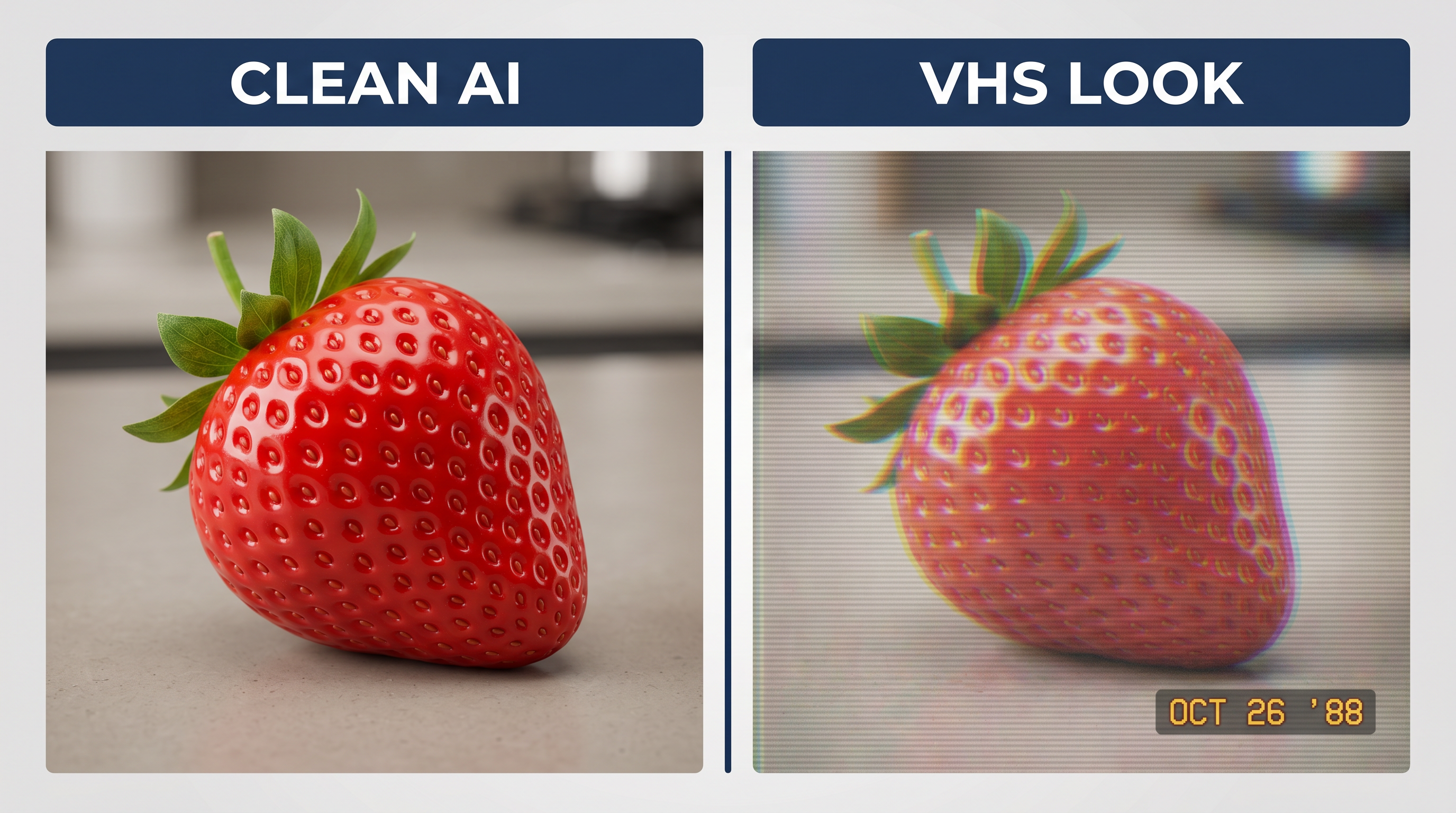
The VHS look is a stack of specific analog defects, not one filter. Real tape introduced soft focus, bleeding color, rolling tracking noise, and unstable motion — copy enough of those at once and the brain reads "1980s camcorder." Here are the artifacts that matter most on a small phone screen, and how to trigger each one.
| Artifact | What it looks like | How to trigger it |
|---|---|---|
| Soft focus & bloom | slightly blurry, glowing highlights | prompt: "soft focus, low resolution, light bloom" |
| Chroma bleed | colors smear past edges, reds glow | prompt: "chromatic aberration, color bleeding" |
| Scan lines | faint horizontal lines | prompt: "interlaced scan lines"; ntsc-rs |
| Tracking error | static band rolling up the frame | ntsc-rs head-switching noise |
| Tape warble | wavy, unstable, jittering image | prompt: "analog tape warble, unstable footage" |
| Washed color | faded palette, slightly hot reds | prompt: "washed-out 1980s VHS color" |
| Grain & noise | visible static across the image | prompt: "analog video noise, heavy grain" |
| Date stamp | yellow/white timestamp in a corner | overlay in your editor, or prompt it |
You won't use all eight in every clip — three or four well-chosen ones usually sell the effect. Soft focus, chroma bleed, and a date stamp are the fastest shortcuts to "instantly VHS."
<a id="steps"></a>
Step-by-Step: How to Create a VHS AI Fruit Video
To make a VHS AI fruit video, pick a simple fruit shot, write a prompt that combines the fruit action with VHS aesthetic keywords, generate clean footage with a capable model, then bake in analog artifacts and a date stamp before exporting vertical for TikTok. Each step below has copyable settings.
Step 1: Pick a simple fruit subject and shot
Keep the action simple — VHS texture is the star, not complex choreography. A single strawberry rolling across a kitchen counter, an orange being sliced, or grapes dropping into a bowl all work better than a busy multi-fruit scene, because analog artifacts read more clearly over slow, readable motion. Choose one hero fruit and one clear action.
Frame it like old home video: a slightly-too-close handheld shot, an everyday background (a wood table, a tiled kitchen), and soft window light. The "amateur 1980s camcorder" framing matters as much as the artifacts.
Step 2: Write the prompt — fruit action first, VHS keywords second
Build your prompt in two layers. Layer one describes the fruit and the action in plain, specific language. Layer two stacks the VHS aesthetic keywords from the table above. Keeping them in that order helps the model render a coherent scene first, then apply the texture.
A working structure:
[fruit + action], [setting + lighting], shot on a 1980s VHS camcorder, analog tape, soft focus, chromatic aberration, color bleeding, interlaced scan lines, washed-out VHS color, heavy grain, slightly unstable footage, date stamp in corner
Specific beats generic every time — "a ripe strawberry rolling across a wooden kitchen counter" outperforms "fruit on a table." (See our guide on avoiding the AI-generated look for why sensory detail matters in prompts.)
Step 3: Generate clean footage and choose the right model
Generate at the highest quality you can first, then degrade it on purpose — starting from clean footage gives you control over the final amount of grain and bleed. Different models handle texture prompts differently: some bake the VHS look right into the generation, others give you a clean clip you can degrade in post.
If you're using AI Fruit, pick a Fruit Eating Fruit or single-fruit template that matches your shot, then choose the model from the same screen — Seedance for crisp, controllable footage you'll degrade later, Wan for scenes that already lean stylized, Hailuo for character-driven fruit. With 50+ templates a clip generates in about 30 seconds, so it's cheap to try a few prompt variations and keep the best one.
Step 4: Bake in authentic artifacts with ntsc-rs (free)
For the most convincing tracking errors and head-switching noise, run your clip through ntsc-rs — a free, open-source NTSC/VHS emulator — after generation. Prompt-only artifacts get you about 80% of the way; ntsc-rs adds the rolling distortion bands and signal noise that AI models rarely reproduce accurately.
Import the generated clip, start with a "VHS" preset, then dial in chroma bleed, head-switching noise at the bottom of the frame, and a touch of tape warble. Export and you have artifacts that came from a real signal model, not a guess. If you'd rather stay in one place, most of the look is achievable with in-prompt keywords plus a grain overlay in CapCut.
Step 5: Add the date stamp and REC overlay
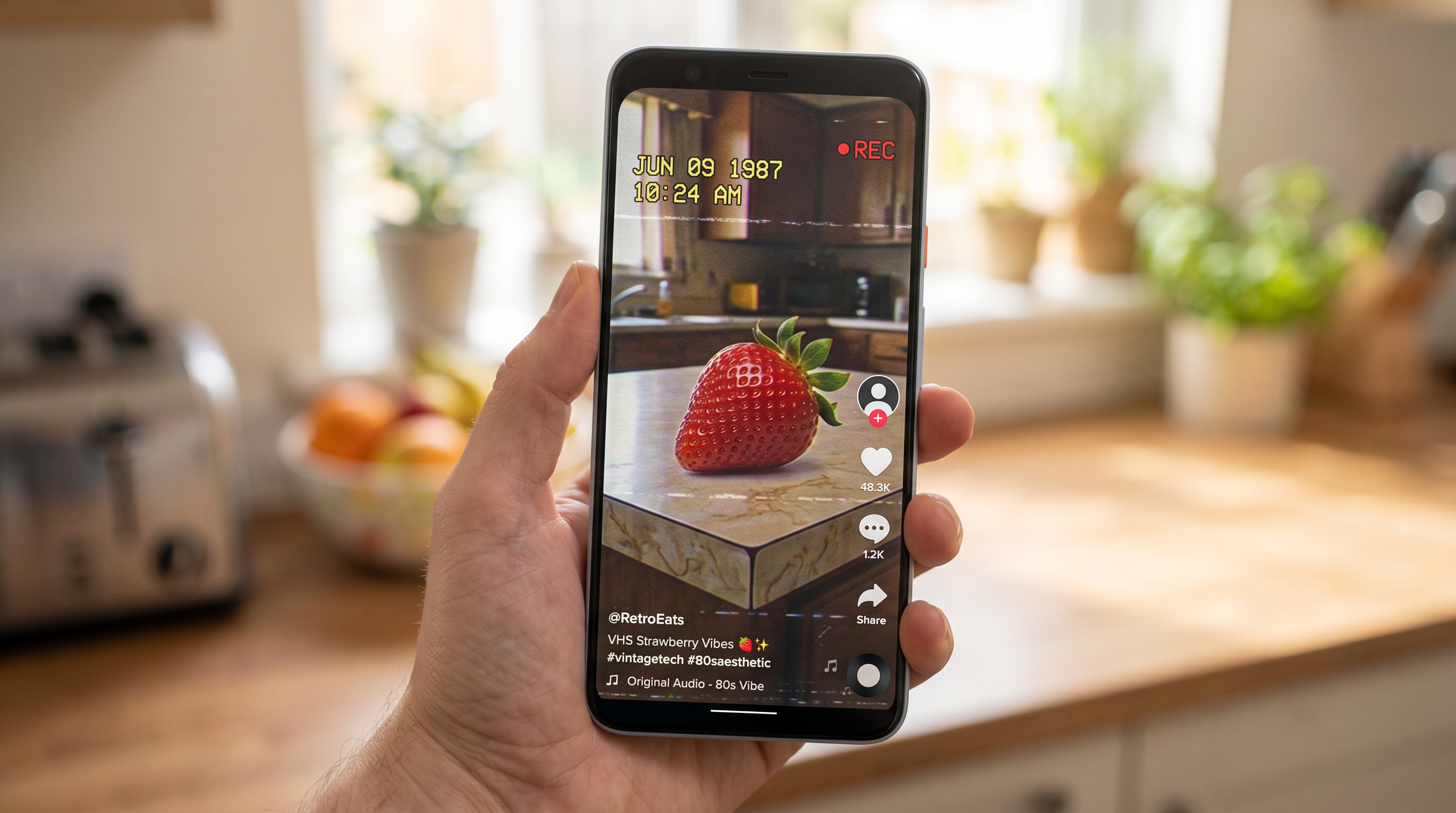
Nothing says "VHS" faster than a corner timestamp. Add a date stamp (e.g. a 1980s-style date like "JUN 09 1987") in your editor, usually bottom-right, in a blocky yellow or white font. A small blinking "REC ●" in the top corner sells the camcorder illusion even harder.
Keep the overlays slightly low-resolution and don't make them pixel-perfect — crisp modern text breaks the spell. CapCut, CapCut's mobile app, or even free desktop editors have date-stamp presets built for exactly this trend.
Step 6: Export at the right ratio for TikTok
Export vertical 9:16 at 1080×1920 so the clip fills the TikTok player with no letterboxing. For extra authenticity, frame a 4:3 "tape" window inside the 9:16 canvas with soft black bars top and bottom — it mimics how old footage looks when posted to a vertical app, and the bars give you room for captions.
Keep the bitrate reasonably high on export even though the content looks degraded; TikTok compresses uploads hard, and a low source bitrate stacked with platform compression turns artful grain into muddy mush.
<a id="tips"></a>
Pro Tips for a More Authentic VHS Look
These come from making dozens of retro clips — small choices that separate "real tape" from "Instagram filter."
- Less is more with grain. Two or three artifacts at medium strength beat all eight cranked to max. Over-degraded clips look like a broken TV, not a nostalgic memory.
- Match the audio. Pair the visuals with a slightly muffled, lo-fi sound or a tape-hiss layer. A crisp, modern ASMR crunch under VHS visuals breaks the illusion instantly.
- Get the date right. Use a believable retro date (1985–1995). A 2026 timestamp on "VHS" footage is the kind of detail commenters love to call out.
- Add a tiny bit of motion drift. A subtle horizontal wobble or jitter reads as tape instability. Perfectly stable footage feels digital no matter how much grain you add.
- Desaturate, then boost the reds. Old tape faded most colors but pushed reds hot. Strawberries, cherries, and tomatoes pop beautifully under this grade.
<a id="prompts"></a>
Copy-Paste VHS Fruit Video Prompts
Use these as starting points and swap the fruit and action. Each is a complete AI fruit video prompt with the VHS keyword stack already built in.
1. Strawberry on the counter
A ripe strawberry rolling slowly across a wooden kitchen counter, soft afternoon window light, shot on a 1980s VHS camcorder, analog tape, soft focus, chromatic aberration, color bleeding, interlaced scan lines, washed-out VHS color, heavy grain, slightly unstable footage, date stamp in corner
2. Orange being sliced
A juicy orange sliced in half on a tiled kitchen counter, juice glistening, retro home-video style, shot on an old camcorder, analog VHS tape, soft focus, color bleeding, scan lines, faded 1980s color palette, visible grain, tape warble, REC indicator and timestamp overlay
3. Grapes dropping into a bowl
A handful of grapes dropping into a glass bowl in slow motion, kitchen background, 1987 home video aesthetic, VHS camcorder footage, analog tape distortion, soft focus, chromatic aberration, interlaced scan lines, washed-out colors, heavy grain, unstable tracking, yellow date stamp
<a id="faq"></a>
FAQ
What is a VHS AI fruit video?
A VHS AI fruit video is an AI-generated fruit clip styled to look like 1980s–90s camcorder footage. It combines a normal fruit-action generation with analog artifacts — grain, scan lines, color bleed, and a date stamp — to create a nostalgic, "found footage" feel that performs well on TikTok.
Do I need video editing skills to make one?
No. You can get most of the VHS look with prompt keywords alone, then add a date stamp with a one-tap preset in a free editor like CapCut. The optional ntsc-rs step adds realism but isn't required for a convincing clip.
What makes the VHS look read better on TikTok?
Three things: a corner date stamp, visible-but-not-overwhelming grain, and a 4:3 framed window inside a 9:16 export. Keep your source bitrate high so TikTok's compression doesn't turn the grain to mush.
Can I make VHS fruit videos for free?
Yes for the editing side — ntsc-rs and CapCut are free. AI generation usually needs credits, though tools like AI Fruit offer free trial credits so you can test the VHS prompt before committing.
Why does my AI fruit video still look too clean?
Either your model is ignoring the texture keywords or your export bitrate is too high relative to the effect. Generate clean, then add artifacts in ntsc-rs or with a grain overlay, and double-check the date stamp and scan lines actually rendered.
<a id="conclusion"></a>
Conclusion
Making a VHS AI fruit video comes down to six moves: pick a simple fruit shot, write a two-layer prompt (action first, VHS keywords second), generate clean footage with the right model, bake in artifacts with ntsc-rs, add a date stamp and REC overlay, and export vertical with a high bitrate. Get those right and your retro TikTok video looks like it survived thirty years in a shoebox — which is exactly the point. For more fruit-video workflows, browse the AI Fruit blog.
Ready to make your first VHS AI fruit video? Try AI Fruit free → — 50+ templates, multi-model support (Wan, Seedance, Hailuo), and no credit card required.