
Grok Imagine Video 1.5 Agent: What's New and How to Start
xAI's Grok Imagine Video 1.5 agent runs on Image 2.0 for multi-shot storytelling. What changed since June, API pricing, and two ways to start using it today.

On September 5, 2026, xAI announced that the Grok Imagine Video 1.5 agent is now available. It runs on xAI's newest Image 2.0 model, and per xAI it brings higher quality, better storytelling, and — the part short-form creators should care about — "greater continuity" when a video connects multiple shots. If you have been confused by Grok Imagine Video 1.5 shipping in June, Video 1.5 with references in July, and Image 2.0 in August, this breakdown separates what actually changed on September 5 from what was already there, and shows two concrete ways to start using it today.
Key takeaways
- The September 5 release puts an agent in front of Video 1.5: instead of wrangling one generation at a time, xAI says the smarter agent handles multi-shot videos with greater continuity between shots.
- The agent is powered by Image 2.0, the image model xAI released in August for precise editing and consistent characters, locations, and props — the raw material video shots are built from.
- On the xAI API, Video 1.5 costs $0.08 per second at 480p, 720p, or 1080p, with clips up to 15 seconds and text-to-video, image-to-video, and reference-to-video all supported.
- In AI Fruit, the same Grok Imagine Video model is selectable in the AI video generator: 6–30 second clips, 480p/720p, 3 credits per second, with Story mode for planning multi-scene shorts.
What actually launched on September 5
The announcement itself was one post from xAI's @grok account:
Grok Imagine Video 1.5 agent is now available. Powered by our newest Image 2.0 model, it delivers higher quality, better storytelling from a smarter agent and excels at connecting multiple shots together with greater continuity.
Read closely, that sentence bundles three claims. First, the agent — software that plans and executes a video job for you — is now the front door to Video 1.5. This is not coming out of nowhere: when Video 1.5 reached general availability on June 16, xAI also started rolling out Projects, multiple agents you can kick off in parallel, and library search, turning Grok Imagine from a single generator into a workspace. September 5 is the point where that agent layer takes over video generation itself.
Second, the model underneath is no longer just Video 1.5 — the agent runs on Image 2.0, xAI's newest image model. More on why that matters for video below.
Third, the headline capability claim is about multi-shot continuity: xAI says the agent "excels at connecting multiple shots together with greater continuity." That is xAI's own description, not an independent benchmark — but the wording tells you where xAI is aiming: at creators who need a sequence of shots that feel like one video, not five disconnected clips.
The road to the agent: June to September
Most confusion around this release comes from version soup. Here is the verified timeline from xAI's own announcements and docs:
| Date | Release | What it added |
|---|---|---|
| Jun 16, 2026 | Video 1.5 GA | Video 1.5 in the API; Video 1.5 Fast generating a 6-second 720p clip in ~25 seconds (down from 40+); audio and speech generated in the same pass; Projects and parallel agents |
| Jul 31, 2026 | Video 1.5 with References | Text-to-video, native 1080p, up to 7 reference images per generation, voice references that hold the same face and voice across scenes |
| Aug 7, 2026 | Imagine Image 2.0 | New image base model: region editing, segmentation, background removal, up to 5 reference images per edit, sharp typography, consistent character/location/prop sets |
| Aug 28, 2026 | API updates | Image 2.0 quality default to auto; 5 source images for edits; new 21:9 and 5:2 aspect ratios |
| Sep 5, 2026 | Video 1.5 agent | Agent interface over Video 1.5, powered by Image 2.0, focused on multi-shot continuity |
The pattern is a pipeline being assembled piece by piece: first a faster video model (June), then the controls that keep characters and voices consistent across shots (July), then the image engine those shots start from (August), and finally the agent that is supposed to run the whole pipeline for you (September).
Why the Image 2.0 base matters for video
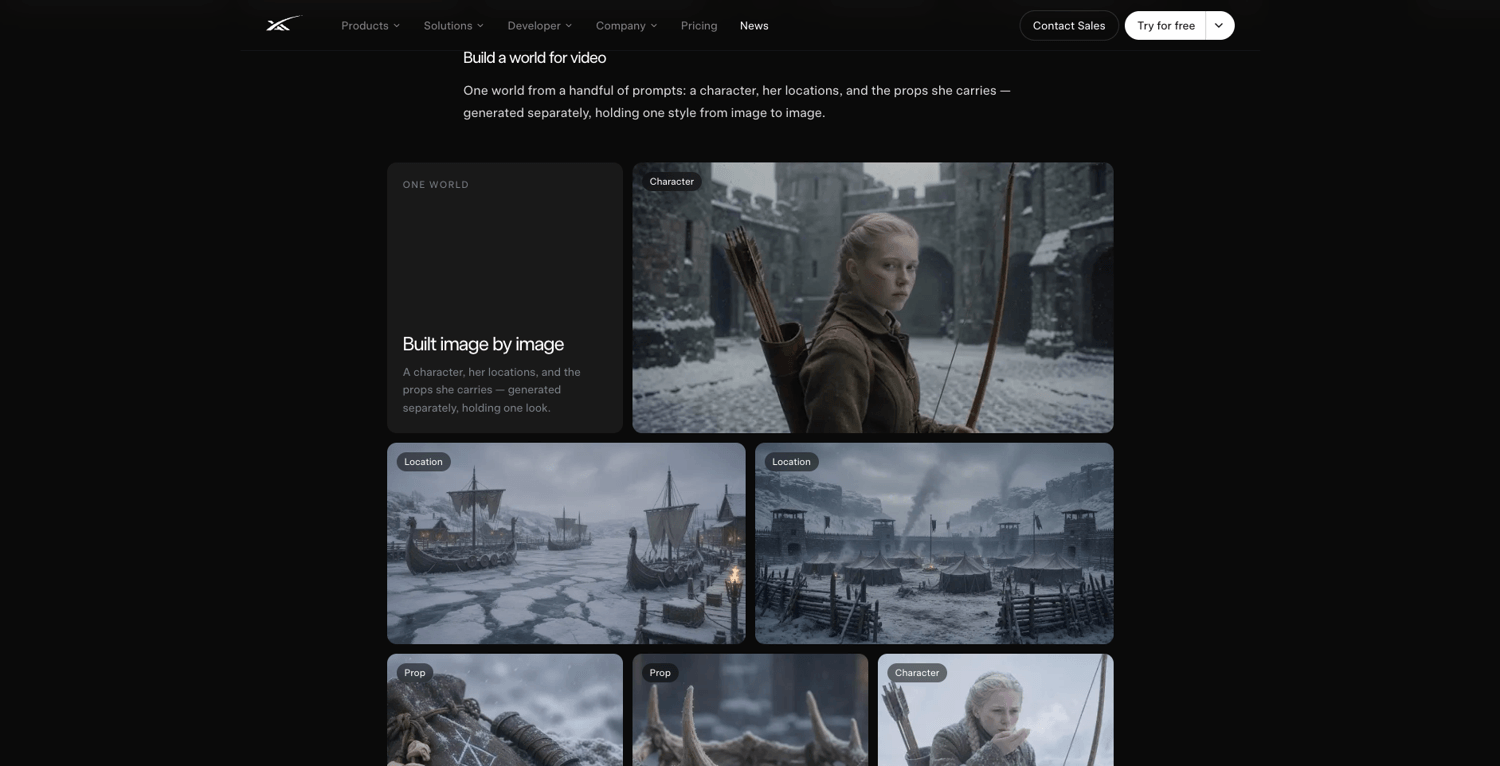
Source: xAI, "Imagine Image 2.0" announcement (x.ai, accessed Sep 6, 2026)
It may seem odd that a video agent upgrade is announced through an image model. But in practice, a common path for short-form AI video is image-to-video: you generate or upload a still, describe the motion, and the model animates it. The still is the shot. So the quality ceiling of your video is largely set by the image model.
Image 2.0, which xAI released in August, was built for exactly this workflow. It generates images that "hold together" — dense, multi-part visuals with sharp small text — and it preserves what you put in across generations and edits. It adds precision tools that map directly to video prep: a magic wand that edits only the region you point at, segmentation for selecting exact areas, background removal with transparent export, and multi-reference editing that combines up to 5 input images without manual compositing. xAI cites third-party Arena leaderboards (as of August 7, 2026) ranking grok-imagine-image-2 second worldwide in both text-to-image and image editing — a figure reported by xAI, not verified here.
xAI also demonstrated a "build a world" workflow: a character, her locations, and the props she carries generated as separate images that hold one consistent style — explicitly positioned as raw material for video. Feed those consistent assets to the agent as shots, and the multi-shot continuity claim starts to make sense as a system, not a slogan.
Multi-shot continuity, in plain creator terms
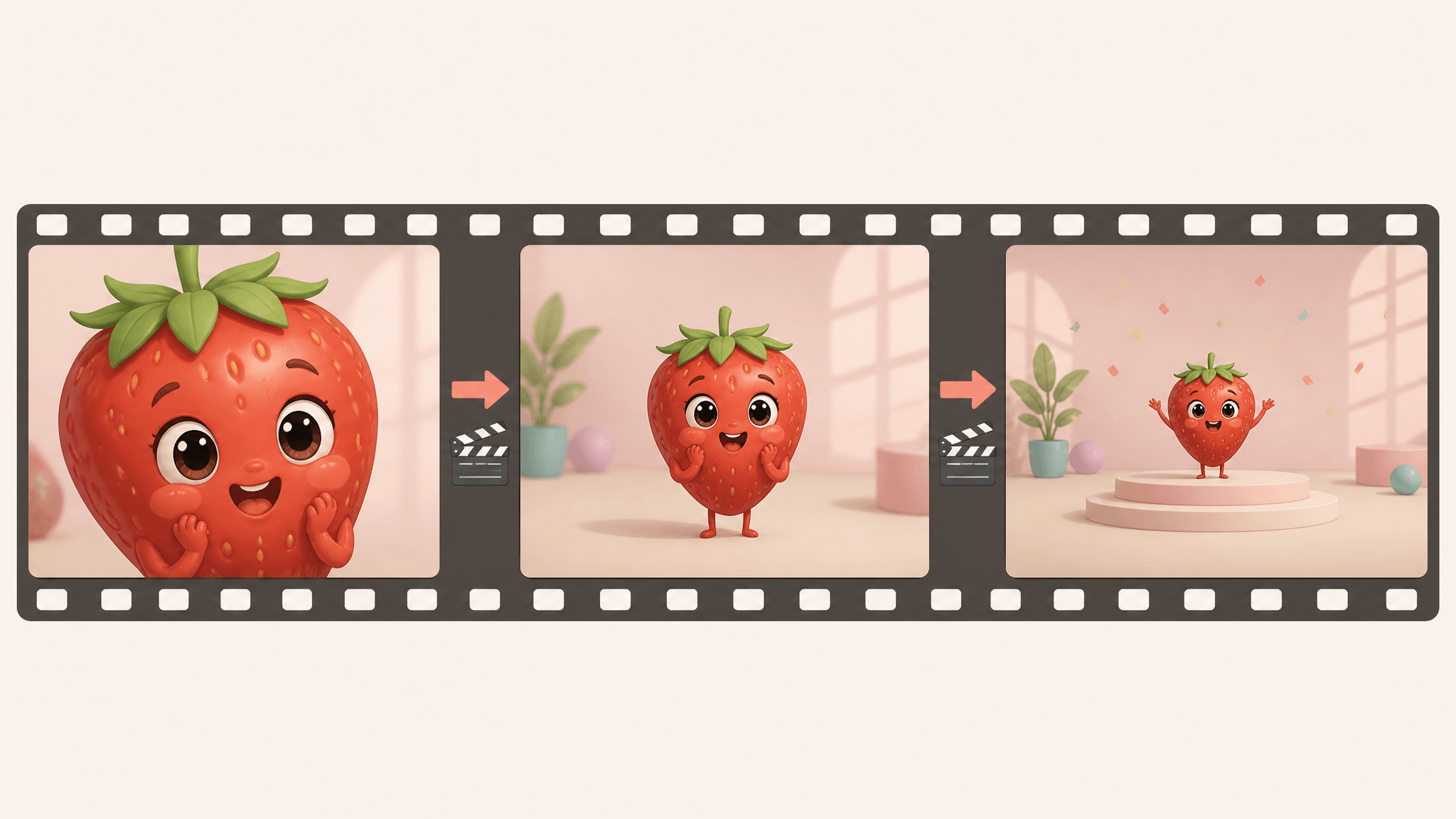
"Connecting multiple shots with greater continuity" is the difference between a video and a slideshow. In a fruit-lab skit, for example, shot one introduces the character, shot two moves to the reaction, shot three closes on the payoff. When each shot is generated blind, the character's face, the lighting, and the palette drift between cuts — and viewers scroll past.
The July reference system was xAI's first answer: each reference image locks one thing in place — a face, a product, a location — with up to seven references per generation, plus voice references so the same character sounds the same in every scene. The September agent claim is that the planning layer on top now handles the shot-to-shot connective tissue itself.
A practical planning heuristic while the agent rolls out: lock your identity assets first — character sheet, key location, product on clean background — and keep the action and camera per shot simple. That way, whether the agent or you assemble the sequence, the references carry the consistency and each prompt only has to describe one change. Treat continuity claims as xAI's, though: the announcement asserts it, and your own two-minute test on your own characters is the only verdict that matters for your channel.
How to use it today
Two documented paths — and one set of open questions:
1. Grok's own app (agent mode). The agent lives at grok.com/imagine/agent — the "Imagine Agent mode" of Grok's web app, which requires signing in. Note what xAI has not documented yet: tier availability for the agent itself, and mobile access. When the July reference features launched, image and voice references started US-first for SuperGrok Heavy and SuperGrok Plus subscribers before rolling to other tiers — expect a similar staged pattern, and check your plan's imagine features before committing a deadline to it.
2. The xAI API. For builders, Video 1.5 in the API costs $0.08 per second, supports 480p, 720p, and 1080p, and generates clips up to 15 seconds via text-to-video, image-to-video, or reference-to-video. Requests are asynchronous — you submit, poll, and collect a URL. The image side is $0.04 per image at 1K or 2K, and the API also exposes video editing (change part of a clip via prompt), video extension (continue from the last frame), and reference-to-video. One housekeeping note if you build on the image API: the grok-imagine-image-quality slug retires November 2, after which requests are served by grok-imagine-image-2.0 at low quality.
3. What is still unknown. xAI's post does not state daily limits, per-tier pricing for the agent, or regional availability. If you are evaluating it for a production pipeline, those are the questions to ask before the launch-window enthusiasm sets your schedule.
The AI Fruit path: the same model inside a creator workflow
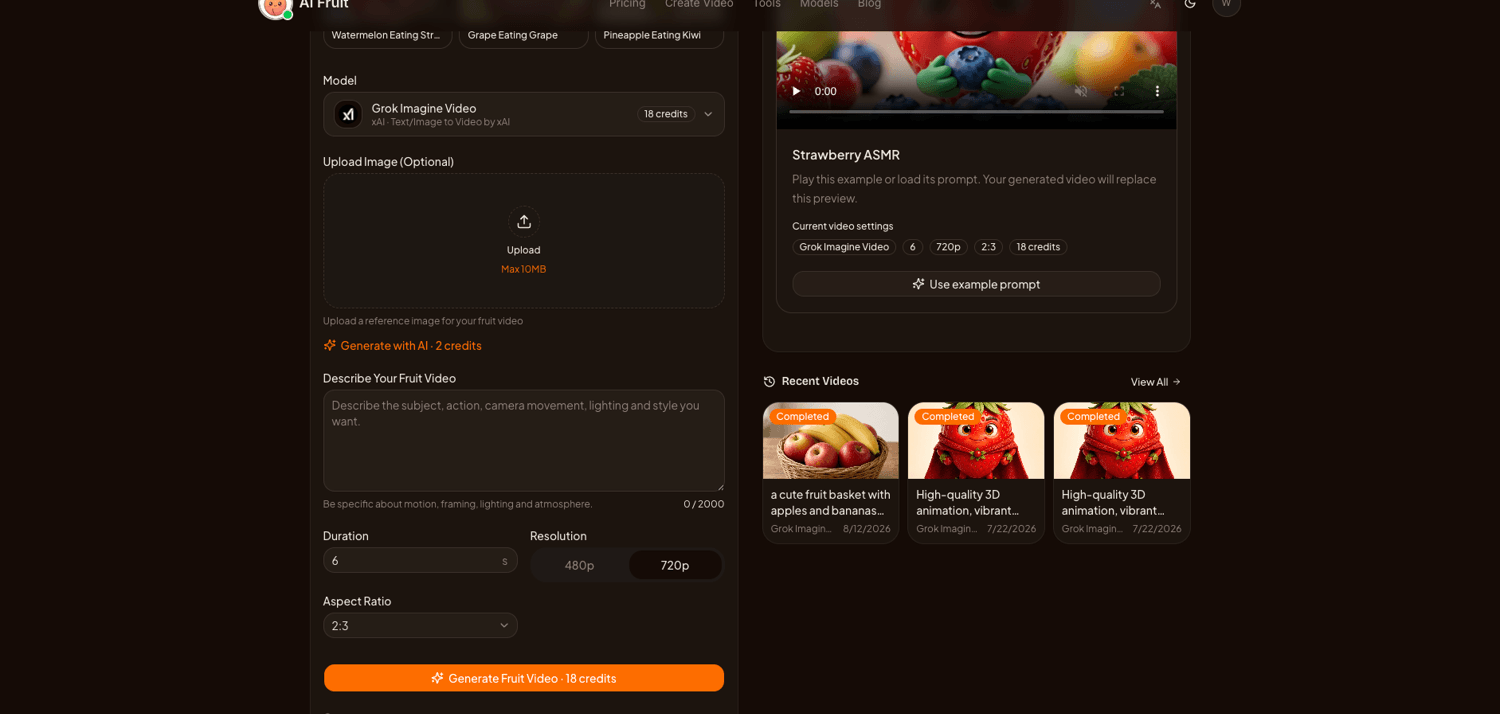
Grok Imagine Video in AI Fruit's generator, checked Sep 6, 2026
If you mainly want Grok Imagine Video's output for short-form content — not Grok's agent workspace — AI Fruit exposes the same model in a workflow built for it. In the model selector you pick Grok Imagine Video (xAI) directly: clips from 6 to 30 seconds, 480p or 720p, five aspect ratios including 9:16 and 16:9, at 3 credits per second — an 18-credit default for a 6-second clip, with the cost shown before you generate. A template gallery covers the formats short-form creators actually post (fruit-eating loops, glass-cutting ASMR, fruit-baby characters), and you can start from a reference image or a prompt.
Two honest differences from going direct. AI Fruit's selector currently tops out at 720p for Grok Imagine Video — 1080p is available in xAI's own surfaces, not here. And AI Fruit's Story mode helps you plan and generate a multi-scene sequence and preserves your characters, context, and versions across clips, but it does not promise guaranteed character consistency the way an agent-controlled pipeline might. The trade is the reverse of the agent's: less automation, more explicit control over model, settings, and cost per generation — and other video models (Veo, Sora, Kling, Wan, Seedance) one click away in the same selector if Grok's output is not right for a given shot.
The bottom line
The September 5 launch is less a new model than a new operator: the Video 1.5 agent is xAI's bet that creators want to brief a sequence, not babysit generations — with Image 2.0 supplying consistent shots and July's reference system holding identity steady. For short-form creators, the sensible move during launch week is small: try one multi-shot scene with your recurring character through the agent at grok.com/imagine/agent, and run the same brief through Grok Imagine Video in AI Fruit's generator to compare continuity, control, and credits side by side. The model underneath is the same; whichever interface survives your workflow is the right one.