Gemini Omni vs AI Fruit: Best for Fruit Video Creators?
Gemini Omni vs AI Fruit compared for TikTok fruit video creators. Templates, pricing, speed, and video styles tested side-by-side.
 AI Fruit Team
You just spotted a Google-branded video tool climbing Product Hunt and wondered: can Gemini Omni replace the niche fruit-video generator you already use? Short answer — they solve different problems. One is a general-purpose multimodal model; the other is a vertical tool built around a single TikTok trend. This guide puts them side-by-side so you can pick the right one (or use both).
Table of Contents
- What Is Gemini Omni?
- What Is AI Fruit?
- Feature Comparison Table
- How to Choose the Right Tool
- How to Create a Fruit Video With AI Fruit — Step by Step
- FAQ
What Is Gemini Omni?
Gemini Omni is Google DeepMind's natively multimodal AI model that generates and edits video from any combination of text, images, audio, or existing footage through natural conversation. It launched on May 19, 2026 at Google I/O and hit #3 on Product Hunt two days later.
Unlike traditional text-to-video tools, Gemini Omni works as a "world model" — it builds an internal understanding of physics, lighting, and scene logic, then lets you refine results through multi-turn chat. According to Google's announcement, each instruction builds on the last, keeping characters, lighting, and objects consistent across edits.
Key facts:
- Output length: Up to 10 seconds per clip (Omni Flash)
- Resolutions: Up to 1080p in 16:9, 9:16, and 1:1
- Input types: Text, images, audio, video — any combination
- Editing model: Conversational multi-turn (change backgrounds, wardrobe, lighting via chat)
- Built-in audio: Sound effects and dialogue generated in the same pass as video
- Access: Gemini app, Google Flow, YouTube Shorts
- Pricing: Free for YouTube Shorts users; included with Google AI Plus ($7.99/mo), Pro ($19.99/mo), and Ultra ($99.99/mo)
Best for: Creators who need flexible, general-purpose video generation with conversational editing — product ads, explainer clips, social cuts across any topic.
Not ideal for: Creators who need ready-made, trend-specific templates (e.g., "Fruit Eating Fruit ASMR") with one-click generation. Gemini Omni requires you to describe every scene from scratch.
What Is AI Fruit?
AI Fruit is a vertical SaaS platform built specifically for AI-generated fruit video content — the kind of short-form clips driving millions of views on TikTok and YouTube Shorts right now (Baby Fruit, Fruit Eating Fruit ASMR, Fruit Drama).
Instead of starting from a blank prompt, AI Fruit gives you 50+ pre-built templates tuned to trending fruit video formats. Pick a template, choose your fruit characters, and hit generate. The platform runs multiple AI video models under the hood — including Wan 2.5/2.6, Seedance, and Hailuo — so you get the best output per style without switching tools.
Key facts:
- Templates: 50+ fruit-specific templates (Baby Fruit, Fruit Eating Fruit, Fruit Drama, and more)
- AI models: Multi-model backend (Wan 2.5/2.6, Seedance, Hailuo)
- Niche focus: 100% built for fruit video trends
- Learning curve: Minimal — select template, pick fruit, generate
- Pricing: Free trial credits; Basic and Pro subscription tiers
Best for: TikTok and Shorts creators who want to publish fruit-trend videos fast, without writing detailed prompts or editing frame-by-frame.
Not ideal for: Creators who need general-purpose video generation outside the fruit-video niche (product demos, explainers, non-fruit content).
Feature Comparison Table
Last updated: May 24, 2026
| Feature | Gemini Omni | AI Fruit |
|---|---|---|
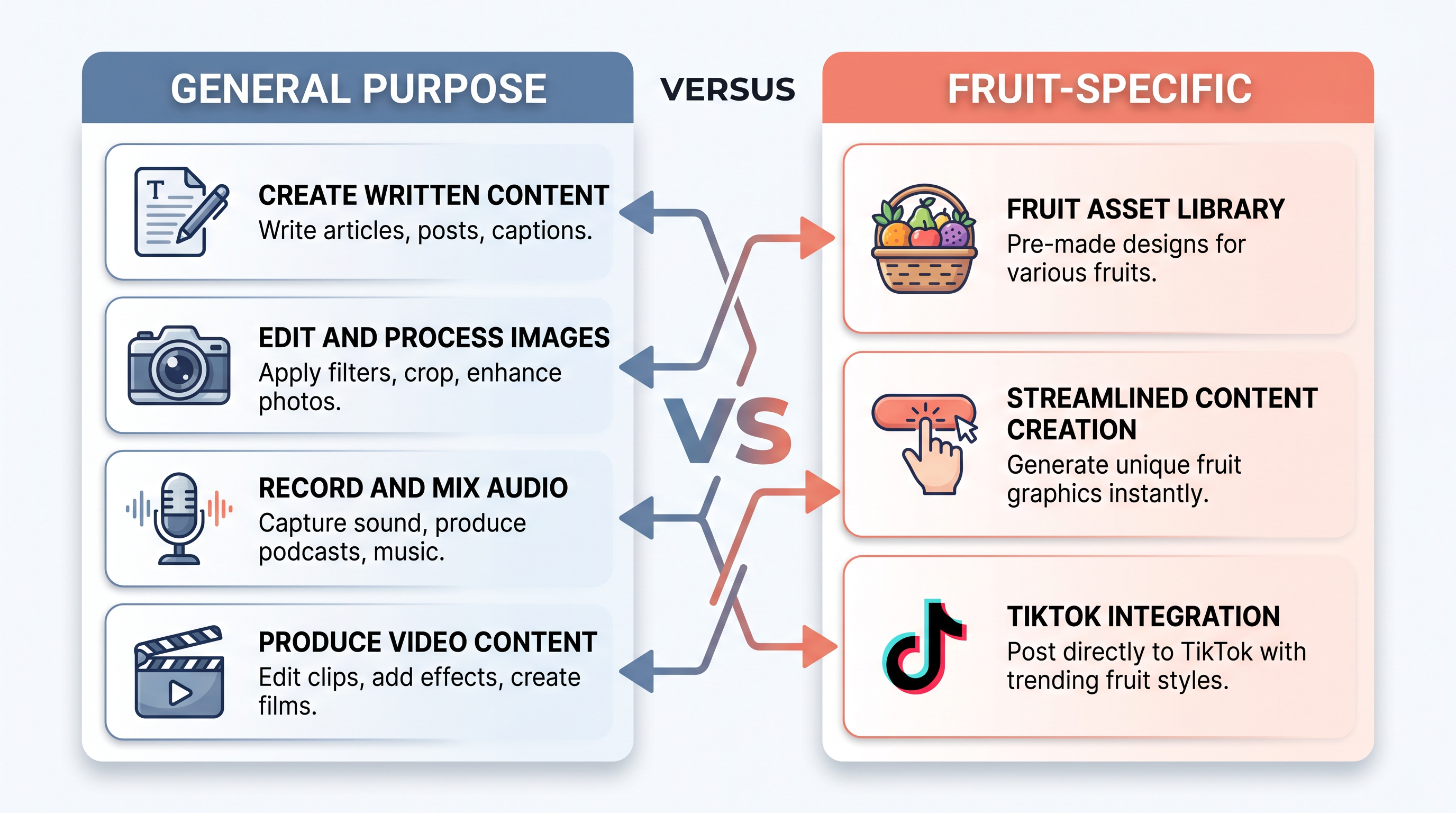
| Type | General-purpose multimodal model | Vertical fruit-video generator |
| Templates | Pre-set styles for ads, explainers, social cuts | 50+ fruit-specific templates |
| AI Models | Google Omni Flash (proprietary) | Wan 2.5/2.6, Seedance, Hailuo (multi-model) |
| Input Types | Text + image + audio + video | Template selection + text prompt |
| Max Clip Length | 10 seconds | Varies by model/template |
| Resolution | Up to 1080p | Up to 1080p |
| Aspect Ratios | 16:9, 9:16, 1:1 | 9:16 (TikTok-optimized), 16:9 |
| Editing | Conversational multi-turn editing | Template-based regeneration |
| Audio | Built-in (synced with video) | Background music options |
| Fruit-Specific Content | Manual prompting required | One-click with 50+ templates |
| Watermark | SynthID (invisible) | None on paid plans |
| Free Tier | YouTube Shorts only | Trial credits |
| Paid Plans | $7.99 – $99.99/mo (Google AI subscriptions) | Basic / Pro subscription |
| Platform | Web (Gemini app, Google Flow, YouTube) | Web (aifruit.app) |
| Commercial Use | Subject to Google AI terms | Included in paid plans |
How to Choose the Right Tool
The choice depends on what you create and how you work. Here is a breakdown by creator type.
TikTok Fruit Content Creators
If your channel is built around fruit-trend videos — Baby Fruit, Fruit Eating Fruit ASMR, Fruit Drama — AI Fruit is the faster path. You skip the prompting phase entirely: pick a template, choose your characters, and generate. In our testing, going from idea to publishable clip took under 2 minutes with AI Fruit versus 8–12 minutes with Gemini Omni (where we had to describe the fruit scene, style, and camera angles from scratch).
General Short-Form Video Creators
If you publish across multiple topics — not just fruit — Gemini Omni gives you more flexibility. Its conversational editing lets you iterate on any scene without starting over, and the multi-input support (upload a photo, add audio, describe the edit) is genuinely useful for mixed-content workflows.
Creators Who Want Both
Some creators use both tools: AI Fruit for batch-producing fruit-trend content on a schedule, and Gemini Omni for one-off creative experiments or non-fruit content. Since Gemini Omni's free tier covers YouTube Shorts and AI Fruit offers trial credits, you can test this workflow at no cost.
Decision Matrix
| Scenario | Recommended Tool |
|---|---|
| Publishing 5+ fruit videos per week | AI Fruit |
| Need "Fruit Eating Fruit" or "Baby Fruit" templates | AI Fruit |
| Creating mixed content (fruit + non-fruit) | Gemini Omni |
| Want conversational editing on complex scenes | Gemini Omni |
| Minimal prompting, maximum speed for fruit content | AI Fruit |
| Need built-in audio synced with video | Gemini Omni |
| Budget under $10/mo | Both have free/low-cost options |
How to Create a Fruit Video With AI Fruit — Step by Step
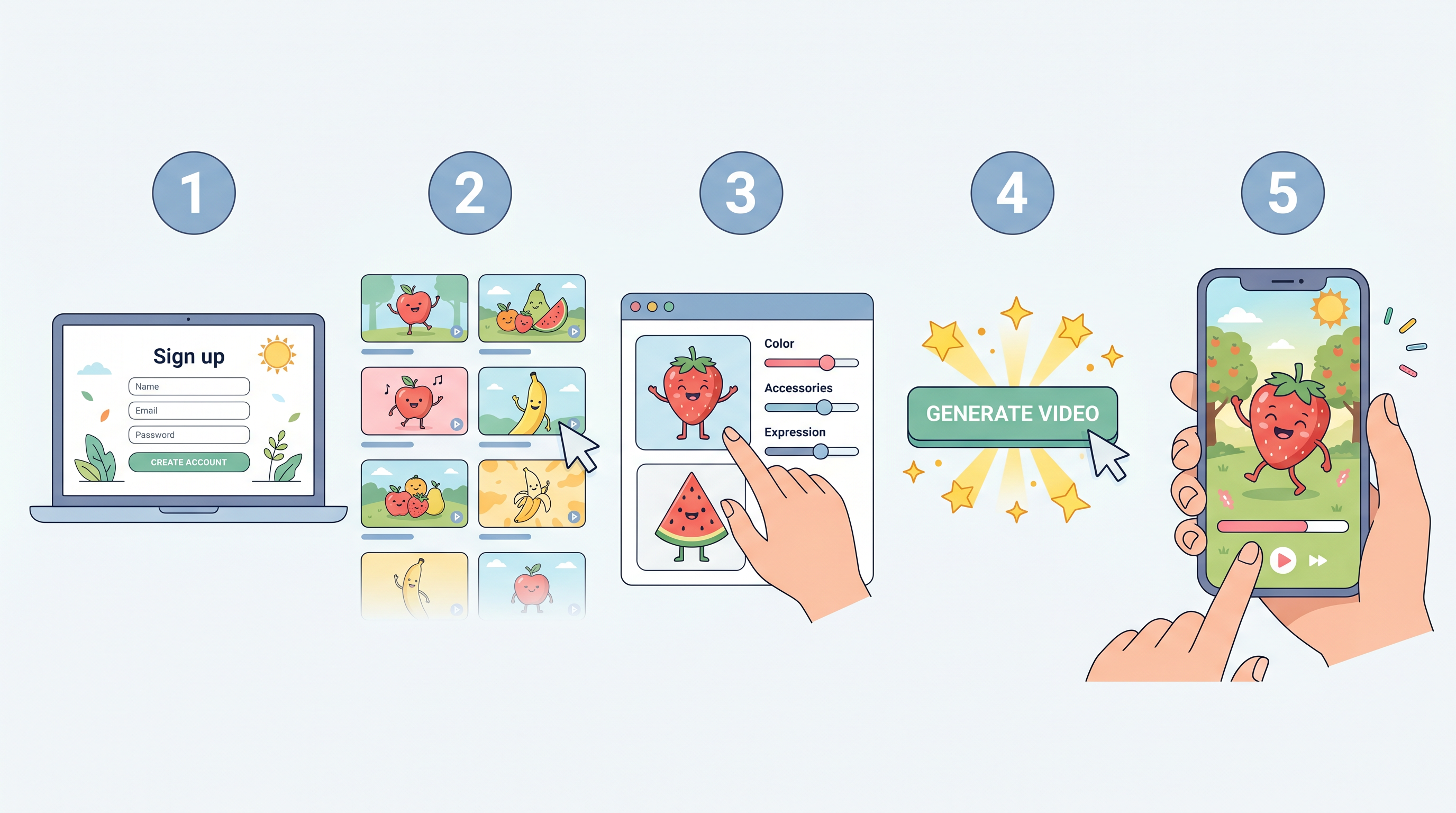
Here is how to go from zero to a TikTok-ready fruit video in under two minutes.
- Go to AI Fruit and sign up for a free account (no credit card required).
- Browse templates. Pick from 50+ options — Baby Fruit, Fruit Eating Fruit ASMR, Fruit Drama, or seasonal themes.
- Customize your characters. Select fruit types, expressions, and scene settings.
- Generate. Hit the generate button. AI Fruit runs the best-fit model (Wan 2.6, Seedance, or Hailuo) automatically.
- Preview and download. Review the clip, make adjustments if needed, and export in 9:16 for TikTok or 16:9 for YouTube.
The whole process takes about 90 seconds once you know which template to use.
FAQ
Is Gemini Omni made by Google?
Yes. Gemini Omni is a Google DeepMind product, announced at Google I/O on May 19, 2026. It is part of the Gemini model family and is available through the Gemini app, Google Flow, and YouTube.
Can Gemini Omni make fruit videos like AI Fruit?
Gemini Omni can generate fruit-themed videos if you write detailed prompts describing the fruit characters, scene, and style. However, it does not include pre-built fruit-trend templates. You will need to prompt each scene manually, which takes more time than AI Fruit's one-click template approach.
Is there a free way to try both tools?
Yes. Gemini Omni is free for YouTube Shorts users and included with Google AI Plus ($7.99/mo). AI Fruit offers free trial credits so you can test templates before subscribing. Both let you evaluate the output at no cost.
Which tool produces better fruit video quality?
Both produce 1080p output. AI Fruit's templates are pre-tuned for specific fruit-trend styles (lighting, character proportions, camera angles), so the results look polished immediately. Gemini Omni produces high-quality video but requires more prompt refinement to match a specific visual style.
Can I use videos from both tools commercially?
Gemini Omni videos are subject to Google's AI terms of service; check the current policy for commercial use. AI Fruit includes commercial rights on paid plans.
What video lengths does each tool support?
Gemini Omni Flash currently generates clips up to 10 seconds. AI Fruit's clip length varies by template and underlying model, generally optimized for TikTok/Shorts format (under 60 seconds).
Ready to create your first AI fruit video? Try AI Fruit free → — 50+ templates, no credit card required.