
Dime Dime Baby AI: How to Put Yourself in the BbY WOW Party Dance
What the Dime Dime Baby (BbY WOW) trend is, and three honest ways to make your own AI version — the free CapCut template, a one-step web tool, or a DIY motion model.
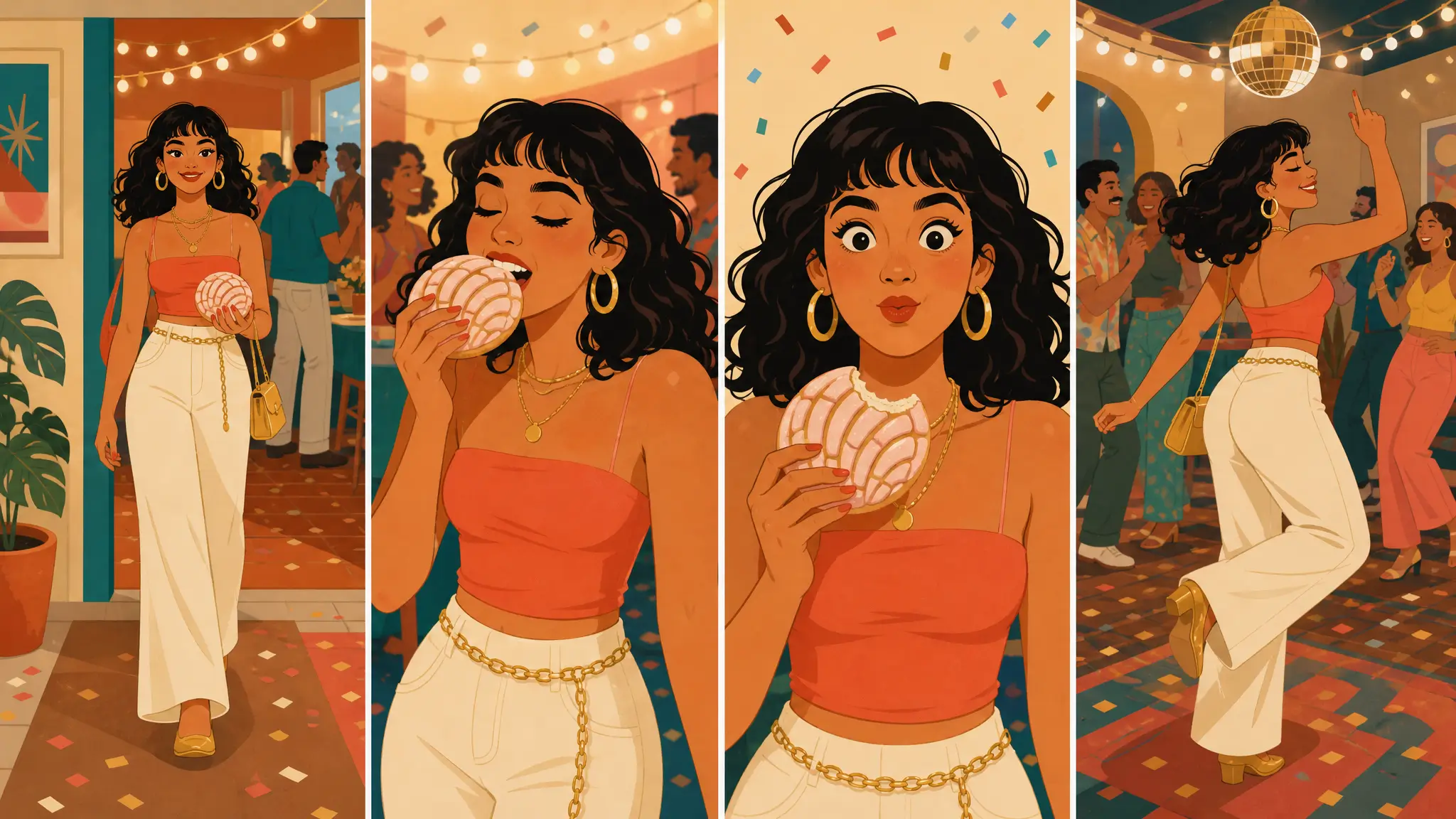
If you have scrolled TikTok this week, you have seen it: a guest walks up to the party camera, takes a bite of a concha, stares straight into the lens, then turns and dances away like nothing happened. The trend is called Dime Dime Baby, after the "dime dime baby" hook in the sped-up sound under the videos, which is widely credited to KAROL G's "BbY WOW". English captions often call it the BbY WOW dance.
What makes October 2026 different is that people are no longer just reposting the clip. They are putting themselves, their friends, their partners and their grandparents into it with AI — and the tools to do that take one photo, not a dance rehearsal.
Why this trend works so well with AI
Most viral dance trends need you to learn the moves. This one does not. The whole joke lives in a few simple beats — the walk, the bite, the stare, the turn — which is exactly the kind of repetitive, readable sequence that motion-transfer video models handle well: the model takes the movement from a reference clip and applies it to the person in your photo.
For creators that means three practical things:
- One photo is enough. No filming, no rehearsal, no timeline editing.
- The punchline survives. The stare-into-camera moment reads just as well on Grandma as on the original guest.
- It is easy to make a series. Same trend, different people — a classic format for short-video accounts.
Three ways to make a Dime Dime Baby video
There are three routes people are using right now, and they trade off cost, effort and control differently:
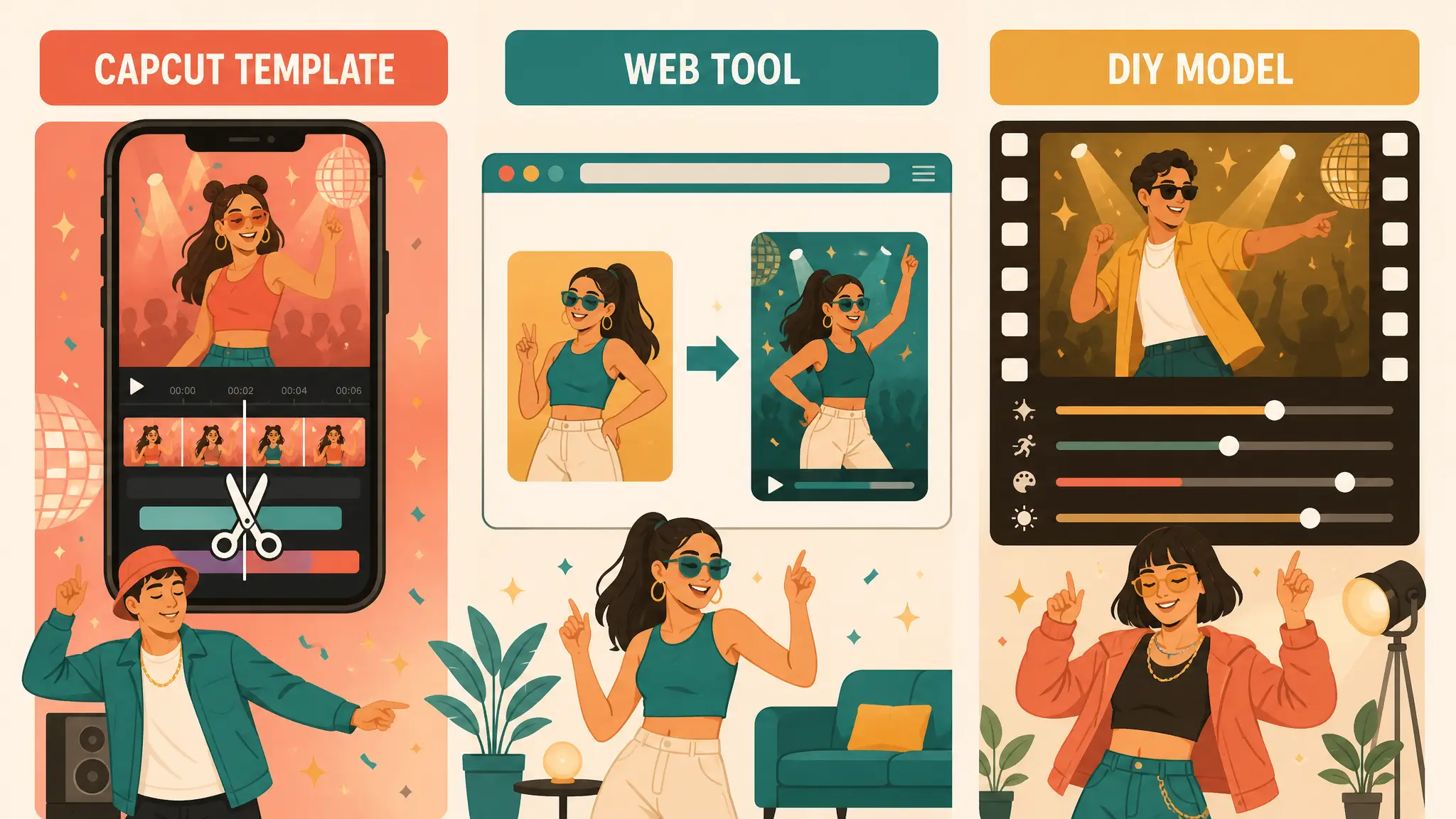
Free, one-step, or DIY: pick by how often you will post, not just by price.
1. The free way: a CapCut template
Most TikTok tutorials show how to do it with a CapCut template on your phone: copy the template link, open it in CapCut, replace the photo and export. It costs nothing, and it is the fastest way to try the format once. The trade-offs are real, though: you need the app, you need to find a template link that still works, and the whole workflow is phone-only.
2. The one-step way: a dedicated web tool
If you would rather skip the app and the template hunt, Make Dime Dime Baby does it in the browser, including on desktop:
- Upload one clear photo (one person, face visible, upper body in frame).
- Sign in with your email and generate. It usually takes 3–5 minutes.
- Download the HD portrait video. It has no watermark and no music, so you add the trending sound in the TikTok editor.
New accounts get one free video while the daily free allowance lasts; after that it is one-time packs ($9.99 for one video, $24.99 for three) with no subscription. Credits never expire, and failed videos are redone free with automatically returned credits. The step-by-step guide is in How to make a Dime Dime Baby AI video, and the honest cost comparison is in Is Dime Dime Baby AI free?.
3. The DIY way: a general motion-control model
If you already work with AI video tools, you can reproduce the trend with any image-to-video model that supports a motion reference clip. Expect to spend time finding a clean driving clip and tuning the prompt, and know that results vary a lot between models. It is the most flexible route and the most fiddly one — worth it only if the other two don't fit your workflow.
| Route | Cost | Device | Effort | Best for |
|---|---|---|---|---|
| CapCut template | Free | Phone | Low, if you find a working template | Trying the format once |
| Web tool | 1 free video, then one-time packs | Any browser, incl. desktop | Lowest per video | Regular posts, desktop users |
| DIY motion model | Your existing AI-tool credits | Your setup | Highest | Creators who already run these models |
Tips for a better result
Whichever route you pick, the input photo decides most of the outcome:
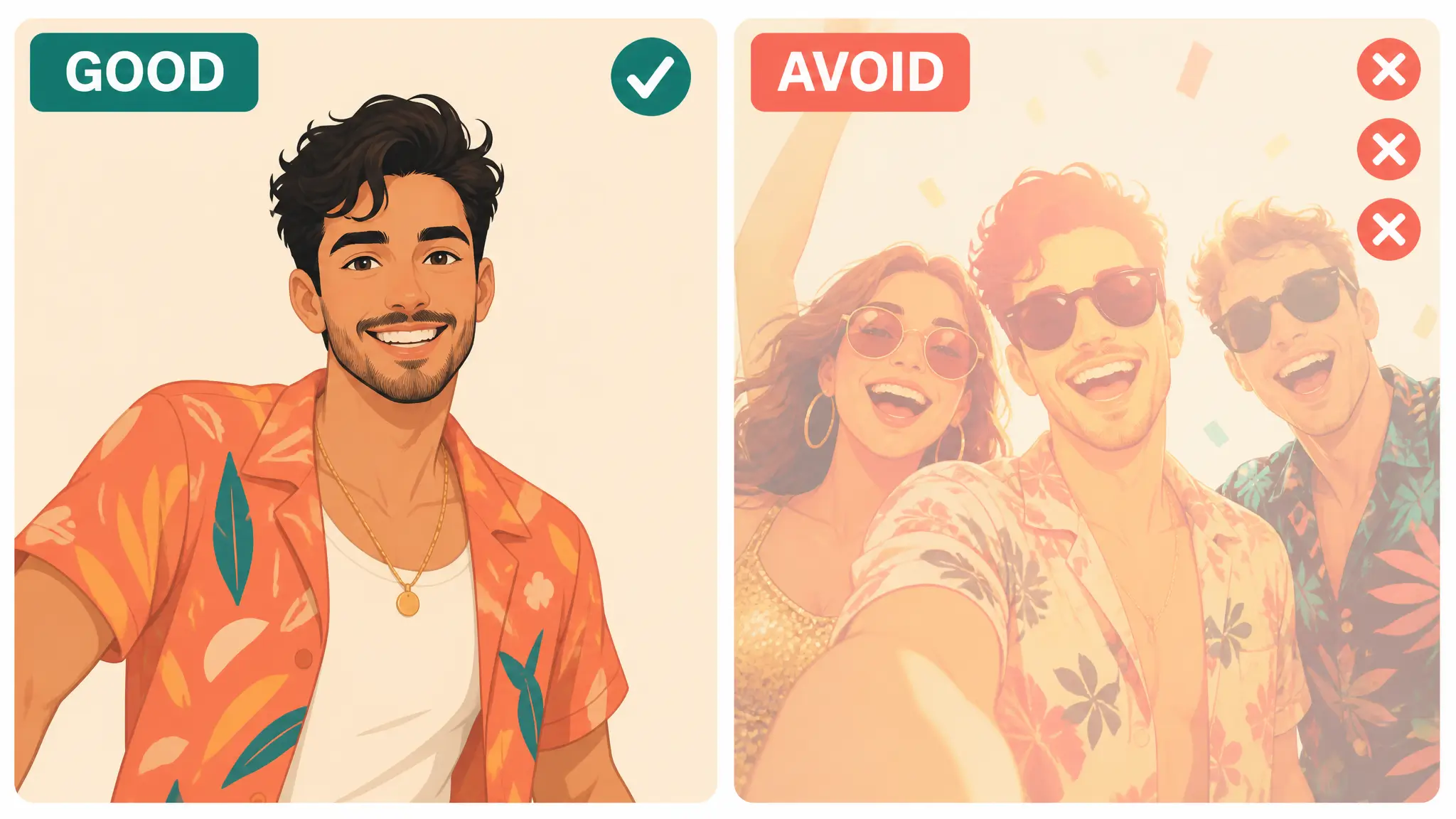
The input photo decides most of the outcome.
- Use one subject per photo. Group photos confuse the motion transfer.
- Avoid sunglasses and heavy filters. The stare is the joke; the face needs to be readable.
- Plain or party-like backgrounds blend in best.
- Pets are hit and miss. The dance is made for a human body; an upright, front-facing pet photo has the best chance. See Dime Dime Baby for pets, grandma and friends.
- Ask first. Only use photos of yourself or of people who agreed — never children as the subject, and never celebrities.
Turning the trend into content
The accounts doing best with this trend are not posting one video; they are posting the reaction. A few formats that work:
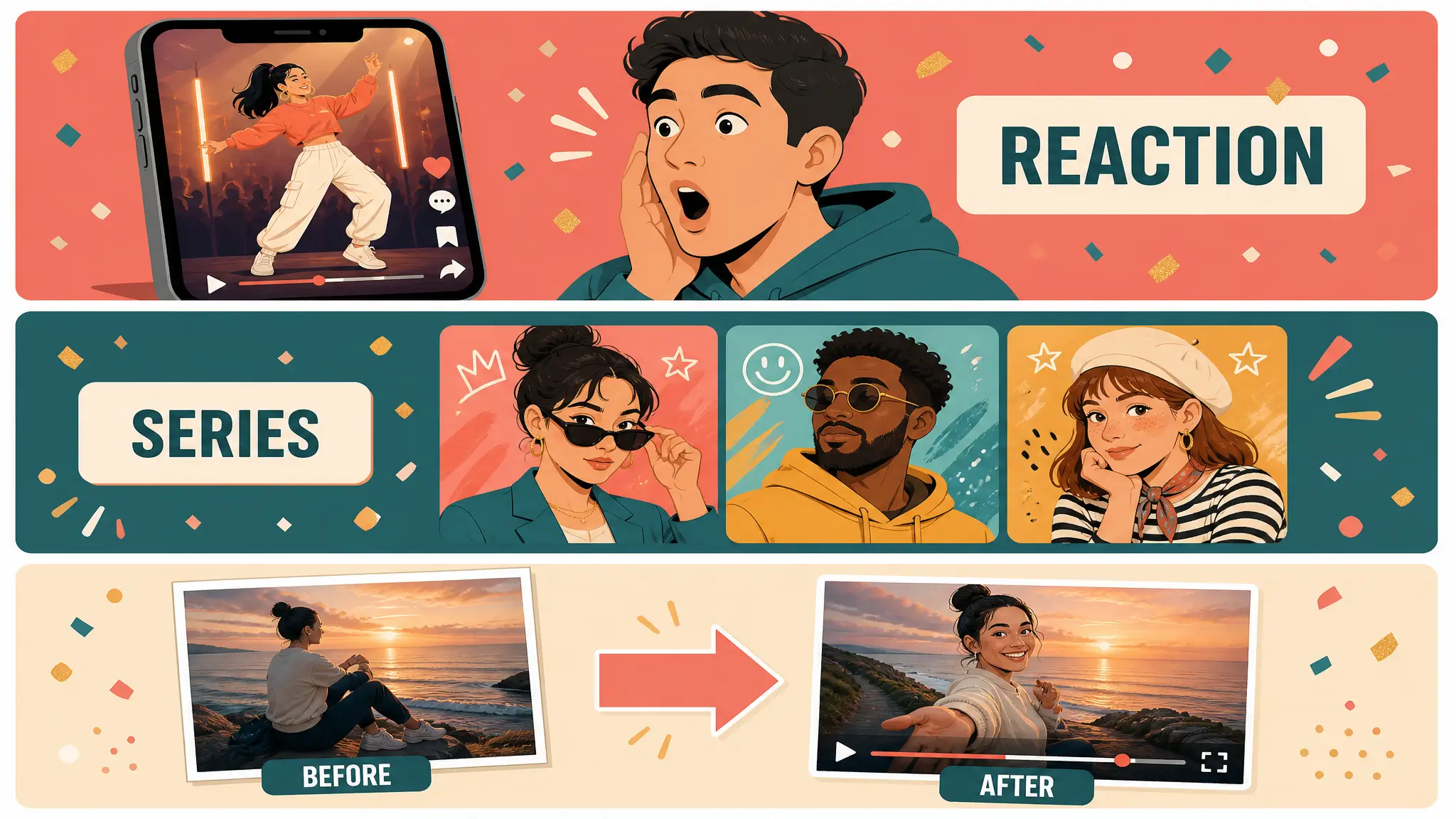
Post the reaction, not just the clip.
- "I put my grandma in the Dime Dime Baby trend", with her reaction as a second clip.
- Friend-group roulette: one video per friend, pinned as a series.
- Before/after: the original photo, then the dance.
Hooks like these are the same reason AI fruit videos took off: a familiar format, a surprising subject, and a payoff in the first two seconds. If you are building a short-form account around AI trend videos, AI Fruit is our fruit-video generator — same one-format-many-subjects playbook, with the fruit twist that made watermelons eating strawberries a genre. Dime Dime Baby itself stays with the tools above.
FAQ
What is Dime Dime Baby? A TikTok trend built on a short party clip where a guest bites a concha, stares into the camera and dances away. More background: What is the Dime Dime Baby trend?
Can I make it for free? Yes, with a CapCut template on your phone. Web tools trade a small cost for no app, desktop support and no watermark.
Does the AI video include the song? Generated videos come without music; add the trending sound inside TikTok.
¿Hay una guía en español? Sí: ¿Qué es Dime Dime Baby IA?
aifruit.app and Make Dime Dime Baby are independent tools. Neither is affiliated with KAROL G, TikTok, CapCut or the creators of the original clip. aifruit.app makes AI fruit videos; it does not generate Dime Dime Baby videos.