
AI Fruit Cracking Videos: The Crack-and-Reveal Format, Explained
AI fruit cracking videos spend the whole clip building one moment: the shell breaks and something unexpected is inside. Here is the structure, the craft decisions, and a concrete prompt template plus credit plan.
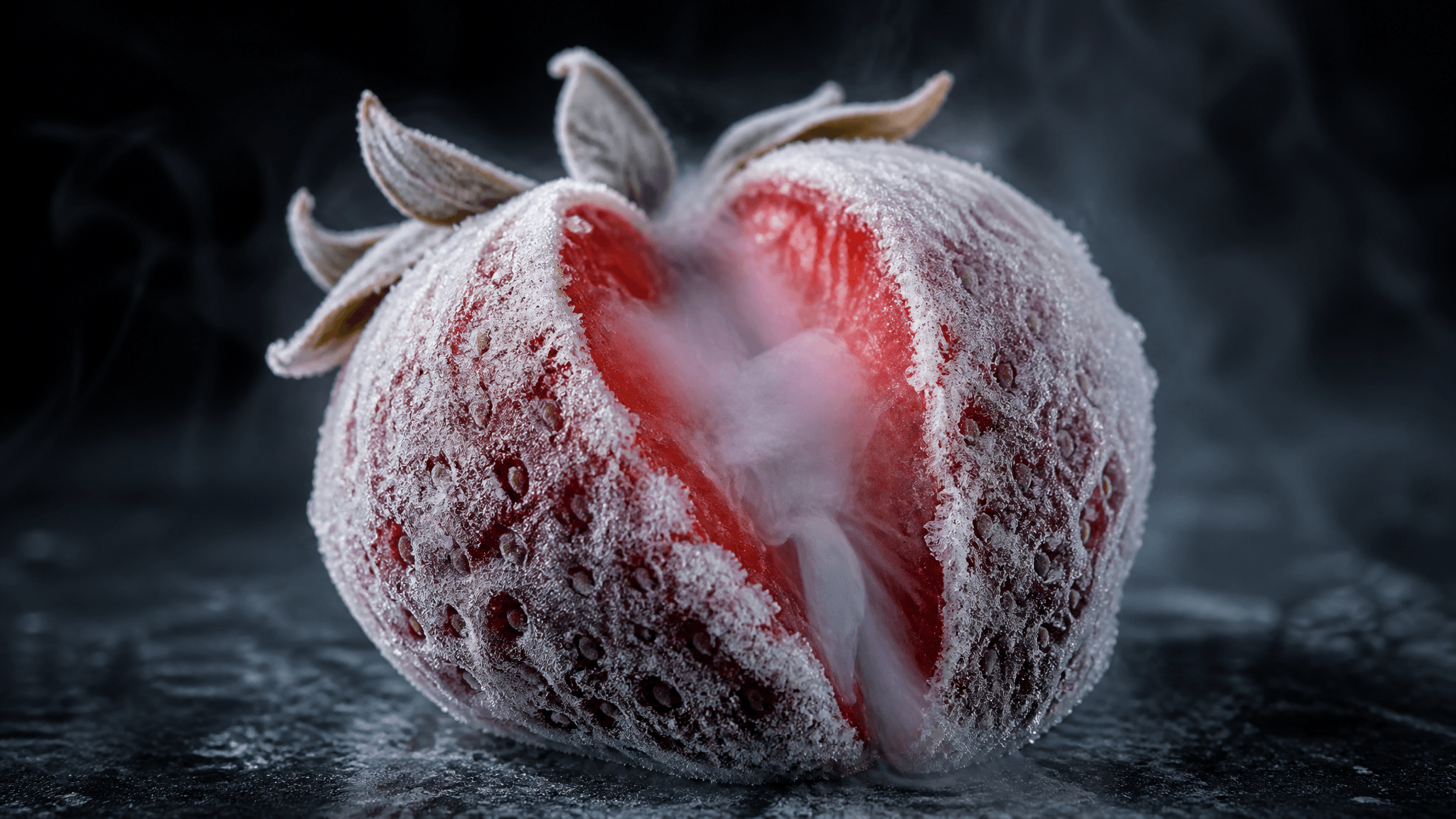
An AI fruit cracking video builds one promise and pays it off in a single moment: a fruit looks sealed inside a frozen, glass, or crystal shell, something applies pressure, and the shell breaks open to show an interior that the outside did not prepare you for. Everything in the clip exists to delay that moment and then make it land.
That is why the format travels so well. It is short, it needs no dialogue, it reads without sound, and it works the same in a feed, in a nine-second Short, and in an hour-long sleep compilation. If you are deciding whether to make one — or you have already watched a dozen and want to know why they hold you — the useful thing to understand is the structure, not any single prompt.
This guide breaks down the three beats, the four craft decisions that separate a clip that lands from filler, and a concrete production plan with the current model and credit numbers from AI Fruit.
The three beats behind every cracking video
Strip the aesthetic away and the format is a three-beat loop:
- Shell. The fruit is encased in a material that is not the fruit: deep frost, ice glaze, crystal, glass, sugar. The shell tells the viewer what kind of video this will be before anything happens.
- Pressure. A knife, a hand, a drop, a clamp. The shell deforms, frosts over, or hairline-cracks first. This is the only real tension in the clip, and it is why a 6-second version can feel complete while a 30-second version can feel slow.
- Reveal. The interior is exposed — juice, colour, a second fruit, candy, a hollow core — and it contradicts what the shell implied.
AI Fruit's documented creation flow maps onto the same shape: pick the fruit and shell style, generate with a selected model, then preview and download (frozen fruit cutting tool). The product documentation names the freeze vocabulary directly — deep-frozen solid, frost-glazed, flash-frozen, snow-dusted, nitrogen-frozen — and the glass tool names crystal clear, golden, rainbow, and ice. Those are style options, not just adjectives: each one sets a different expectation for the reveal.
Why the format fills up feeds
The cracking-and-cutting family is genuinely large on public platforms. In November 2026, YouTube search results for AI glass fruit cutting showed individual Shorts at 4M and 11.12M views, alongside hour-long and twelve-hour compilations displaying 260K to 670K views. TikTok carries the same template under the #aifruitcracking tag, where several different accounts post near-identical "cracking and revealing" clips.
Two things follow from that sample, and both matter for your own plan:
- Every large count in that sample was glass or crystal. The one frozen clip we looked at was a small channel's upload with 11 views at three weeks old, using the same crack-and-reveal structure. That is a sample of results on one day, not a market measurement: it says what is currently getting aggregated, not that glass performs better than frozen.
- The format is reproducible, not exclusive. The small frozen channel and the million-view glass Shorts are running the same three beats. What separates them is craft and repetition, not access to the format.
What the numbers do not tell you is whether any specific clip will do well. View counts are platform-displayed totals on the access date, not a promise about the next upload.
Four craft decisions that decide whether it lands
1. The shell is a promise
A frost-covered watermelon promises cold. A crystal one promises transparency. Sugar promises a bite. Before you write a prompt, decide what the shell implies, because the reveal only works if it breaks that implication. A crack that shows more of the same material is a satisfying texture video; a crack that shows something the shell hid is a reveal.
2. The reveal has to contradict the shell
The most common failure in amateur clips is a reveal that matches the outside: a frozen strawberry that is frozen all the way through, a glass apple that is glass. That can still be pleasant, but it is the version that gets scrolled. Decide the contradiction in one sentence before you generate — frozen outside, molten inside; glass outside, juice inside; one fruit outside, a cluster inside.
3. Sound is half the format
Cracking audio is the reason this sits next to ASMR. In AI Fruit, in-clip audio depends on the model you pick: Kling 3.0 exposes an audio toggle with different credit rates, Veo 3.1 generates audio, and Grok Imagine Video's configuration exposes no audio parameter at all. If you need the crack sound inside the generation, choose accordingly; if not, plan a sound pass in your editor. A silent clip in an ASMR-adjacent niche reads as unfinished.
4. Length controls the payoff
Six seconds is one loop: shell, pressure, reveal, done. Twelve seconds needs either a second cut or a slower build. Thirty seconds needs a real sequence, or the middle sags. Choose the length from the number of beats you actually have, not from what the model allows.
Choosing the shell: frozen, glass, crystal, candy
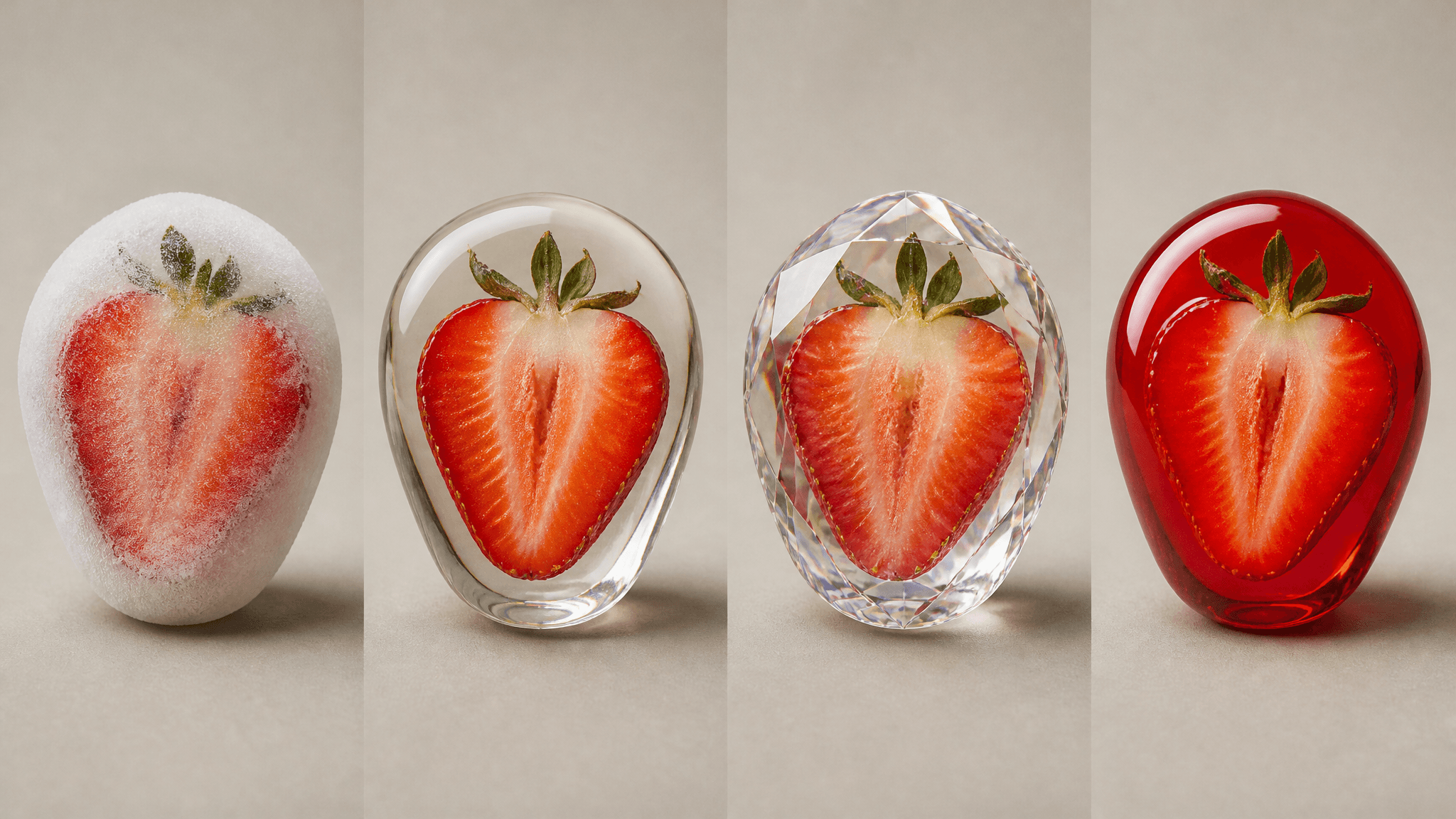
Illustration, not product output — the four shell families compared in the table above.
| Shell | What it promises | Documented styles | Good for |
|---|---|---|---|
| Frozen | Cold, weight, clean snap | Deep-frozen solid, frost-glazed, flash-frozen, snow-dusted, nitrogen-frozen | Crack-and-reveal loops, cold-mist slow motion |
| Glass | Transparency, fragility, light | Crystal clear, golden, rainbow, ice | Cutting clips, refractive close-ups |
| Crystal | Gemstone, refraction, luxury | Ruby, sapphire, emerald, amethyst, diamond | High-contrast colour reveals |
| Candy | Sweetness, chew, stretch | Gummy, hard candy, chocolate, sugar coating, cotton candy | Sound-forward clips, melt and stretch |
Two practical notes. First, frozen and glass are different physics: ice cracks and sheds frost, glass shatters and throws light. Do not describe one and expect the other. Second, material words are the strongest lever you have — swapping "frosted" for "flash-frozen" changes the whole clip more than any camera adjective.
Writing the prompt: five slots
Treat the prompt as five slots. Fill all five and you get a coherent clip; skip one and the model invents it for you.
[subject] + [shell] + [action] + [reveal] + [camera and light]

subject: one fruit, specific size and ripeness
shell:   material and thickness (deep-frozen, frost-glazed, crystal clear)
action:  what breaks it (single knife cut, hand pressure, drop)
reveal:  what is inside, and how it differs from the shell
camera:  framing, distance, lighting, motion

Example:
A palm-sized strawberry, deep-frozen solid with a thick white frost shell,
split once with a chilled knife from the top down, revealing glossy red
flesh and syrup that beads through the cracks, macro close-up, cool studio
light, slight push-in, no camera shake.
This is a planning template, not a tested formula — the same five slots apply whatever model or shell you choose, and the exact wording that works for one fruit will need adjusting for another. What stays constant is the order: the model needs the shell established before the action, and the reveal described before the camera, or the camera language tends to override the payoff.
Two prompt habits that help: describe the first visible change as the crack starts (frost splitting, hairline fractures) rather than the finished break, and state explicitly what should stay still. Camera drift is the most common way a good reveal gets ruined.
The one failure mode worth naming separately is a generic prompt. "Fruit cracking" on its own hands the model every decision — shell, reveal, framing — and it will choose the most average version of each. The five slots exist to stop that from happening.
Picking a model and budgeting credits
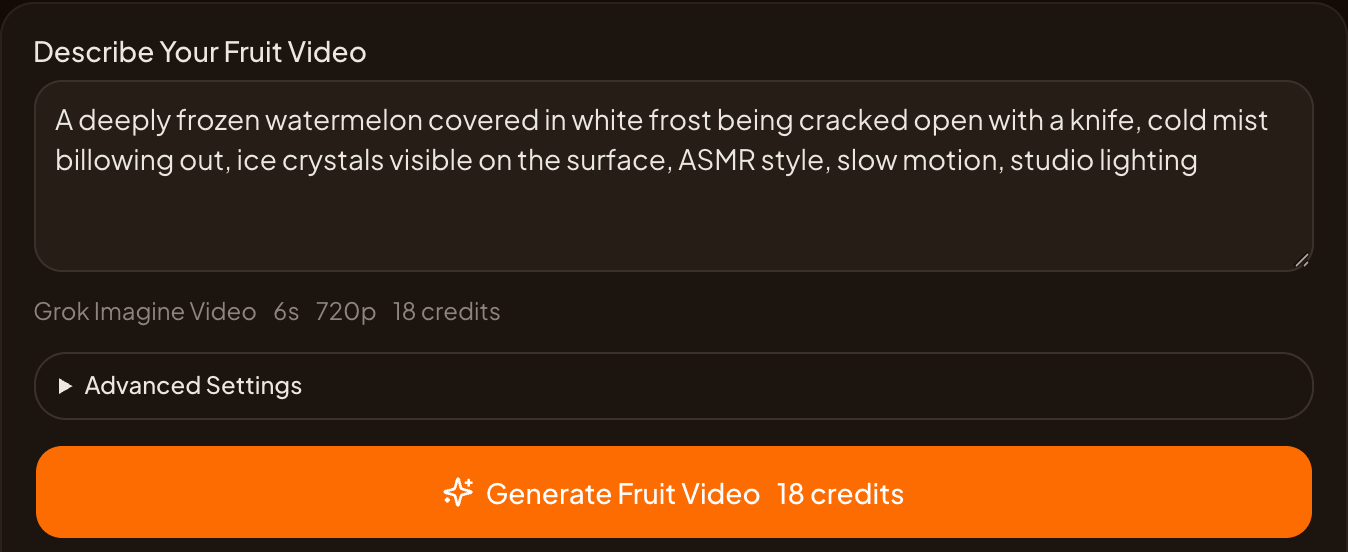
Model, duration, resolution, and credit estimate are visible before you submit. Checked 11 November 2026.
AI Fruit shows the model, duration, resolution, and credit estimate before you submit, and the numbers differ enough that the choice is worth a minute. As of November 2026, the catalog's pricing rules include:
| Model | Duration | Audio | Cost |
|---|---|---|---|
| Grok Imagine Video (default) | 6–30s | No audio parameter | 3 credits/s at 720p or 480p; 8 credits/s at 1080p |
| Kling 3.0 | 3–15s | Toggle | 720p: 12 credits/s silent, 17 with audio; 1080p: 15 / 23 |
| Veo 3.1 | fixed generation | Generated | Flat 224 credits per generation |
Three concrete plans for a single reveal clip:
- Cheapest first pass: Grok Imagine Video, 6s, 720p — 18 credits. This is the default the frozen fruit cutting editor opens with, and it is the right choice for a first test of a shell/reveal idea.
- Audio in one step: Kling 3.0, 6s, 720p with audio — about 102 credits. You pay roughly five times the silent Grok clip for the crack sound and Kling's framing.
- One high-fidelity attempt: Veo 3.1 — 224 credits flat, at 16:9 or 9:16 only. Worth it when a single clip has to carry a post, not when you are still testing the idea.
For scale: Creator is $15/month for 600 credits and Pro is $30/month for 1,500 credits, both with 30-day credit validity. At those rates, the cheapest first pass is about 33 tests on Creator, and the audio version is under six. Prices, durations, and model availability change — the selector in the generator is the current source of truth, and the model catalog lists what is actually selectable.
Iterating without burning credits
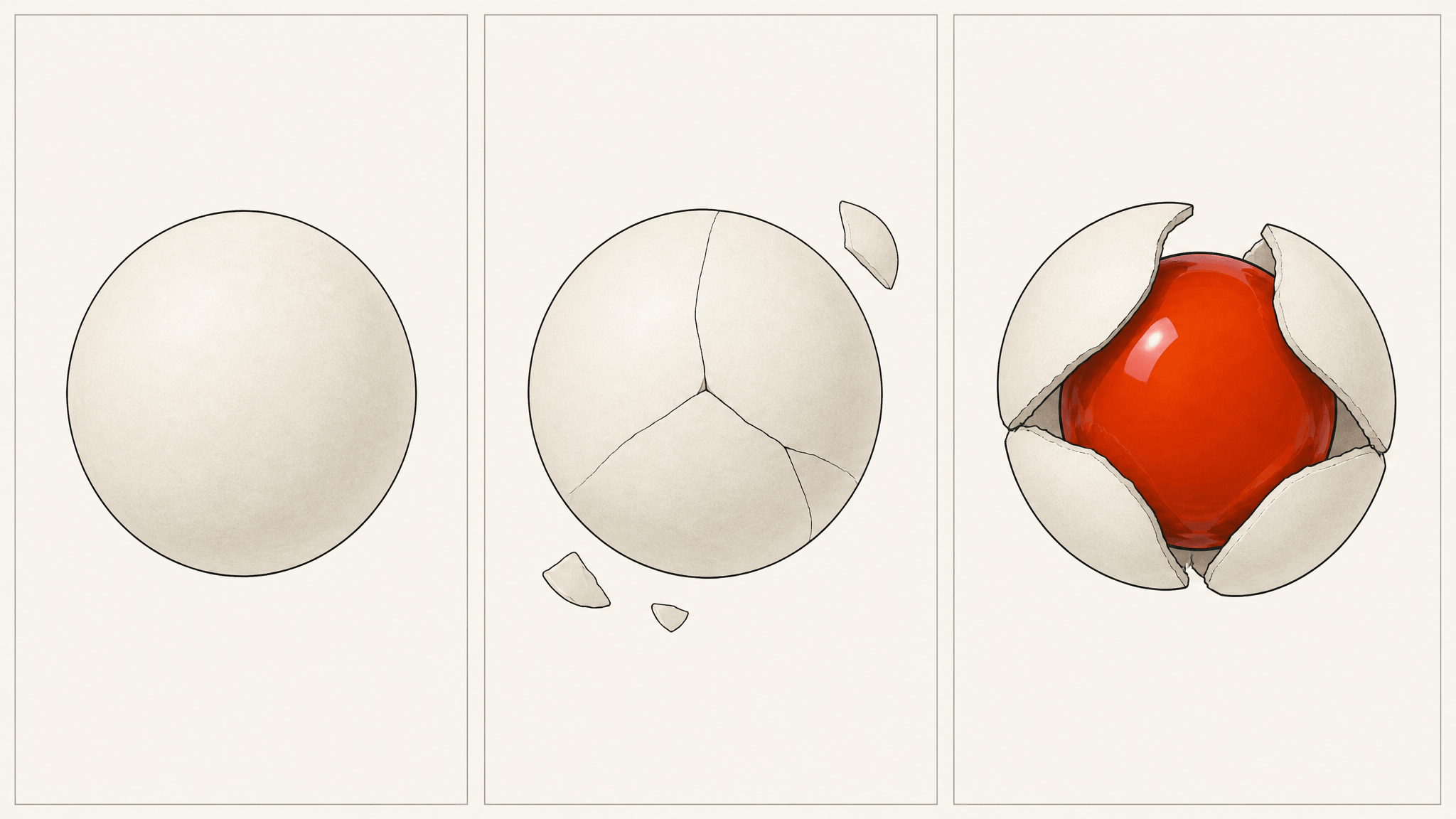
One variable per run: lock the reveal first, then the shell, then the framing.
Change one variable per run. If you change the shell material and the camera in the same run, you learn nothing about which one fixed the clip. A practical order:
- Lock the reveal sentence.
- Test the shell material at the cheapest settings and a short duration.
- Test the framing once the shell reads correctly.
- Only then spend on a longer or higher-resolution version.
For a series, the Story workflow keeps characters, scene context, and versions across multiple clips, which is the difference between a one-off and a channel. It preserves context; it does not guarantee identical fruit between clips, so check each result before publishing.
Bottom line
AI fruit cracking videos are a three-beat structure — shell, pressure, reveal — wrapped in a material choice. Decide the shell's promise, decide how the inside breaks it, choose an audio-capable model if the crack needs to be in the clip, and test at 18 credits before you spend 224.
The frozen fruit cutting tool linked above opens with the shell style, prompt field, model, and credit estimate already in view. Start with one fruit, one shell, one contradiction.
Model availability, generation time, output behaviour, and credit costs vary by provider, model, queue, and selected settings. Commercial use depends on the selected model's provider terms, the current AI Fruit Terms, applicable law, and your rights in your inputs. Platform view counts are displayed totals at the time of writing.